Microsoft Teams Phone Operations: What IT Teams Actually Manage


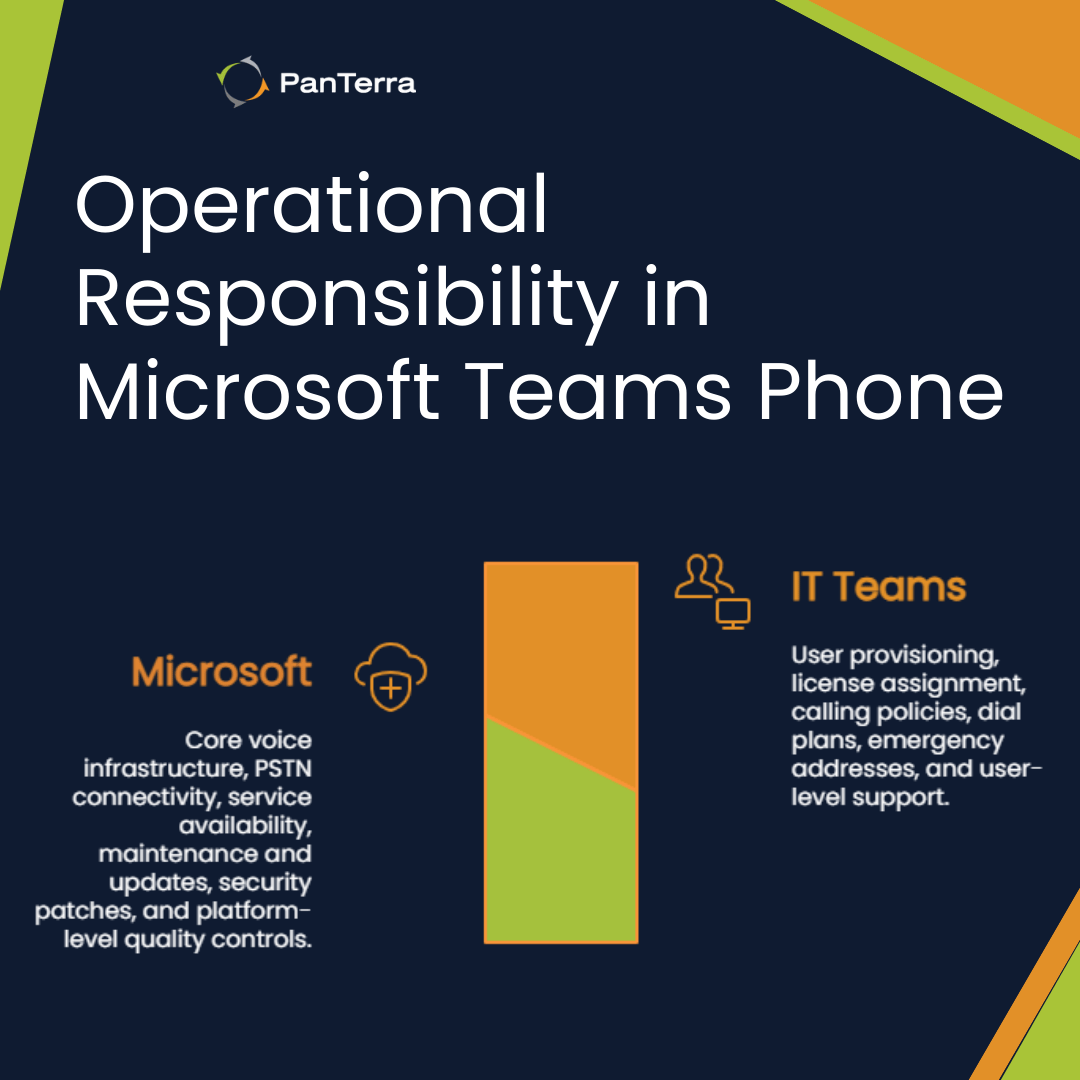
Operating Microsoft Teams Phone fundamentally changes how IT teams manage voice services. Instead of controlling infrastructure, teams navigate a divided operational model where Microsoft owns the platform while organizations manage configuration and users.
This division between platform control and administrative responsibility creates a specific operational reality. IT teams trade direct infrastructure access for simplified management interfaces, but also inherit new dependencies and constraints that shape daily operations.
What do IT teams directly control in Microsoft Teams Phone?
IT teams maintain direct control over user-level configuration, policy assignment, and number management within Microsoft's defined parameters. This includes provisioning users, assigning phone numbers, and configuring dial plans and emergency addresses.
Administrative control centers on the Teams Admin Center and PowerShell. Teams create calling policies, configure dial plans for number normalization, and manage emergency addresses for compliance. Phone number lifecycle management remains under IT control, including porting and assignment.
However, actual PSTN connectivity and carrier relationships exist behind Microsoft's operational boundary. IT teams configure the user experience while Microsoft maintains service delivery infrastructure.
What remains under Microsoft's exclusive operational control?
Microsoft retains exclusive control over infrastructure operations, service availability, and platform changes. This includes maintenance windows, updates, security patches, and core telephony infrastructure.
When Microsoft schedules maintenance or experiences degradation, IT teams cannot intervene directly. They monitor dashboards and communicate impacts but cannot implement infrastructure-level fixes. Quality of Service parameters and media optimization operate according to Microsoft's specifications, not organizational requirements.
How does daily Teams Phone administration differ from traditional PBX management?
Traditional PBX provides direct hardware access and immediate changes, while this administration occurs through abstracted interfaces with inherent latency. Changes propagate through distributed infrastructure, taking minutes to hours.
PowerShell becomes mandatory for many tasks. Multi-portal management fragments the experience across Teams Admin, Microsoft 365 Admin, and Azure Active Directory. Each portal controls different aspects, requiring administrators to understand which settings live where.
These differences become most visible in day-to-day operational control, particularly around number management and inventory visibility.
Where IT Loses Operational Control in Teams Phone
Loss of Manual Number Management and Inventory Control
In traditional PBX environments, IT teams maintained a complete and centralized inventory of phone numbers, extensions, and DIDs. Administrators could immediately see which numbers were available, assigned, reserved, or unused.
In Microsoft Teams Phone deployments using Direct Routing, this visibility no longer exists in a single, native view.
Teams Admin Center does not provide a comprehensive inventory view for Direct Routing numbers. As a result, IT teams often rely on manually maintained spreadsheets or custom PowerShell scripts to reconstruct number inventories.
Number assignments frequently require manual configuration at the SBC level. Administrators must ensure numbers are correctly formatted, routed, and associated with users or services, increasing the risk of human error.
There is no automated mechanism for validating number assignments or preventing conflicts. IT teams become responsible for building their own safeguards to avoid misconfiguration.
Over time, operational effort shifts from managing systems to maintaining workarounds.
This loss of visibility is not a failure of administration but a consequence of Teams Phone’s architectural boundaries. IT teams manage configuration without owning the underlying system state.
Where does operational friction typically emerge after deployment?
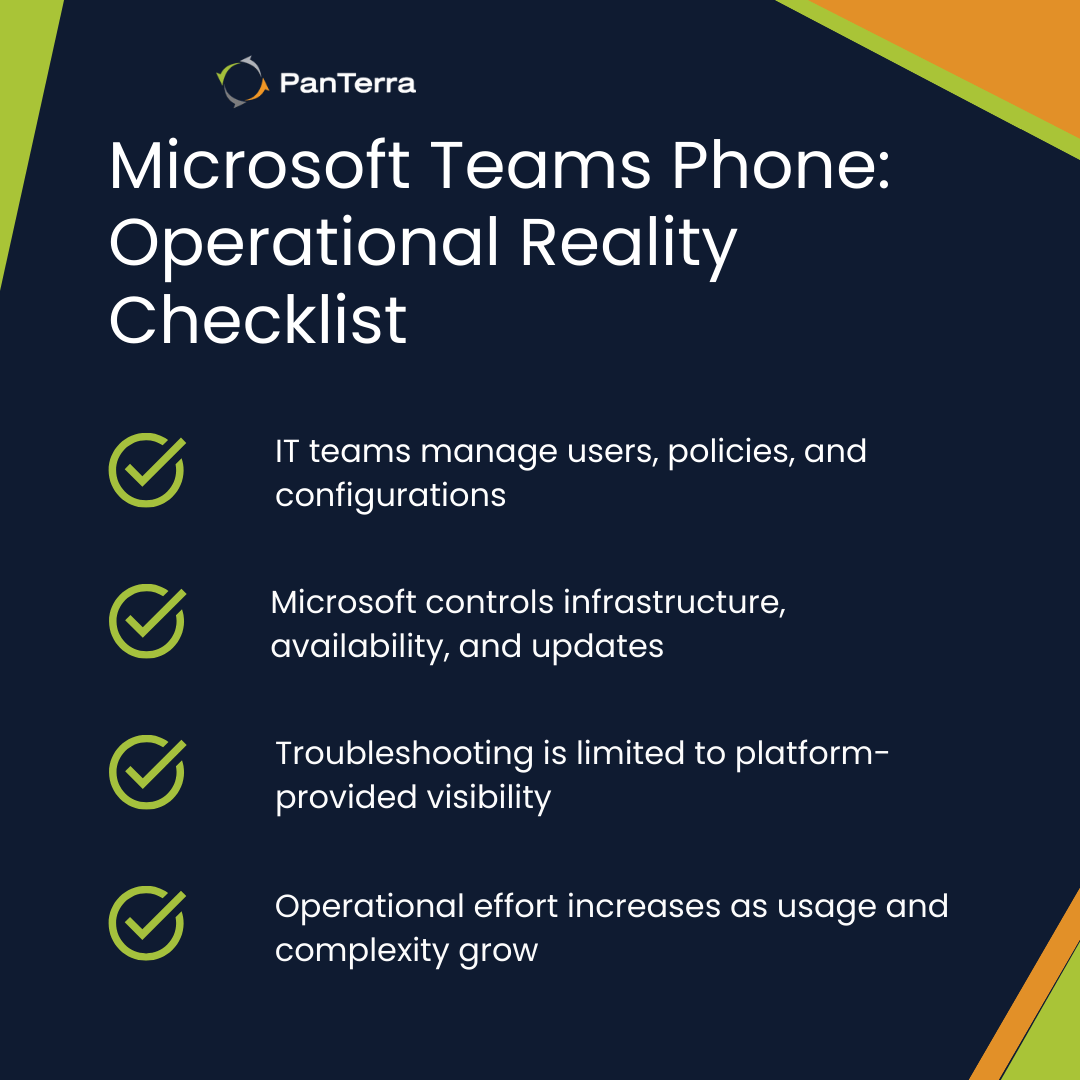
Operational friction emerges around troubleshooting limitations when teams cannot access infrastructure logs or make real-time adjustments. Call quality issues require support tickets rather than immediate investigation, extending resolution times.
User adoption challenges surface when employees expect features that aren't available or work differently than anticipated. Understanding these limitations helps set appropriate expectations before deployment.
Help desk tickets often exceed projections as users encounter scenarios the platform doesn't support. Each ticket requires more investigation time since IT cannot directly examine call flows or infrastructure logs.
Difficulty maintaining accurate number inventories and routing visibility over time further compounds these challenges as environments scale.
What operational burden accumulates over time?
Configuration drift becomes increasingly difficult to track as policies multiply and exceptions accumulate. Without version control or rollback capabilities, teams must document every change manually and maintain their own configuration history.
Microsoft's monthly release cycle introduces constant change that IT teams must evaluate, test, and communicate. Features appear and disappear, interfaces change, and administrative procedures require regular updates. This perpetual motion demands ongoing attention that traditional phone systems didn't require.
Shadow IT voice solutions emerge when Teams Phone doesn't meet specific departmental needs. Sales teams implement their own dialers, support departments add third-party contact center tools, and executives maintain separate conference bridges. IT discovers these solutions during audits or security reviews, adding integration and compliance complexity.
Understanding the operational commitment
Operating this platform means accepting Microsoft's operational model and its constraints. IT teams manage what they're allowed to configure while depending on Microsoft for everything else. This reality shapes staffing needs, skill requirements, and support expectations.
For organizations comfortable with this division of responsibility, the simplified management can reduce operational overhead. For those requiring direct control or immediate response capabilities, the operational model may create more challenges than it solves. The complete evaluation framework helps determine whether this operational reality aligns with organizational requirements.
Frequently Asked Questions
What administrative tasks require PowerShell in Teams Phone?
Bulk user provisioning, advanced call routing configuration, and custom dial plan creation typically require PowerShell as the Teams Admin Center lacks these capabilities in its graphical interface.
How quickly do configuration changes take effect?
Configuration changes can take anywhere from immediate to several hours to propagate across Microsoft's infrastructure, with no way to force immediate synchronization.
What happens during Microsoft Teams maintenance windows?
During maintenance, calling services may be unavailable or degraded with no alternative path, as IT teams cannot redirect traffic or implement temporary workarounds at the infrastructure level.
Can IT teams access call logs for troubleshooting?
IT teams can access basic call records and quality metrics through provided dashboards but cannot examine detailed infrastructure logs or real-time call routing decisions.
How much time do IT teams typically spend on voice operations?
Administration typically requires ongoing weekly effort across user support, configuration management, and Microsoft update evaluation, with the exact time varying based on organization size and complexity.
.jpg?width=500&height=500&name=Are%20you%20Getting%20a%20Good%20Deal%20(1).jpg)
Comments