Microsoft Teams Phone System: Complete Buyer’s Guide


Microsoft Teams Phone System adds business calling to Microsoft Teams, but choosing the right approach involves more than enabling a license. Organizations must evaluate licensing requirements, deployment models, feature limitations, operational complexity, and long-term cost impact before making a decision.
In practice, many IT leaders underestimate how MS Teams Phone behaves once deployed. Calling models, third-party dependencies, administrative effort, and integration constraints can materially affect cost, usability, and support overhead after rollout. These factors vary depending on organization size, internal expertise, and communication needs.
Beyond licensing and deployment considerations, many IT leaders are now evaluating Microsoft Teams Phone through the lens of business continuity. As Microsoft Teams has experienced recurring service disruptions, questions such as “why does Microsoft Teams keep going down” have become increasingly common among organizations that rely on Teams for day-to-day operations. This has led decision-makers to reassess the risk of depending on a single platform for both collaboration and voice communications.
This buyer’s guide explains how Microsoft Teams Phone System works, the available deployment options, when it fits organizational requirements, and when alternative approaches inside Teams may be more appropriate. The goal is to help decision-makers assess trade-offs clearly before committing to a solution that is expensive or difficult to manage over time.
What licenses are required to use Microsoft Teams Phone System?
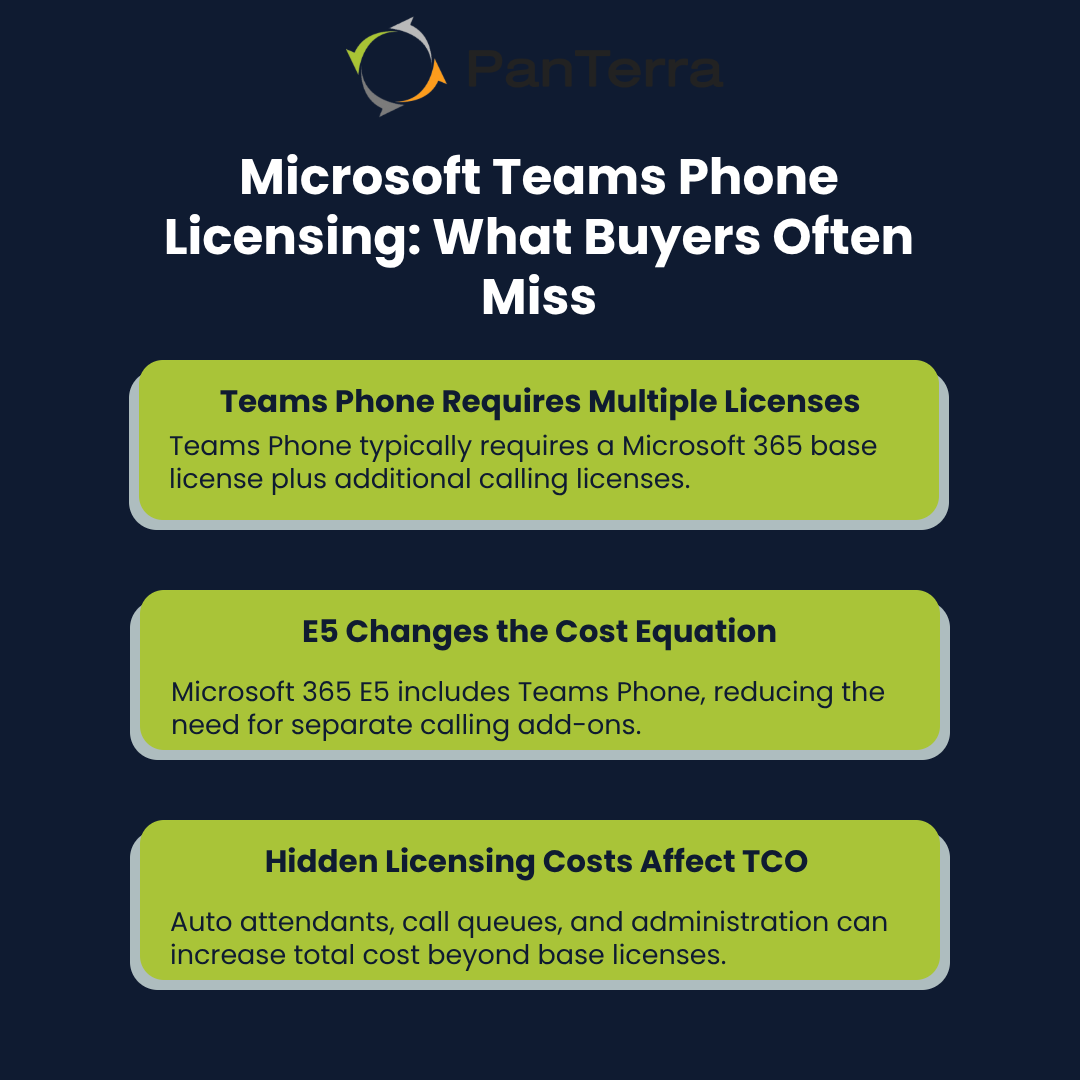
Microsoft Teams Phone System requires a Microsoft 365 base license and a Teams Phone Standard license (~$8/user/month) for each user. Microsoft 365 E5 includes the Teams Phone Standard license, eliminating this additional cost. However, all users still require a calling solution to make and receive external calls, regardless of their license tier. This requires either: (1) a Microsoft Calling Plan ($12-18/user/month additional), (2) Direct Routing (using your own SIP trunk provider), or (3) Operator Connect (carrier-provided service). Phone numbers (DIDs) are not included and must be obtained separately through your chosen calling solution.
After deployment, many organizations discover that Teams Phone licensing involves multiple components working together. This layered structure affects total cost and planning and is often underestimated during budgeting. In real implementations, licensing decisions can also drive additional requirements, such as hardware or administrative overhead, which create downstream cost and complexity.
Microsoft 365 Base Requirements
Microsoft Teams Phone System requires a Microsoft 365 license as a prerequisite for every user. Business Premium, E3, and E5 plans all include Microsoft Teams, but the phone system capabilities vary significantly by license tier.
Organizations using Business Premium or E3 must add a separate Teams Phone license to enable calling. This distinction directly affects licensing scope and total cost planning. In practice, these prerequisite differences often introduce additional, unplanned expenses during deployment.
Teams Phone Standard License (~$8/user/month):
- Microsoft 365 Business Basic/Standard/Premium: Requires separate Teams Phone Standard add-on
- Microsoft 365 E3: Requires separate Teams Phone Standard add-on
- Microsoft 365 E5: Includes Teams Phone Standard at no additional cost
However, Teams Phone Standard alone does not enable calling. All users—regardless of whether they have E5 or purchased Teams Phone Standard separately—must also add a calling solution:
- Microsoft Calling Plan: $12-18/user/month additional (includes PSTN connectivity and phone numbers)
- Direct Routing: Requires SIP trunk provider, session border controller, and technical expertise to configure and maintain
- Operator Connect: Carrier-provided calling service with varying costs
These multi-layered licensing requirements often introduce additional, unplanned expenses during deployment. Organizations must budget not just for the phone system license, but also for the calling solution and phone number provisioning—costs that aren't always apparent in initial Microsoft 365 licensing discussions.
Teams Phone Standard vs E5 Inclusion
Microsoft Teams Phone Standard is priced as a separate per-user add-on, while Microsoft 365 E5 includes Teams Phone functionality as part of the license. This difference directly affects how organizations evaluate total licensing requirements and break-even thresholds.
Microsoft 365 E5 also bundles additional capabilities such as advanced security, analytics, and compliance features. Organizations that already require these services may find E5 more cost-effective overall, despite the higher license price.
In practice, licensing decisions at this level often surface unexpected gaps during rollout. In several implementations, organizations initially focused on calling features, later discovered additional licensing needs tied to broader Microsoft 365 functionality, reinforcing the importance of evaluating requirements holistically before selecting a license tier.
How do calls connect to the public phone network in Microsoft Teams Phone?
Microsoft Teams Phone connects calls to the public phone network through three models: Microsoft Calling Plans, Operator Connect, and Direct Routing. Each option differs in cost, complexity, and operational control.
The deployment model you choose directly affects monthly costs, technical requirements, and long-term manageability. Organizations often see significant cost differences between these options once calling volumes, carrier relationships, and infrastructure needs are fully accounted for.
Microsoft Calling Plans
Microsoft's native calling solution offers straightforward pricing with predictable monthly fees. Domestic plans cost around $12 per user monthly. International capabilities add approximately $25 more per user.
These plans include set minute allocations with overage charges applying once exceeded. Organizations with fluctuating call volumes often face unexpected charges at month-end.
Some organizations evaluate alternative calling approaches that avoid minute-based plans while preserving the Microsoft Teams calling experience.
These models can reduce the risk of overage charges in environments with variable or unpredictable call volumes.
Operator Connect and Direct Routing
Operator Connect represents Microsoft's middle-ground option. This model allows integration with approved third-party carriers while maintaining a Microsoft-managed experience.
According to SHI's analysis, over 20 million PSTN users now leverage these alternative connectivity options. Many mid-sized organizations find this balance of cost and complexity optimal.
Direct Routing offers maximum flexibility but requires Session Border Controller (SBC) infrastructure. These devices range from $2,000 for small deployments to $15,000 for enterprise implementations.
Organizations seeking enterprise-grade integration often prefer this model despite higher initial costs. The technical complexity increases with Direct Routing. Critical here is having IT staff experienced with SIP trunking or partnering with a managed service provider.
Cost Complexity Comparison
Each deployment model presents distinct financial considerations beyond base license fees. Microsoft Calling Plans offer simplicity but sometimes at premium rates. Their predictable monthly costs appeal to organizations with stable calling patterns.
Operator Connect typically reduces per-minute charges compared to Microsoft plans. The trade-off involves managing carrier relationships and potentially complex contracts.
This model is most commonly used by organizations that require greater carrier flexibility and are prepared to manage more complex vendor relationships.
Direct Routing generally provides the lowest per-minute rates but requires infrastructure investment. Large enterprises with existing voice expertise tend to favor this approach.
The initial SBC costs eventually balance against long-term savings for high-volume environments. When evaluating options, organizations should consider calling patterns, technical capabilities, and budget constraints. The right choice varies based on specific needs rather than following a standardized approach.
Regardless of the selected calling model—Microsoft Calling Plans, Operator Connect, or Direct Routing—all Microsoft Teams Phone deployments ultimately depend on Microsoft Teams service availability. During Microsoft Teams outages, organizations may be unable to place or receive calls, even if their PSTN connectivity and carrier infrastructure remain operational. For businesses with customer-facing or time-sensitive communications, this dependency can represent a meaningful operational risk.
What hidden costs should organizations expect with Microsoft Teams Phone System?
Microsoft Teams Phone System includes several indirect costs beyond base licensing, including resource account licenses, number porting fees, hardware expenses, and ongoing IT administration time.
In practice, these indirect costs typically surface during deployment and early operational use, not during initial licensing discussions. Beneath the surface lurk numerous additional expenses that impact total cost of ownership. These hidden costs often surprise organizations midway through implementation.
Another often-overlooked cost is the operational impact of Microsoft Teams outages. When Teams is unavailable, organizations using Teams Phone are unable to make or receive calls, which can disrupt customer support, sales operations, and front-desk workflows. For many businesses, the cost of downtime—lost productivity, missed customer interactions, and delayed responses—can exceed the direct licensing costs of the phone system itself.
According to industry analysis, VoIP solutions can reduce legacy telephony costs, though these savings depend heavily on how licensing, infrastructure, and operational expenses are managed.
Auto Attendants and Call Queues
Many organizations discover too late that basic auto attendants require separate resource account licenses. Based on typical deployment patterns, these licenses cost approximately $5 monthly per instance.
Call queues similarly need additional licensing beyond the base Teams Phone subscription. A standard business implementation often requires 3-5 auto attendants and 2-4 call queues.
This configuration can add $25-45 monthly to Teams Phone expenses. In practice, many organizations budget for base licensing while overlooking these required components.
Some third-party platforms offer more predictable pricing models by bundling call queues, hunt groups, and auto attendants into a single licensing structure. This approach can reduce unexpected add-on costs.
Number Porting and Hardware Expenses
Number porting fees typically range from $1-3 per number when migrating to Teams Phone. This estimate reflects typical porting fees observed across common deployments. Organizations with numerous phone lines face substantial one-time migration costs.
Toll-free numbers require separate monthly rental fees beyond standard licensing. Hardware represents another significant investment area.
Certified Teams desk phones typically cost between $150–400 per device. For a 50-person office at an average of $200 per device, this hardware investment equals $10,000.
Organizations evaluating Teams Phone should assess whether existing devices, mobile apps, or softphones can reduce the need for dedicated desk phone hardware.
IT Administration and Training Investment
Microsoft Teams Phone requires ongoing administrative effort that organizations often underestimate. In many mid-sized environments, system administration typically requires 10–20 hours per month.
This effort includes troubleshooting, user support, configuration changes, and routine maintenance. When administrative capacity is limited, service quality can decline, and user adoption may suffer.
Training represents an additional, often overlooked investment. Both IT teams and end users require onboarding to understand call handling, voicemail workflows, and basic troubleshooting.
Inadequate training commonly leads to higher support demand after deployment, increasing the operational burden on IT teams.
Before implementation, many organizations plan structured training and adoption efforts, including phased rollouts, documentation, and hands-on sessions, to reduce post-deployment friction.
How should organizations calculate the total cost of ownership for Microsoft Teams Phone System?
The total cost of ownership for Microsoft Teams Phone System includes licensing, calling connectivity, add-on features, hardware, and ongoing administrative effort.
Evaluating TCO requires accounting for both direct subscription costs and indirect operational expenses over time.
Budget planning for Teams Phone requires looking beyond advertised per-user license fees. Calculating true expenses demands a structured Total Cost of Ownership (TCO) framework. This approach captures all costs associated with implementation and ongoing operations.
In real-world deployments, applying a structured TCO model often reveals cost differences that are not visible in per-user license pricing alone.
For a complete total cost of ownership analysis, organizations should also consider the business impact of service interruptions. Microsoft Teams outages can result in temporary loss of voice services, which may affect productivity, customer experience, and revenue. While these costs are not reflected in per-user license pricing, they often represent a significant component of real-world TCO over time.
Simple TCO Formula
The formula for calculating Teams Phone TCO includes these key components:
Monthly TCO = Base License + Calling Plan + Add-on Licenses + Hardware Amortization + Administrative Time
In many real-world deployments, this calculation often reveals expenses 30–40% higher than initial license estimates.
For example, organizations that budget only for base licensing often see materially higher per-user costs once all required components are included.
Organizations should establish a systematic review process for validating these calculations. Regular cost audits help identify optimization opportunities and prevent budget overruns.
Breaking down each component with specific dollar amounts creates transparency for stakeholders. Capturing both direct and indirect costs remains essential for accurate budgeting.
Example Cost Scenarios
Small organizations (25-50 users) typically experience total costs between $25-35 per user monthly. This range reflects limited volume discounts and higher per-user administrative overhead.
Mid-market companies (100-300 users) often achieve better economies of scale. Their costs typically fall between $20-28 per user monthly. This improvement comes from volume discounts and more efficient administrative ratios.
Enterprise implementations vary significantly based on deployment models. The transportation sector TCO research demonstrates how higher upfront investments yield operational savings over time. This principle applies when evaluating Teams Phone infrastructure investments.
For accurate budgeting, organizations should create a detailed TCO spreadsheet with these components:
- Microsoft 365 license costs (varies by tier)
- Teams Phone Standard license ($8-10/user/month)
- Calling plan expenses ($2-15/user/month depending on model)
- Resource account licenses for auto attendants/call queues
- Hardware costs (amortized over 36 months)
- IT administration time (valued at hourly rate)
- Training and support expenses
This framework ensures organizations capture all Teams Phone expenses. By applying it consistently, teams can make informed decisions and avoid unexpected budget surprises.
%20for%20Microsoft%20Teams%20Phone.png?width=1080&height=1080&name=Comparison%20infographic%20showing%20average%20vs%20peak%20increase%20in%20total%20cost%20of%20ownership%20(TCO)%20for%20Microsoft%20Teams%20Phone.png)
How can organizations decide whether Microsoft Teams Phone System is the right cost fit?
Microsoft Teams Phone System is a strong fit when existing Microsoft 365 licensing, calling requirements, and internal IT capabilities align with its cost and operational model.
When those conditions are not met, costs and administrative complexity often increase beyond initial expectations.
Once total costs are clearly mapped, organizations can evaluate whether Teams Phone aligns with their operational and budget requirements. This evaluation requires balancing financial impact against operational requirements, which vary by organization.
Reported ROI outcomes vary widely depending on licensing mix, calling model, and organizational scale, making upfront cost analysis more reliable than generalized benchmarks.
When Teams Phone Delivers Value
Microsoft Teams Phone delivers the most value in environments where Microsoft 365 E5 licensing is already in place, since Teams Phone functionality is included without additional per-user licensing.
Organizations with unified communications strategies often benefit from consolidating calling, collaboration, and productivity tools within the Microsoft ecosystem. Native integration with Microsoft 365 applications can simplify workflows and reduce the need for separate platforms.
Teams Phone also supports scalability for growing organizations. The cloud-based model allows user additions without hardware expansion or infrastructure reconfiguration, reducing capital expenditure constraints associated with traditional phone systems.
When Costs and Complexity Increase
Microsoft Teams Phone can become more complex and costly in environments with advanced or non-standard calling requirements. International calling, variable call volumes, and distributed teams often introduce additional charges and operational overhead, particularly when using minute-based calling plans.
Direct Routing deployments increase flexibility but also raise technical complexity. Managing Session Border Controllers, carrier relationships, and voice routing requires specialized expertise that smaller IT teams may not have in-house, often leading to external consulting or managed service costs.
Large-scale or highly customized deployments require careful planning and ongoing oversight. Without sufficient internal voice expertise, organizations may experience higher support effort, longer resolution times, and greater administrative burden over time.
Alternative Approaches Within Teams
Some solutions operate inside Microsoft Teams while reducing reliance on Microsoft's native Teams Phone licensing and calling architecture. These approaches preserve the Teams user experience but shift calling, messaging, and administrative control to an external communications platform.
As a result, some organizations are exploring approaches that allow them to work inside Microsoft Teams while reducing reliance on Teams availability as a single point of failure. These solutions aim to preserve the Teams user experience while maintaining independent communications infrastructure designed to remain available during Teams service disruptions.
PanTerra's Streams.AI is one example of this approach. Streams.AI operates directly inside Microsoft Teams, providing business calling and unified communications capabilities within the Teams interface without requiring Microsoft Teams Phone licenses or Direct Routing infrastructure.
This model is typically evaluated by organizations seeking to:
- Simplify licensing complexity
- Reduce infrastructure dependencies
- Consolidate vendors
- Improve cost predictability
- Maintain the Microsoft Teams user experience
When evaluating alternatives to native Teams Phone, organizations should consider:
- Whether the solution preserves the Teams experience
- How calling and messaging capabilities compare to native options
- Whether pricing models reduce hidden or incremental costs
- How total cost of ownership compares over time
- The level of administrative effort required
Making the Right Decision for Your Organization
Microsoft Teams Phone System enables enterprise calling inside Microsoft Teams, but the right implementation approach depends on organizational requirements, cost structure, and internal operational capacity.
Key factors to evaluate include Microsoft 365 licensing tier, calling patterns, internal IT expertise, administrative overhead, long-term cost predictability, and exposure to Microsoft Teams outages as a potential business risk.
Assessing total cost of ownership, deployment complexity, and ongoing support requirements before implementation helps organizations avoid costly changes later and select an approach that fits both technical needs and business priorities.
Need help evaluating calling options inside Microsoft Teams?
PanTerra offers Streams.AI, a unified communications platform that operates directly inside Teams and is commonly evaluated alongside native Teams Phone deployments.
Frequently asked questions
What are the hidden costs in Microsoft Teams Phone System pricing?
Hidden costs typically include additional licenses for auto attendants and call queues, number porting and toll-free fees, hardware requirements, and ongoing IT administration and training.
How much does Teams Phone Standard cost compared to E5 licensing?
Teams Phone Standard is purchased as a separate per-user add-on, while Microsoft 365 E5 includes Teams Phone functionality as part of the license.
What additional licenses are required for auto attendants and call queues?
Auto attendants and call queues require resource account licenses, and outbound PSTN calling may require additional pay-as-you-go or calling plan configuration.
How do Microsoft Calling Plans compare to Direct Routing costs?
Microsoft Calling Plans offer predictable pricing but can be more expensive at scale, while Direct Routing provides lower per-minute rates with higher infrastructure and management complexity.
What is the total cost of ownership for Teams Phone implementation?
Total cost of ownership includes licensing, calling connectivity, add-on features, hardware, and ongoing administrative and support effort.
.jpg?width=500&height=500&name=Are%20you%20Getting%20a%20Good%20Deal%20(1).jpg)
Comments