When Microsoft Teams Isn't Enough for Enterprise Voice


Microsoft Teams is where work happens. For millions of organizations, it's the daily operating environment—meetings, chat, files, collaboration. The question isn't whether Teams is valuable. It is. The question is whether Microsoft's own calling solution, Teams Phone, is the right way to run enterprise voice inside it.
For a lot of organizations, the answer is no. Not because Teams is the wrong workspace—it's the right one—but because Teams Phone carries real limitations that create friction at scale. Hardware that won't connect. An admin portal that requires PowerShell expertise for basic configurations. A phone system that shares Azure infrastructure with your email and collaboration tools. Pricing that looks reasonable until the add-ons stack up.
The good news: you don't have to choose between Teams as your workspace and enterprise-grade voice. There's a better path—one that keeps your users in Teams, eliminates the Teams Phone license entirely, and delivers calling, SMS, Group SMS, fax, and Group Fax through a native app in the Teams App Store. That's what PanTerra Streams.AI for Microsoft Teams is built to do.
Teams Phone creates real enterprise friction: hardware certification requirements limit device flexibility, the admin portal relies on PowerShell for advanced tasks, there's no native voicemail broadcasting, Azure outages take down voice and collaboration simultaneously, and pricing for non-E5 organizations often exceeds competing UCaaS platforms. The Streams.AI Teams App eliminates these problems by replacing Teams Phone entirely — no E5 required, no Calling Plans, no Dialpad — while delivering enterprise voice, SMS, Group SMS, fax, and Group Fax natively inside Teams.
Key Takeaways
-
Teams Phone requires E5 or expensive add-on licenses — Streams.AI eliminates that entirely
-
Analog devices, PA systems, and legacy hardware require complex SBC workarounds under Teams Phone
-
Teams Admin Center relies on PowerShell for advanced configuration; voicemail broadcasting doesn't exist natively
-
Azure outages take Teams Phone down alongside email and collaboration — voice and everything else fails together
-
Streams.AI runs on PanTerra's redundant infrastructure inside the Teams App, keeping voice up independently of Azure
-
Native SMS, Group SMS, fax, and Group Fax are included in Streams.AI — no third-party gateways required
Who This Is For
Best for: Microsoft Teams organizations that want to standardize on Teams as their workspace but need enterprise-grade voice without the cost, complexity, and reliability risks of Teams Phone. Particularly relevant for IT leaders evaluating Teams Phone alternatives, contact center operations, and any organization running customer-facing voice at scale.
Not ideal for: Organizations with no external calling requirements using Teams purely for internal collaboration.
Top use cases:
-
Replacing Teams Phone entirely without leaving the Teams workspace
-
Eliminating E5 and Calling Plan costs while gaining full UCaaS capabilities
-
Delivering enterprise SMS, Group SMS, fax, and Group Fax natively inside Teams
-
Achieving voice continuity independent of Azure uptime
-
Simplifying IT administration through automated Microsoft Entra ID provisioning
The Real Problem With Microsoft Teams Phone
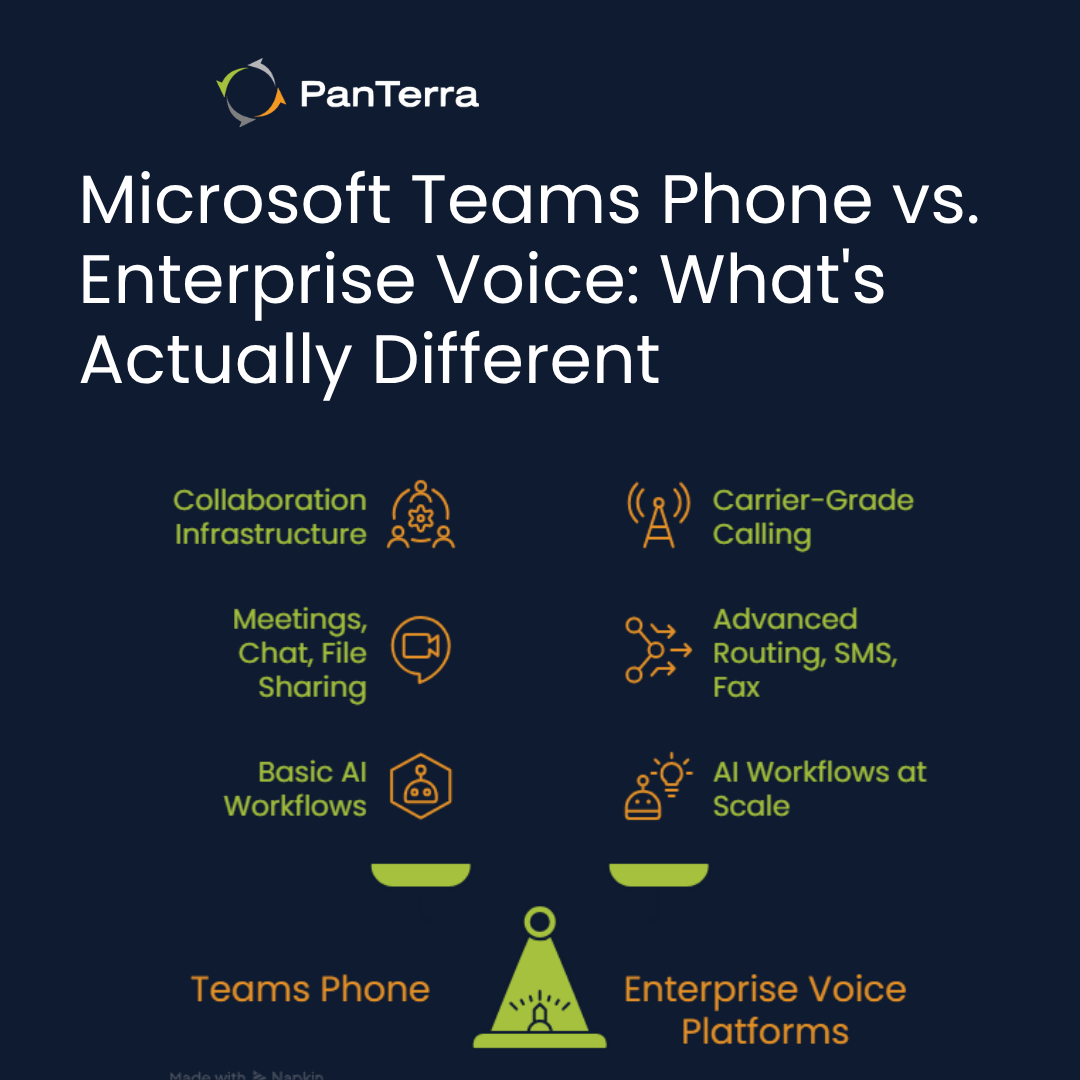
It Was Built for Collaboration, Not Carrier-Grade Voice
Teams launched in 2017 as a collaboration platform. Voice came later — layered on top of infrastructure designed for meetings and messaging, not built from the ground up as an enterprise phone system. That origin shapes every limitation Teams Phone carries today. Understanding Microsoft Teams Phone architecture clarifies why these gaps exist at the product level, not the configuration level.
For organizations that need basic call routing and voicemail, Teams Phone is serviceable. For organizations that need enterprise voice at scale — reliable uptime independent of Azure, flexible hardware support, SMS and fax without workarounds, and administration that doesn't require a PowerShell expert — Teams Phone consistently falls short.
What IT Leaders Actually Run Into
These aren't edge cases. They're the six complaints that surface repeatedly when enterprises try to run real voice operations on Teams Phone.
Problem #1: Does Teams Phone Hardware Create Deployment Friction?
Yes — Teams Phone requires devices to be certified through Microsoft's certification program. That sounds reasonable until you see what it excludes.
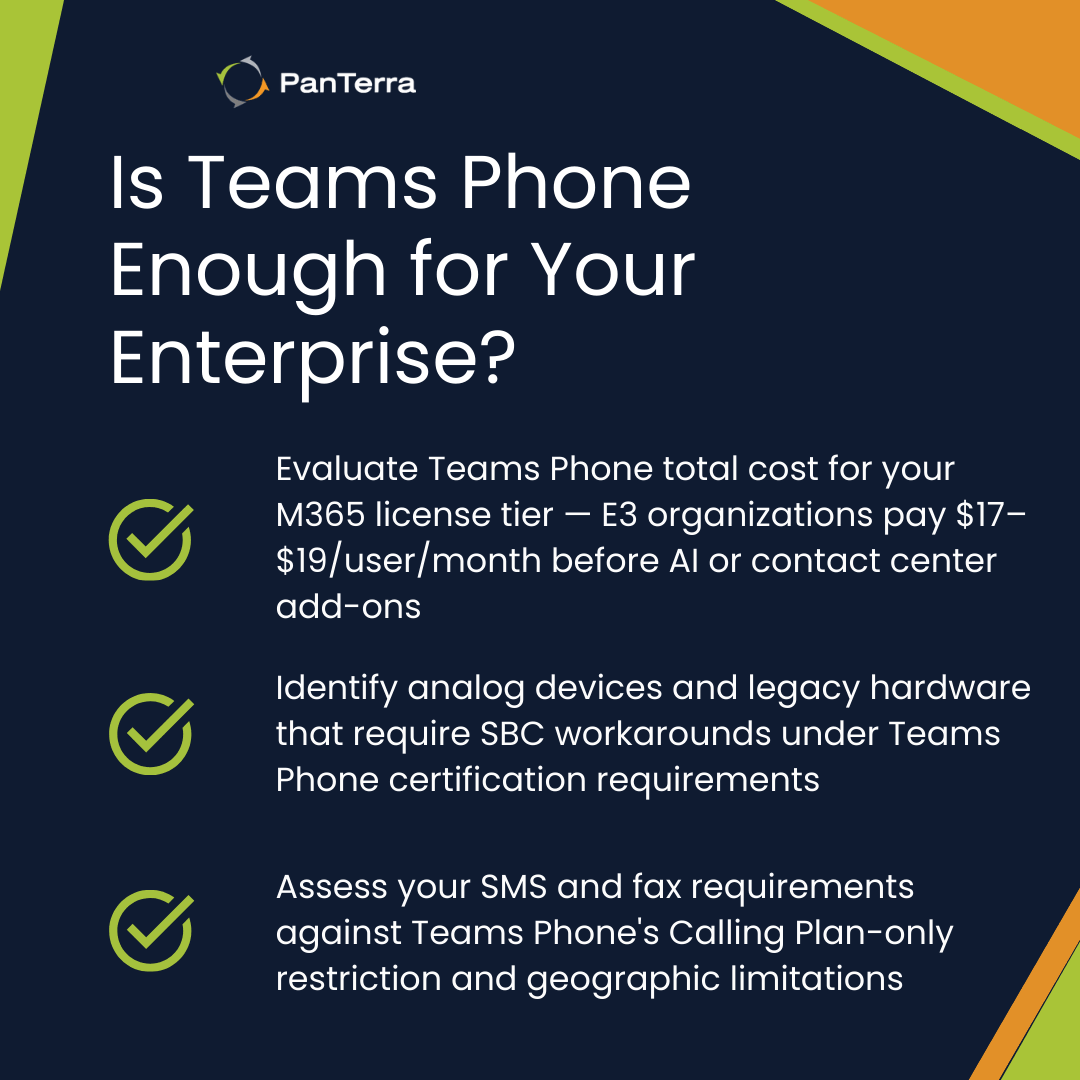
PA systems, overhead pagers, door intercoms, elevator phones, fax machines, and analog conference room phones cannot connect to Teams natively. Connecting them requires Analog Telephony Adapters (ATAs) supported by certified Session Border Controllers — and even then, those devices don't appear as searchable in the Teams directory. Legacy SIP phones from Yealink, Poly, and Cisco can connect through SIP Gateway, but only with reduced functionality.
Full Teams Phone features require buying new Teams-certified hardware. For enterprises with hundreds or thousands of existing endpoints, this isn't a footnote — it's a capital expenditure conversation that often surfaces mid-implementation rather than during the sales cycle. A detailed look at Teams Phone architecture and integration shows how certification requirements shape deployment decisions at scale.
With Streams.AI: PanTerra's platform supports a broad range of SIP-compatible endpoints without Microsoft's certification requirements. Your existing hardware investment doesn't have to become a Teams Phone casualty.
Problem #2: Why Is the Teams Admin Portal a Problem for IT Teams?
The Teams Admin Center reflects Teams Phone's architecture as a voice layer added to a collaboration tool — not a purpose-built phone system admin experience.
Advanced configuration tasks still require PowerShell. Setting voice routes, managing analog device integrations, configuring voicemail policies — all of it involves cmdlets that most organizations need specialized Microsoft expertise to run. Voicemail broadcasting doesn't exist in Teams Phone. Sending a recorded message to a department or location requires a third-party tool.
Native CRM integration doesn't exist as of early 2026. Call reporting is minimal, and a 30-day data retention limit creates compliance problems for regulated industries.
With Streams.AI: Centralized management is built into the app with automation that reduces IT overhead. Microsoft Entra ID (Azure AD) syncs automatically for user provisioning, and enterprise voice administration doesn't require PowerShell expertise.
Problem #3: Does Teams Phone Include AI Receptionist or Advanced IVR?
No — Teams marketing uses "AI-powered" language. What that means in practice is Copilot for Teams — a productivity tool that summarizes calls and suggests follow-ups. It's useful. It's not an AI Receptionist. And it costs $30 per user per month as a separate add-on.
There is no native conversational IVR in Teams Phone. No natural language inbound call handling. No sentiment-based escalation. No skills-based routing that matches callers to agents by language, certification, or product expertise. No post-call CRM automation. Basic auto-attendants handle "Press 1 for Sales" — and stop there. Enterprise IVR capabilities go significantly further — handling multi-turn conversations, intent recognition, and CRM-driven routing that Teams Phone cannot execute.
With Streams.AI: PanTerra's AI-powered capabilities are built into the platform, not sold as a separate license tier. Advanced call routing, visual voicemail with transcription, and real-time analytics are part of the enterprise communications experience — the same enterprise customer engagement capabilities that contact centers depend on for customer-facing operations.
Problem #4: What Happens to Voice When Azure Goes Down?
Everything goes down with it. Teams Phone runs entirely on Azure — your phone system shares infrastructure with your email, file storage, and collaboration tools. When Azure has a problem, all of it stops operations simultaneously.
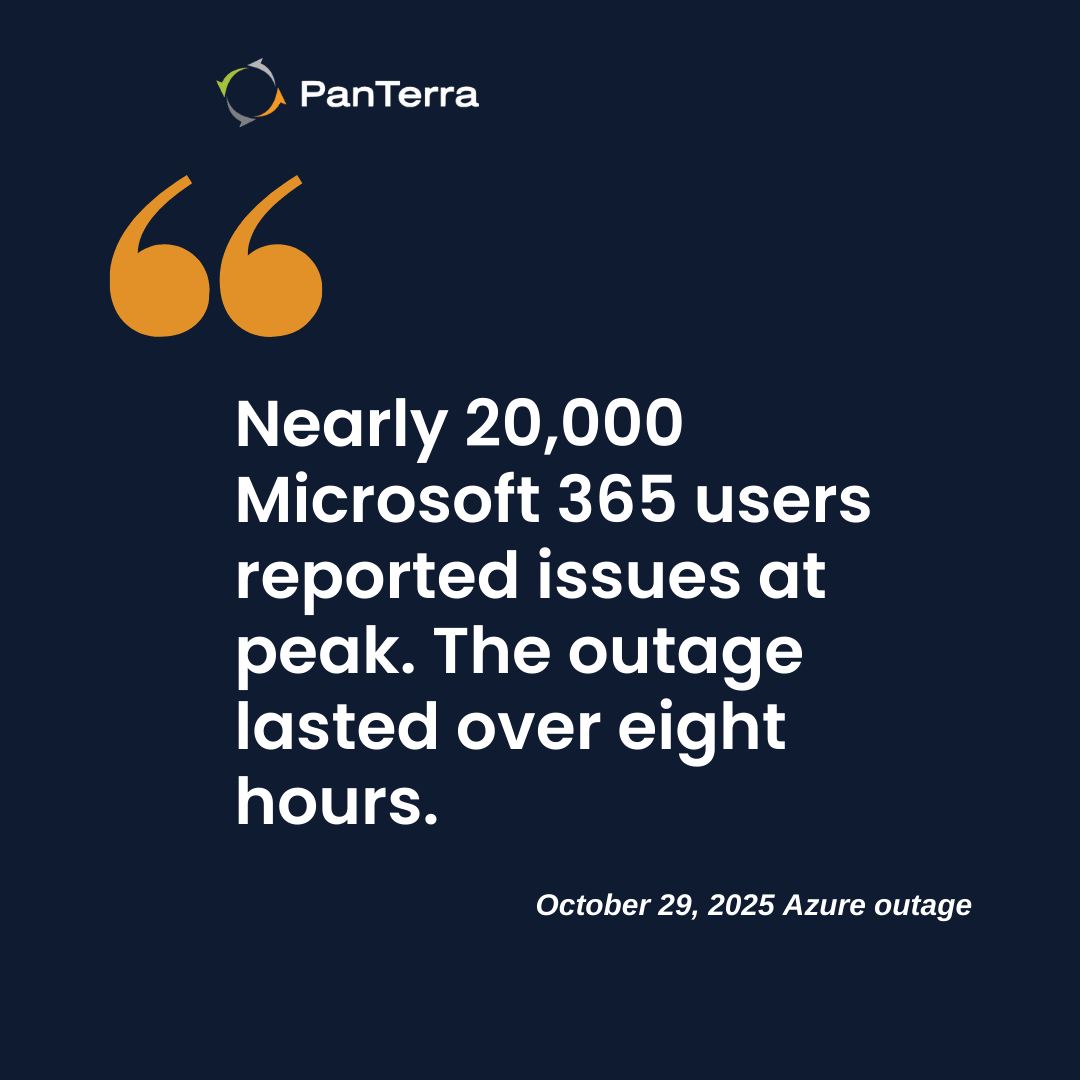
In October 2025, an Azure Front Door configuration change cascaded across Microsoft 365, Teams, Outlook, and enterprise systems at companies like Costco, Starbucks, and Alaska Airlines. The outage lasted over eight hours — with nearly 20,000 Microsoft 365 users reporting issues at peak.".
When your phone system goes down at the same time as your email and collaboration tools, you can't call your help desk. You can't receive customer calls. You can't coordinate a response. Everything fails at once.
With Streams.AI: PanTerra's platform runs on its own redundant infrastructure, independent of Azure's availability. Voice stays up even when Microsoft's cloud is down. That's the "Never Go Down" promise — not marketing language, but an architectural decision with real operational consequences.
Problem #5: How Expensive Does Teams Phone Get for Non-E5 Organizations?
More expensive than it looks. Teams Phone pricing depends heavily on which M365 license tier your organization is on.
For E5 organizations, Teams Phone Standard is effectively included — a genuinely competitive deal. For everyone else, the math is less favorable. E3 organizations need the Teams Enterprise add-on (~$5.25/user/month), Teams Phone Standard ($8/user/month), and a Calling Plan ($4–$6/user/month) — a voice-layer subtotal of $17–$19/user/month before compliance recording, AI features, or contact center functionality.
At full build-out for a non-E5 organization, Teams Phone total cost frequently exceeds what dedicated UCaaS platforms charge for a more complete feature set.
With Streams.AI: No Teams Phone license required. No E5. No Calling Plan. No Dialpad. Streams.AI delivers complete enterprise UCaaS — calling, SMS, Group SMS, fax, and Group Fax — through a single app in the Teams App Store.
Problem #6: What Are the Real Limitations of Teams Phone SMS and Fax?
Teams Phone added native SMS in February 2025, but with significant restrictions. It only works with Microsoft Calling Plan numbers — not Direct Routing or Operator Connect, the connectivity models most enterprises prefer. It requires 10DLC campaign registration that can take up to a week. It's limited to the US, Puerto Rico, and Canada.
Group SMS doesn't exist natively. Fax requires third-party services. Group Fax isn't a concept Teams Phone addresses at all. For enterprises where SMS and fax are operational requirements — healthcare, legal, financial services, logistics, field service — Teams Phone forces a parallel infrastructure investment that undermines the M365 consolidation argument entirely. A full comparison of CCaaS platform features shows how far Teams Phone falls short of what enterprise communications platforms deliver natively.
With Streams.AI: Business SMS, Group SMS, digital fax, and Group Fax are all native capabilities delivered directly inside the Teams App. No third-party gateways. No separate interfaces. No fragmented number management. One app. One experience. Everything in Teams.
The Right Answer: Streams.AI for Microsoft Teams
Here's the core insight that changes the conversation: you don't have to choose between living in Teams and having enterprise-grade voice.
The PanTerra Streams.AI App is available in the Microsoft Teams App Store. It works directly inside Teams — no separate softphone, no browser tab, no context-switching. Your users stay in the workspace they already know. PanTerra provides the communications infrastructure behind it.
No Teams Phone license required.
No E5. No Calling Plan. No Dialpad. Streams.AI replaces the entire Microsoft calling stack with enterprise UCaaS that runs inside Teams.
Complete communications in one app.
Enterprise calling, business SMS, Group SMS, digital fax, Group Fax, visual voicemail with transcription, unified contacts and call history, advanced call routing for business hours, holidays, and weekends, and real-time analytics — all inside Teams.
Built-in continuity.
PanTerra's infrastructure is independent of Azure. When Microsoft's cloud has a problem, your voice keeps running. That's what "Work in Microsoft Teams. Never Go Down." means.
IT simplicity.
Microsoft Entra ID (Azure AD) automation handles user provisioning. No PowerShell expertise required for day-to-day operations. PanTerra's Teams integration capabilities are built on native connectors — not custom API development.
Cost-effective.
Organizations evaluating Teams Phone, E5 upgrades, or Calling Plans consistently find that Streams.AI delivers more capability at lower total cost — without compromising the Teams experience users already trust.
Who Should Be Looking at Streams.AI Right Now
If your organization is standardizing on Microsoft Teams and any of the following applies, Streams.AI is worth an immediate conversation:
-
You're evaluating Teams Phone and concerned about Azure reliability or total cost
-
You're paying for Dialpad, RingCentral, or another UCaaS platform alongside Teams and want to consolidate
-
You need enterprise SMS, Group SMS, fax, or Group Fax without managing separate platforms
-
Your users already live in Teams and you want their phone system to live there too
-
You need voice continuity that doesn't depend on Azure uptime
-
You're on M365 E3 and the E5 upgrade cost isn't justified just to get calling functionality
-
Your IT team is spending too much time on phone system administration
Work in Microsoft Teams. Never Go Down.
Microsoft Teams is the right workspace for most organizations. Microsoft Teams Phone is not always the right voice solution for those same organizations.
Streams.AI gives enterprises a better path: keep Teams as the daily operating environment your users trust, replace the Microsoft calling stack with enterprise-grade UCaaS that actually belongs there, and run voice on infrastructure designed for continuity — not borrowed from the same Azure dependency that takes down your email when it fails.
See Streams.AI for Microsoft Teams in action. Contact PanTerra at 888.825.0244 or visit panterranetworks.com to schedule a demo.
.jpg?width=500&height=500&name=Are%20you%20Getting%20a%20Good%20Deal%20(1).jpg)
Comments