CRM Integration Requirements That Break Your Contact Center


When your contact center agents answer calls without seeing who's on the line, you're not just missing context—you're burning money. I've watched businesses commit to contact center platforms because the vendor said "integrates directly with Salesforce," only to discover six months later that agents still manually copy customer data between systems. The problem isn't whether integration exists. It's whether the integration actually works the way your Sales, Customer Success, and IT teams need it to.
Native CRM integration is a contact center architecture that enables real-time data exchange between CRM platforms (like Salesforce, HubSpot, or Zendesk) and phone systems without middleware dependencies, automating screen pops, call logging, and bidirectional data synchronization. When this architecture breaks down—or never existed in the first place—the friction shows up everywhere: agents waste time searching for account history, Sales Operations loses pipeline visibility, and Customer Success can't route escalations based on customer tier.
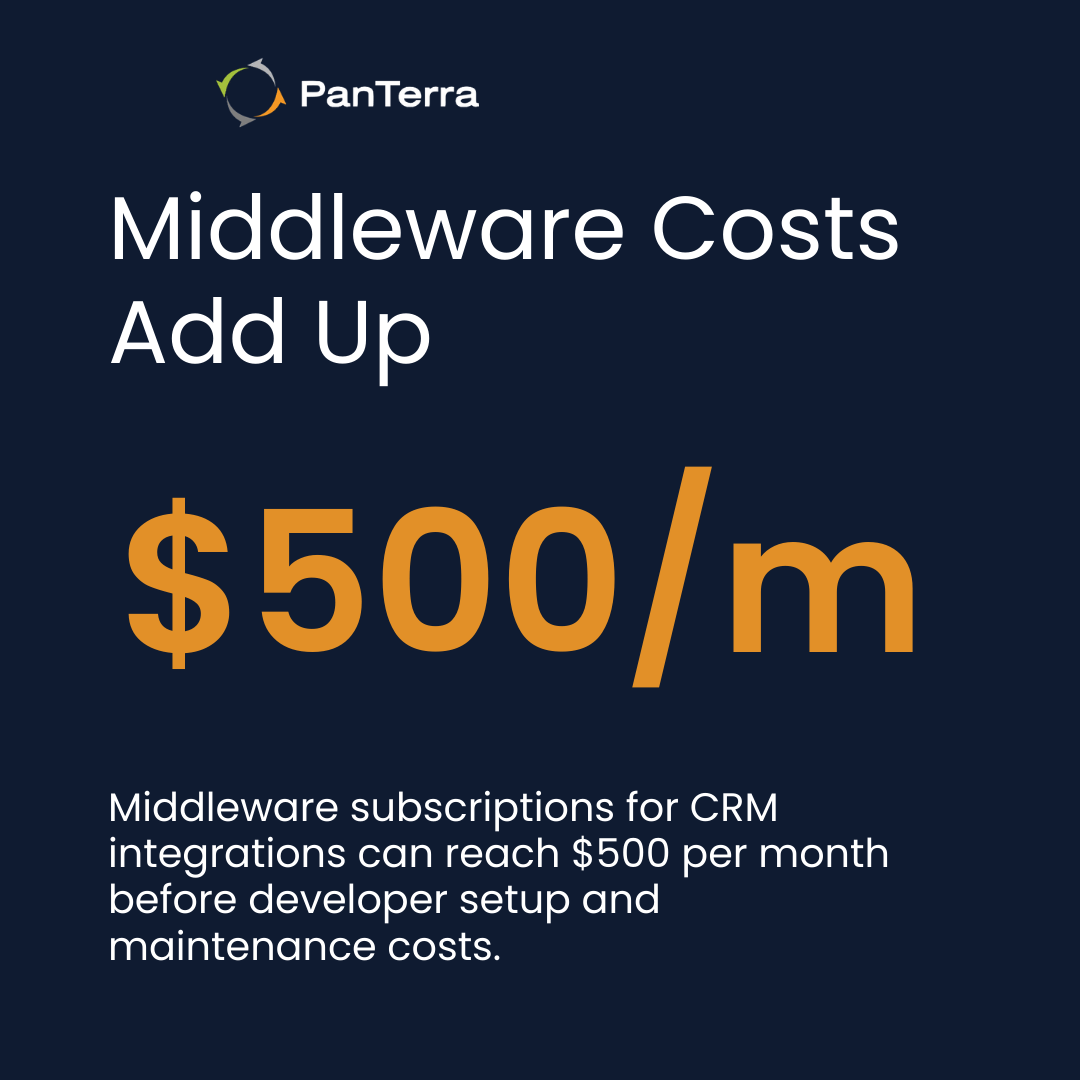
Native CRM integration connects contact center software directly to CRM platforms without middleware, enabling real-time screen pops, automatic call logging, and CRM-driven routing rules. Middleware-dependent architectures introduce failure points, 5-60 minute data sync delays, and ongoing subscription costs ($50-500/month) that compound over time. For organizations where agent productivity and customer context accuracy are critical, native integration provides higher reliability and lower total cost of ownership than middleware-dependent solutions.
Key Takeaways
• Native CRM integration delivers customer context within 1-2 seconds of call connection • Middleware architectures create authentication failures, latency, and hidden subscription costs • Sales, Customer Success, and IT teams each require different integration capabilities • CRM-driven routing rules enable tier-based, product-specific, and skills-based call distribution • Weak integrations reveal themselves when vendors require "custom engineering" for basic functionality
Who This Is For
• Best for: Contact center leaders evaluating platforms for Salesforce, HubSpot, or Zendesk integration; Sales Operations teams requiring automatic activity logging; IT teams assessing authentication, compliance, and data residency requirements • Not ideal for: Organizations with no CRM system; teams comfortable with fully manual data entry workflows • Top use cases: Migrating from legacy phone systems to cloud contact centers; replacing middleware-dependent architectures; implementing intelligent call routing based on CRM customer data; reducing agent handle time through instant screen pops
Why Native CRM Integration Matters (Not Just API Availability)
When vendors say their contact center "integrates with Salesforce," they're technically correct—in the same way a bicycle and a highway are technically compatible because both involve transportation. The question isn't whether an API connection exists. It's whether that connection automates the workflows your teams actually need.
The Difference Between "Compatible" and "Integrated"
API availability means two systems can exchange data if someone writes code to make it happen. Integration means the workflows already exist, tested and supported by the vendor. I've seen businesses spend 40 hours of developer time building Zapier workflows to create screen pops that native integrations deliver out of the box. According to customer effort research, reducing customer effort directly correlates with loyalty and retention—but agents can't reduce customer effort when they're scrambling to find account history mid-conversation.
Native CRM integration automates screen pops (customer information displays when calls connect), bidirectional data synchronization (contact center events update CRM records automatically), and real-time routing rules (calls distribute based on live CRM data). Compatibility without integration forces your team to build and maintain these workflows themselves.
Real-Time Data Flow vs. Batch Synchronization
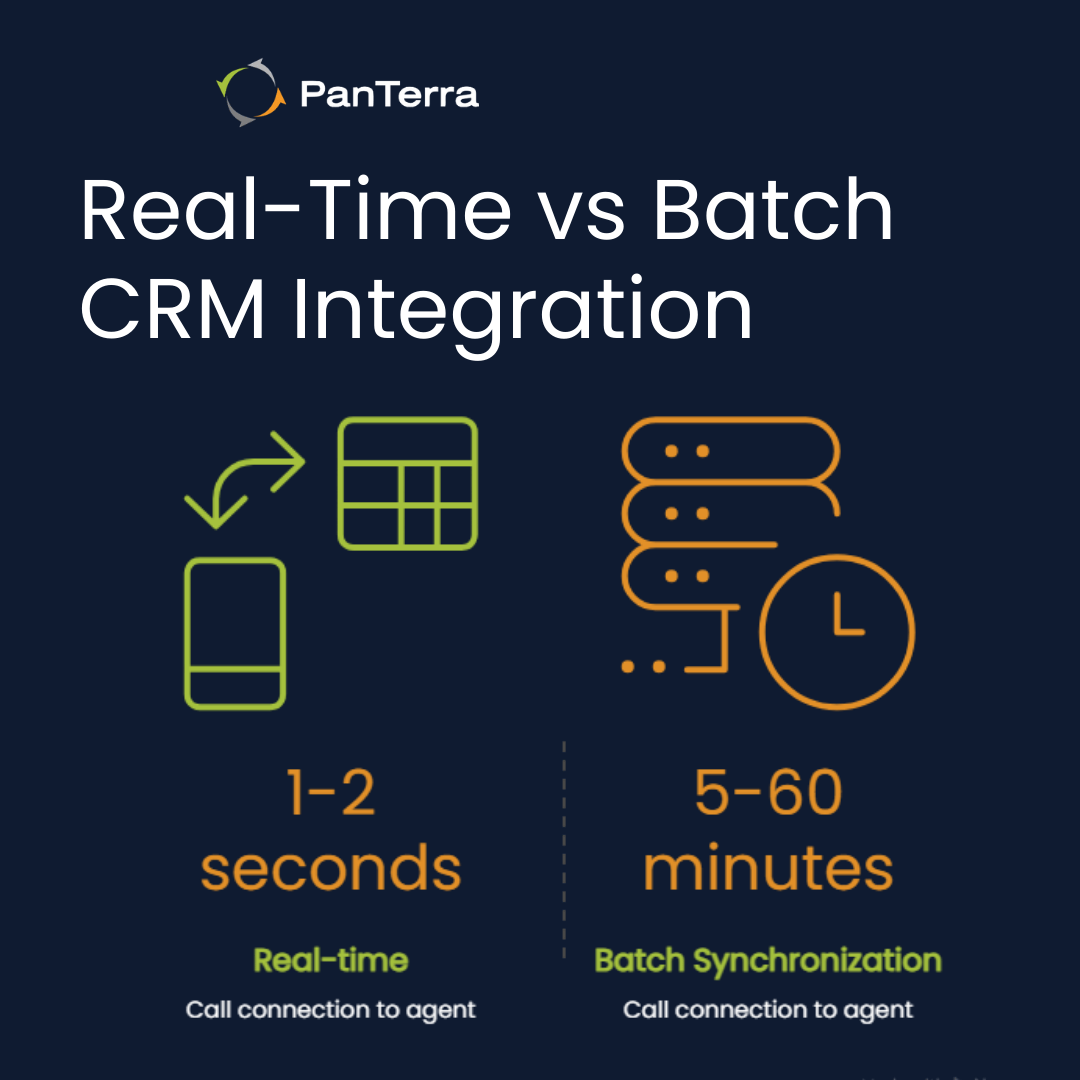
Real-time CRM integration delivers customer context to agents within 1-2 seconds of call connection, while batch synchronization introduces 5-60 minute delays that eliminate the operational value of integrated customer data during live conversations. When a customer calls about an order they placed 30 minutes ago, batch sync means your agent sees nothing. Real-time sync means the agent greets them by name, references the order, and solves the problem before the customer finishes explaining.
Batch synchronization works for reporting and analytics. It fails catastrophically for live customer service. If your integration architecture can't surface data faster than the customer can describe their issue, you're not integrated—you're just copying data on a schedule.
What "Screen Pop Showing Full Account Context" Actually Means
Full account context screen pops display customer name, contact history, open support tickets, purchase history, account tier, and assigned account manager simultaneously when calls connect—not just email addresses or phone numbers. When businesses say "screen pop showing full account context is critical," they mean the difference between an agent who says "How can I help you?" and an agent who says "I see you're calling about the support ticket you opened yesterday—let me pull up your case."
Email-only screen pops tell agents who's calling. Full context screen pops tell agents why they're calling, what they've bought, who they've talked to, and whether they're a VIP customer or at risk of churning. That context gap determines whether your first contact resolution rate is 40% or 75%.
The Hidden Cost of Middleware Dependency
Middleware platforms like Zapier exist to connect systems that don't integrate natively. For simple automation tasks, they're cost-effective. For mission-critical contact center workflows, they're architectural debt disguised as a solution.
When Zapier Becomes Your Integration Architecture
Middleware-dependent contact center architectures route all CRM data through third-party platforms like Zapier or Make, creating task volume limits (typically 1,000-10,000 tasks/month at entry tiers), error handling gaps when authentication tokens expire, and ongoing maintenance costs when either the CRM or contact center platform releases breaking API changes. One client told me "everything would have to be built around Zapier" when evaluating a contact center platform. Six months later, they were troubleshooting why screen pops stopped appearing after a Salesforce API version update—an issue that wouldn't exist with native integration.
Middleware turns integration into a three-way dependency: your contact center works if Zapier works if your CRM works. When any link breaks, your agents operate blind. And middleware failures don't always trigger alerts—sometimes screen pops just stop appearing, and nobody notices until agents complain.
What Breaks When Third-Party Tools Own Your Data Flow
Middleware failures manifest as screen pops that stop appearing, call logs that fail to write to the CRM, or routing rules that revert to default behavior—often without alerting IT teams until agents report problems hours or days later. The failure modes are predictable: authentication tokens expire and require manual renewal, API rate limits throttle data sync during high call volumes, version compatibility breaks when the CRM or contact center updates their API, and troubleshooting requires debugging three platforms instead of one.
Native integrations fail too, but when they do, you call one vendor. Middleware failures require coordinating support tickets across three vendors, each blaming the others. I've watched IT teams spend two weeks diagnosing a screen pop failure that turned out to be a Zapier task timeout—a problem that doesn't exist when your contact center talks directly to your CRM.
Native Integration TCO vs. Middleware Subscription Costs
Total cost of ownership for middleware-dependent integrations includes the contact center license, the middleware subscription ($50-500/month), developer time for initial setup (8-40 hours), ongoing maintenance when APIs change (4-16 hours quarterly), and productivity loss during failures—often exceeding native integration costs within 12-18 months. Native integration typically costs more upfront (higher per-seat contact center licensing), but eliminates middleware subscriptions, reduces maintenance to zero, and prevents productivity loss from middleware failures.
For organizations where agent productivity and customer context accuracy are critical, native CRM integration provides higher reliability and lower total cost of ownership than middleware-dependent architectures. The break-even point typically occurs within 12-18 months, after which native integration becomes pure cost savings.
Integration Requirements by Business Function
Sales, Customer Success, and IT teams each evaluate CRM integration through different lenses. What Sales Operations considers essential (automatic activity logging) might be irrelevant to IT (data residency compliance). Weak integrations fail because vendors assume all three teams want the same thing.
Sales Operations: Automated Activity Logging and Lead Scoring
Sales Operations teams require contact center integrations that automatically create CRM activity records from calls, update lead scores based on conversation outcomes, and advance opportunity stages when agents mark dispositions—eliminating manual data entry that delays pipeline visibility by hours or days. When agents manually log calls, two problems emerge: incomplete data (agents skip fields to save time) and delayed reporting (pipeline dashboards don't reflect today's conversations).
Automated activity logging captures call duration, disposition codes, talk time, hold time, and custom fields—data that feeds lead scoring models and triggers workflows. If your integration requires agents to "click here to log this call," you're still doing manual data entry with extra steps.
Customer Success: Ticket Creation and Case History Access
Customer Success workflows depend on integrations that generate support tickets automatically from inbound calls, display case history within the agent interface during conversations, and route escalations to tier-appropriate teams based on CRM-defined customer segments. Customer experience statistics show that customers expect agents to know their history without repeating information—but agents can't deliver that experience if they're toggling between systems to find case records.
Automatic ticket creation eliminates the gap between "customer called with a problem" and "problem exists in the support queue." Case history access means agents see previous tickets, resolutions, and notes without asking the customer to recap last week's conversation. Tier-based routing ensures VIP customers reach senior agents, not entry-level support staff.
IT Requirements: Authentication, Security, and Compliance
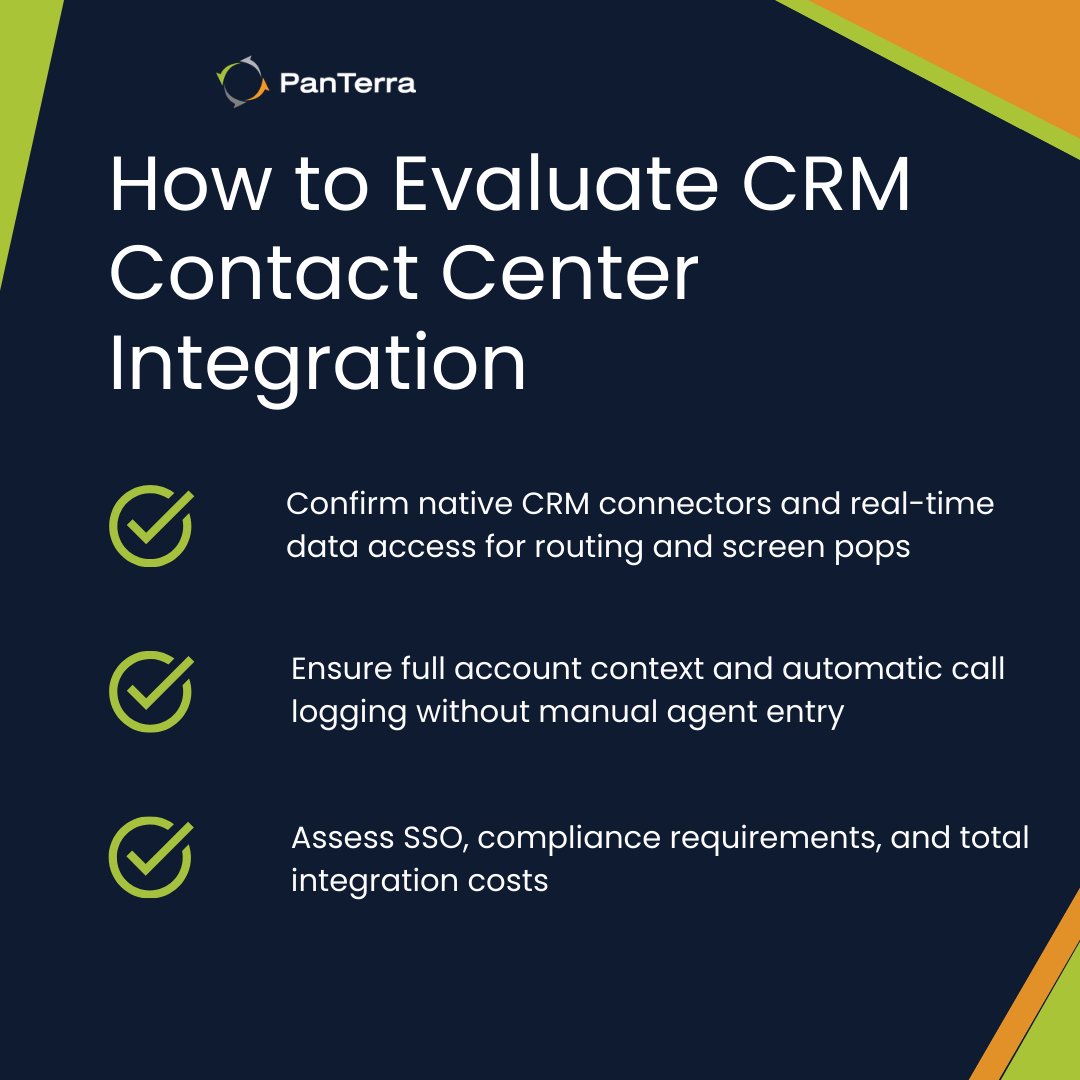
IT teams evaluate CRM integrations for single sign-on (SSO) compatibility, data residency compliance (EU GDPR, US state privacy laws), and audit logging capabilities required for HIPAA, PCI-DSS, or SOC 2 certifications. Native integrations typically support enterprise SSO (Okta, Azure AD, OneLogin) and maintain audit trails showing who accessed what data when. Middleware integrations often break SSO by requiring separate authentication for the middleware platform, and audit trails become fragmented across three systems.
Data residency matters when regulations require customer data to remain within specific geographic boundaries. Native integrations respect these boundaries because data flows directly between two compliant systems. Middleware introduces a third party whose data residency policies might not align with yours—a compliance risk that surfaces during audits, not during vendor demos.
Routing Calls Based on CRM Data
Intelligent call routing is a contact center capability that distributes incoming calls based on real-time CRM data (customer tier, account status, assigned representative, language preference) rather than static rules like round-robin or time-of-day distribution. The difference is this: static routing treats all callers the same, while CRM-driven routing recognizes that the enterprise customer calling about a contract renewal deserves different handling than a trial user with a basic question.
Routing by Customer Tier, Product, or Account Status
CRM-driven call routing directs VIP customers to dedicated account managers, routes product-specific inquiries to specialist teams, and prioritizes at-risk accounts (based on CRM health scores) to retention-focused agents—decisions made automatically using real-time CRM data lookups during call distribution. One client implemented tier-based routing and discovered their VIP customers were waiting in the same queue as trial users. After native integration enabled VIP routing, their enterprise retention rate increased because decision-makers reached senior account managers within 30 seconds instead of cycling through tier-1 support.
Product-specific routing matters when you sell multiple solutions with specialized support requirements. Routing technical support calls to agents trained on the customer's specific product configuration reduces handle time and increases first contact resolution. Account status routing identifies at-risk customers (low engagement scores, overdue renewals) and directs them to retention specialists instead of general support agents.
Skills-Based Routing That Reads CRM Context
Skills-based routing enhanced by CRM integration matches callers to the agent who handled their last interaction, routes Spanish-speaking customers to bilingual agents (when language preference is stored in CRM), and directs technical support calls to agents with expertise in the customer's specific product configuration. This goes beyond basic skills-based routing (which matches skills to queues) by incorporating customer history and preferences stored in the CRM.
Routing to the same agent who handled the previous interaction eliminates the need for customers to repeat context. Language preference routing surfaces automatically when CRM records indicate preferred language. Technical expertise matching uses CRM product ownership data to route the customer using Enterprise Plan features to agents certified on that plan.
Evaluating Contact Center Platforms for CRM Integration Depth
When evaluating contact center platforms, prioritize vendors that offer native Salesforce connectors over those requiring Zapier or custom engineering—native integrations reduce failure rates, eliminate middleware costs, and provide faster screen pop performance. The evaluation process requires asking specific questions that expose weak integrations before you commit.
Questions to Ask Before Committing to a Platform
Before committing to a contact center platform, ask: Does the screen pop display full account context or just email addresses? Is the Salesforce integration native or does it require Zapier? Which CRM fields auto-populate from call dispositions? Can routing rules query CRM data in real-time during call distribution? Vendors with weak integrations deflect these questions or answer with "that's possible with custom development." Vendors with strong native integrations walk you through live demos showing screen pops, automatic logging, and CRM-driven routing in action.
Also ask: What happens when Salesforce releases a new API version—do we need to update middleware, or does your platform handle it automatically? How long does it take for a CRM field change to reflect in routing rules? If middleware authentication breaks, what's the fallback? These questions reveal whether integration is a core competency or an afterthought.
For organizations seeking comprehensive CRM integration capabilities, the right platform should demonstrate these workflows live, not promise them in a future roadmap.
Red Flags That Signal Weak Integration
Weak CRM integrations reveal themselves when vendors say "Contact our engineering team for custom integration" instead of offering native connectors, when middleware is required for basic screen pops, when data only flows one direction (contact center → CRM but not CRM → routing rules), or when agents still manually copy data between systems. Other red flags include: vendor demos that skip the integration section, documentation that references Zapier templates instead of native setup, and support teams that can't explain how screen pops work without involving engineering.
One-directional sync is particularly deceptive. If your contact center can write call logs to Salesforce but can't read customer tier data for routing, you've automated reporting but not operations. True integration flows both directions: contact center events update the CRM, and CRM data drives contact center behavior.
When to Recognize Integration as a Deal-Breaker
CRM integration failures become deal-breakers when agents spend more than 2-3 minutes per call manually entering data, when screen pops fail more than 5% of the time, or when routing rules cannot access CRM customer tier data—productivity losses that compound daily and justify migration costs within 6-12 months. At that scale, weak integration isn't a minor inconvenience. It's an operational crisis that erodes customer satisfaction, agent morale, and competitive advantage.
Sunk cost fallacy keeps businesses trapped in weak integrations: "We've already invested in this platform, built Zapier workflows, trained agents on workarounds." But if agents waste three minutes per call on manual data entry, and you handle 500 calls per day, you're losing 25 agent hours daily—equivalent to three full-time employees doing nothing but data entry. Migration costs pay for themselves when they eliminate that waste.
Learn how PanTerra's unified communications platform integrates natively with leading CRM systems to eliminate middleware dependencies and deliver real-time customer context.
Frequently Asked Questions
Q: What is native CRM integration in contact centers?
A: Native CRM integration connects contact center software directly to CRM platforms (Salesforce, HubSpot, Zendesk) without middleware, enabling real-time screen pops, automatic call logging, and CRM-driven routing rules. Native integrations eliminate third-party dependencies and reduce failure points.
Q: Why do middleware-dependent CRM integrations fail?
A: Middleware integrations route contact center data through third-party platforms like Zapier, creating failure points when authentication tokens expire, introducing 5-60 minute data sync delays, and adding $50-500/month in subscription costs. When middleware fails, screen pops stop appearing and call logs fail to write to the CRM.
Q: What should I ask vendors about CRM integration?
A: Ask: Is your Salesforce integration native or does it require middleware? Does the screen pop show full account context or just email? Can routing rules query CRM data in real-time? What CRM fields auto-populate from call dispositions? Native connectors outperform middleware architectures for reliability and cost.
Q: How long does real-time CRM integration take to display customer data?
A: Real-time native integrations deliver customer context to agent screens within 1-2 seconds of call connection. Middleware-dependent architectures may introduce 5-60 minute delays depending on batch sync schedules, rendering the integration operationally useless for live conversations.
Q: What's the total cost of ownership difference between native and middleware integrations?
A: Middleware-dependent integrations cost $50-500/month for subscriptions, plus 8-40 hours initial developer setup, plus 4-16 hours quarterly maintenance when APIs change. Native integrations typically have higher per-seat licensing but zero middleware costs and zero maintenance overhead, reaching cost parity within 12-18 months.
Q: Can routing rules access CRM data in real-time with middleware integrations?
A: Rarely. Middleware platforms typically sync data on schedules (5-60 minute intervals), meaning routing rules operate on stale data. Native integrations query CRM data in real-time during call distribution, enabling accurate tier-based, product-specific, and skills-based routing.
Q: What are the red flags of weak CRM integration during vendor demos?
A: Vendors with weak integrations say "Contact our engineering team for custom integration," require Zapier for basic screen pops, show one-directional data sync only (contact center → CRM but not CRM → routing), or skip the integration demo entirely. Strong native integrations demonstrate live screen pops, automatic call logging, and CRM-driven routing without mentioning middleware.
Q: Do native integrations support single sign-on (SSO) and compliance requirements?
A: Yes. Native integrations typically support enterprise SSO providers (Okta, Azure AD, OneLogin) and maintain audit trails required for HIPAA, PCI-DSS, and SOC 2 compliance. Middleware integrations often break SSO by requiring separate authentication and fragment audit trails across three systems.
.jpg?width=500&height=500&name=Are%20you%20Getting%20a%20Good%20Deal%20(1).jpg)
Comments