Why Multi-Entity SMBs Outgrow Their Phone System Faster Than They Expect — And What Actually Works

The Moment I Know an SMB Is Ready to Switch
The moment I know a multi-location business owner is ready to move on from their current phone system is when they start describing their admin routine.
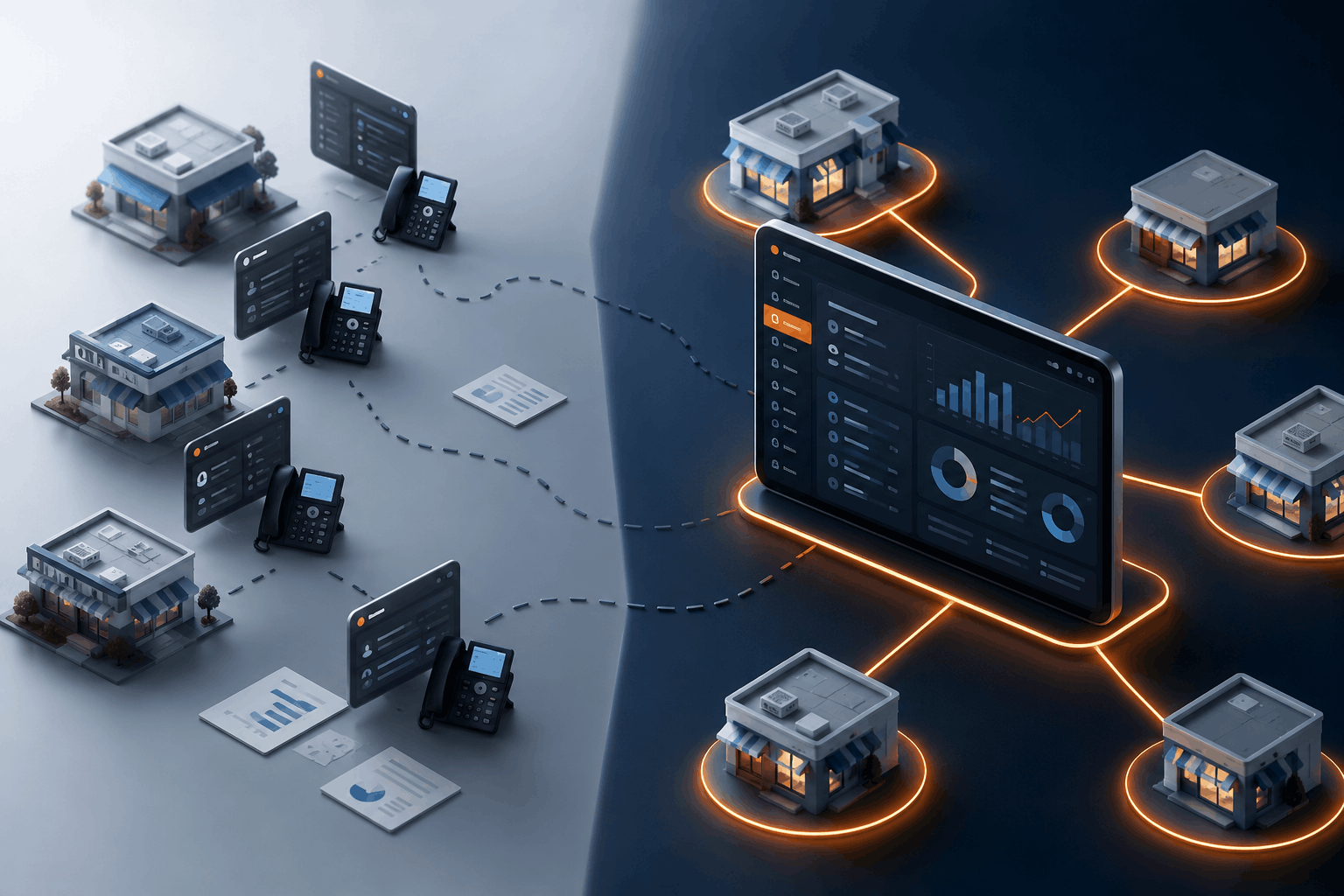
Five separate logins — one per location. Each location's auto-attendant configured by hand. No way to see call volume across the whole business at once. When a new location opens, they add another account and start the whole setup over. When something breaks at one site, they can't tell if it's isolated or systemic until they log in and check each one.
This is not a problem with the business. It is a problem with the phone system. Most SMB-grade phone tools were built for one location. They scale in seat count, not in operational complexity. At two locations, the friction is manageable. At five, it is a part-time job.
The real question is not "why did I pick this system?" Most of the time it worked fine at the start. The real question is what a phone system should actually look like when the business has multiple locations, multiple teams, and multiple customer-facing identities — all of which need to feel like one organization to the people calling in.
TL;DR
Most SMB phone systems have a hidden ceiling. They work for one location, stretch to two or three, and become a management burden at four or five. The problem is architectural: they treat each location as a separate account rather than as one organization with multiple sites. Multi-tenant architecture changes that — one admin pane, per-location configuration, unified reporting. PanTerra's Streams.AI business phone system is built on that model.
Key takeaways:
- Most SMB phone tools scale in seat count but not in operational complexity. Each new location adds admin overhead, not just headcount.
- The ceiling shows up in four places: admin portals, auto-attendant configuration, reporting, and onboarding new locations.
- Multi-tenant architecture keeps each location independent while giving the operations team a single view of the whole business.
- Verified buyers on G2 consistently name admin complexity as the top frustration with legacy SMB phone systems — not call quality.
- The fix is not a better version of the same tool. It is a platform built for distributed organizations from the start.
Why the Ceiling Comes Faster Than Expected
A new multi-location business picks a phone system the same way most do: affordable, decent reviews, easy setup. At one location, that is exactly right.
The ceiling arrives quietly. The second location gets its own account. The auto-attendant gets configured separately. Billing is managed separately. If you want to pull a report showing calls across all your locations on a given day, you pull them individually and combine them yourself.
By the third location, the admin overhead is real. By the fifth, someone on the operations team is spending several hours a week just managing the phone system. When a location's auto-attendant needs a seasonal update, it gets updated at that location. The others get updated when someone remembers.
In real business terms: the phone system has become an operational cost center — not in the license sense, but in the time and attention sense. That is the ceiling most owners did not plan for.
What Breaks at Scale — and What Multi-Tenant Architecture Fixes
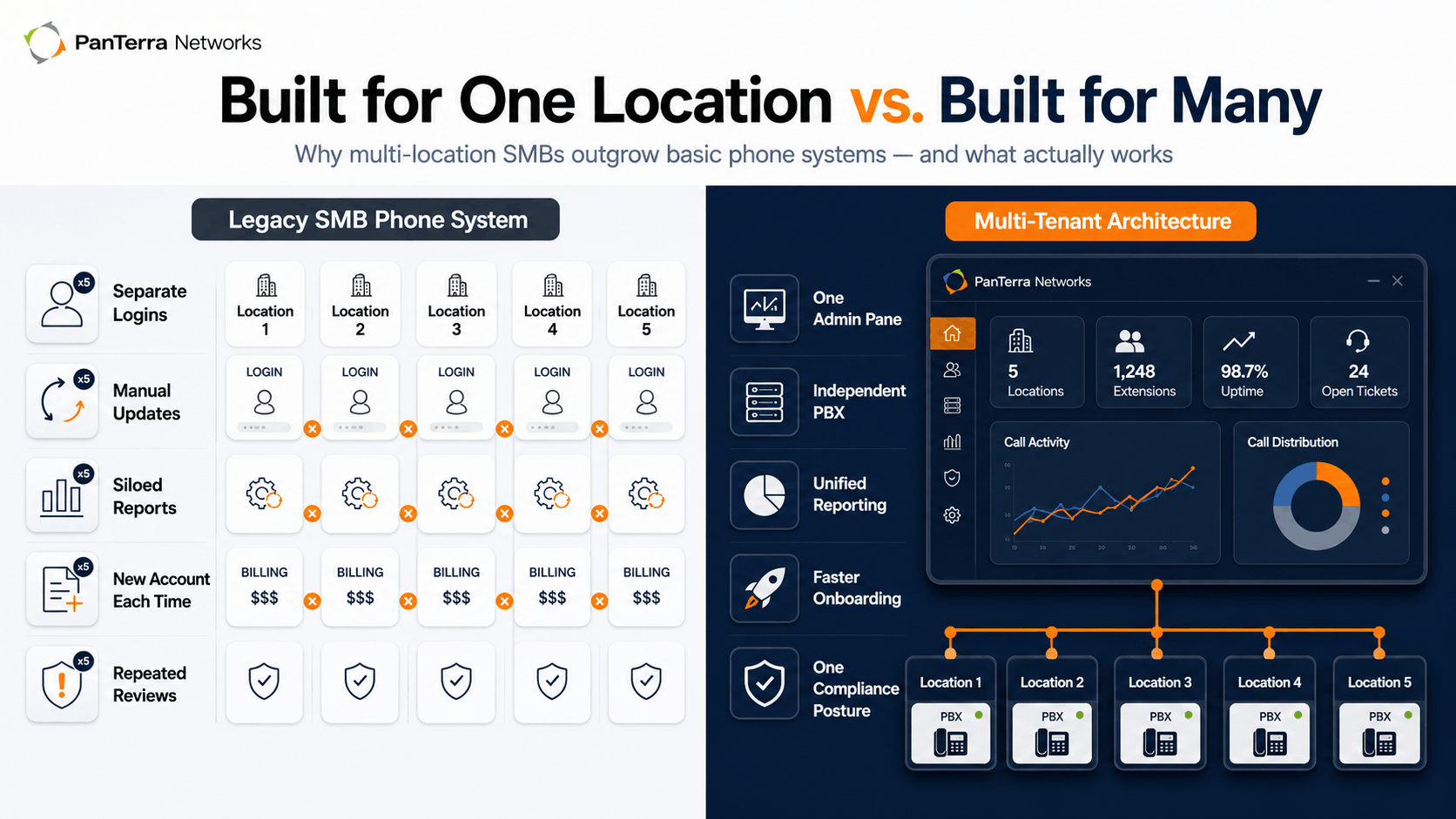
The difference between a legacy SMB phone tool and a platform built for multi-location operations is not the feature list. It is the architecture. Here is what that looks like in practice.
|
Pain point |
Legacy SMB phone tools |
Multi-tenant architecture |
|---|---|---|
| Admin per location | Separate login, settings, and billing per location | Single admin pane manages all locations — configure any site without switching accounts |
| Auto-attendant updates | Each location's auto-attendant updated manually and independently | Per-location auto-attendants, all configurable from one interface; changes deploy site-by-site or across all at once |
| Reporting and analytics | Siloed per location; no cross-location view of call volume, answer rates, or queue performance | Unified dashboard across all locations — compare site performance side-by-side from one screen |
| Adding a new location | New account, new setup, new billing, new onboarding process | New location added to the existing account in minutes; same configuration framework, same admin, same billing |
| Compliance and security | Each location's tools reviewed separately; policies applied per account | One security review covers all locations under the same platform and compliance posture |
The trade-off worth understanding: multi-tenant architecture keeps every location truly independent — its own PBX, its own call routing, its own identity. The difference is the control layer. A centralized admin pane does not mean the locations are collapsed. It means the operations team can manage all of them from one place without workarounds.
What This Looks Like in Practice
The clearest example of why this matters at scale comes from a customer who had already seen it break the other way. Chris Bonilla at Arc Health — a private equity firm managing multiple healthcare franchise brands — described what drove the switch:
"PanTerra's multi-tenant architecture let us keep every franchise as a completely separate PBX on the platform, while our IT team can jump in and manage any account from a single pane of glass. No workarounds, no duct tape — it just works the way our organization actually operates."
— Chris Bonilla, Arc Health
The "single pane of glass" is not a feature. It is an architectural commitment. Every location keeps its own identity. The operations team does not have to manage five separate systems to know what is happening across all five locations.
That is the distinction most SMB phone tool comparisons skip. They compare call quality, pricing, and integrations. They rarely ask whether the platform was designed for one location or for many — and whether the operations team will still be able to manage it at location eight.
What to Look for When Evaluating
When I walk a multi-location SMB owner through a phone system evaluation, five questions reveal whether the platform was designed for distributed operations — or just priced for SMBs.
1. Does each location get its own PBX, or do they share one?
Shared configuration means a change at one location affects all of them. Per-location PBX means each site operates independently.
2. How many admin logins does managing five locations require?
If the answer is five, the platform was built for one location. If the answer is one, it was built for many.
3. Can you pull a unified call report across all locations without manual export?
This is the fastest test of whether reporting was built for multi-location operations.
4. What does adding a new location actually require?
If it means a new contract, new account, or new billing relationship, the platform will add overhead every time you grow. What businesses actually need to evaluate is the cumulative cost of that overhead — not just the sticker price per seat.
5. What are verified buyers at multi-location businesses saying about admin complexity?
TrustRadius reviews and Capterra reviews for business phone systems are worth reading specifically for multi-location use cases — that is where the friction shows up most clearly.
FAQ
Why do most SMB phone systems struggle at multiple locations?
They were designed for single-location simplicity. Low cost, easy setup, few admin requirements. That design works until complexity grows — at which point the architecture that made the tool easy to use at one location becomes the obstacle at five.
What does multi-tenant mean in practice?
Each location operates as its own independent PBX with its own call routing, auto-attendants, and phone numbers. The multi-tenant layer gives the operations team a single admin interface to manage all of them — without collapsing the locations into a shared configuration.
Is this only for large SMBs with many locations?
No. The overhead starts showing at two or three locations for most operations teams. The sooner the architecture is right, the less cleanup there is when you scale to ten.
What does PanTerra offer for multi-location businesses?
Streams.AI includes a true multi-tenant architecture — each location as its own PBX, managed from one admin pane. It includes voice, SMS/MMS, fax, AI voice reception, unified reporting, and full HIPAA/SOC 2 compliance, starting at $14.95 per user per month.
What This Adds Up To
The ceiling on most SMB phone systems is not a feature gap. It is an architectural one. A platform built for one location will require workarounds at five — regardless of call quality or per-seat price.
The evaluation question for any multi-location SMB: was this platform designed for distributed operations from the start, or did it scale up to meet them? The difference shows up in admin time, in new-location onboarding, and in whether one person can see and manage the whole business from a single screen.
The PanTerra newsroom has the full SMB overview. The business phone system page covers the multi-location architecture directly.
.jpg?width=500&height=500&name=Are%20you%20Getting%20a%20Good%20Deal%20(1).jpg)
Comments