UCaaS vs VoIP: What's the Real Difference in 2026?

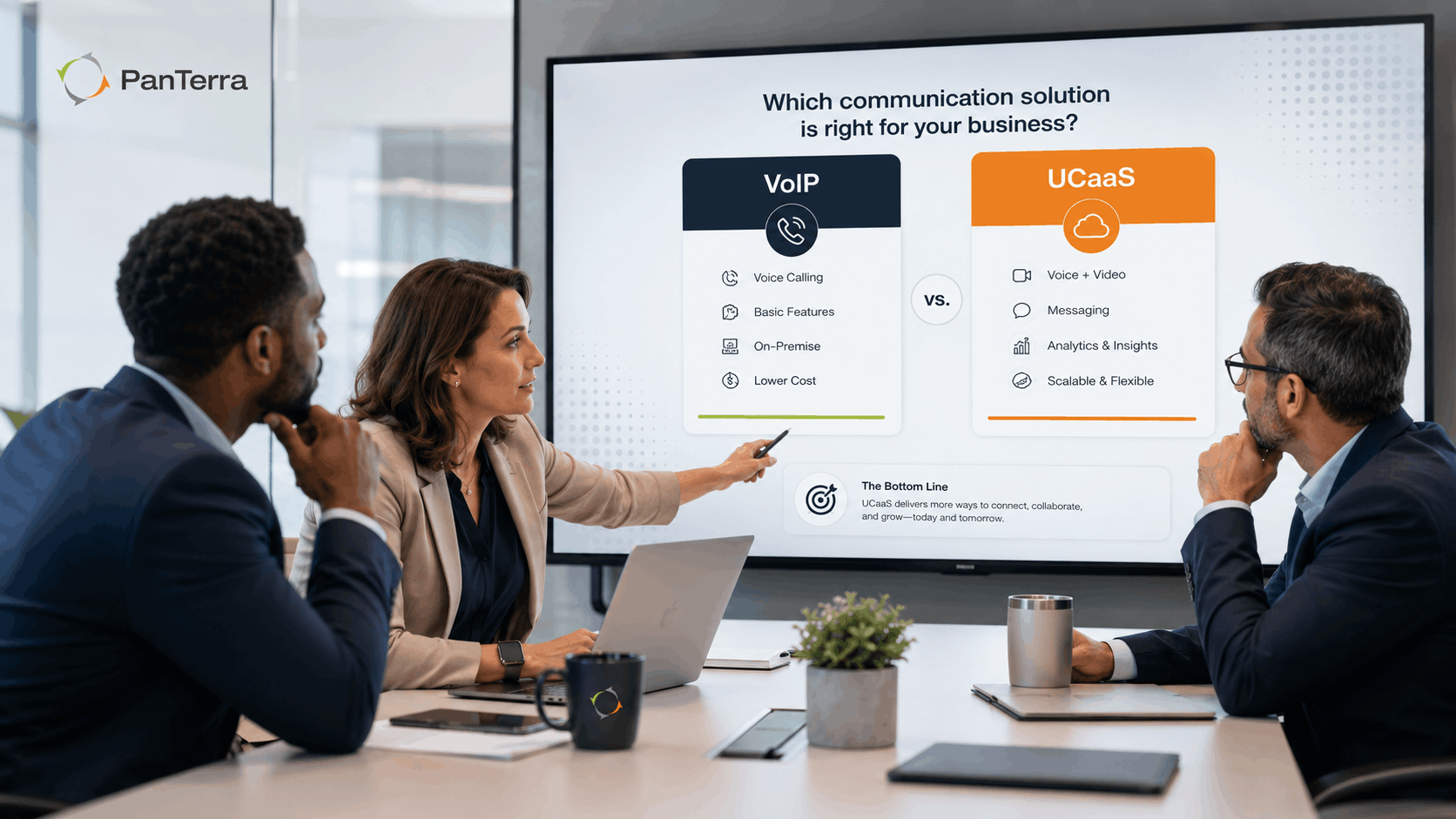
VoIP and UCaaS are not the same thing, but they are often used as if they are. That confusion leads to real purchasing mistakes. Teams buy a VoIP tool thinking they are getting unified communications, then discover six months later that they still need a separate video platform, a separate messaging app, and a separate contact center tool. This guide explains the actual difference, when each option makes sense, and what the STIR/SHAKEN standard means for your business phone going forward.
What Is VoIP?
VoIP stands for Voice over Internet Protocol. It is a technology that routes voice calls over the internet instead of traditional phone lines. That is the complete definition. VoIP is a single feature: voice calling delivered over an internet connection.
A basic VoIP setup can be as simple as a smartphone app or a desk phone plugged into your router. It replaces the physical phone line. However, VoIP on its own does not include video conferencing, team messaging, file sharing, fax, call routing rules, or analytics. It handles calls.
VoIP is often described as the foundation that UCaaS is built on. However, having a foundation is not the same as having a building.
What Is UCaaS?
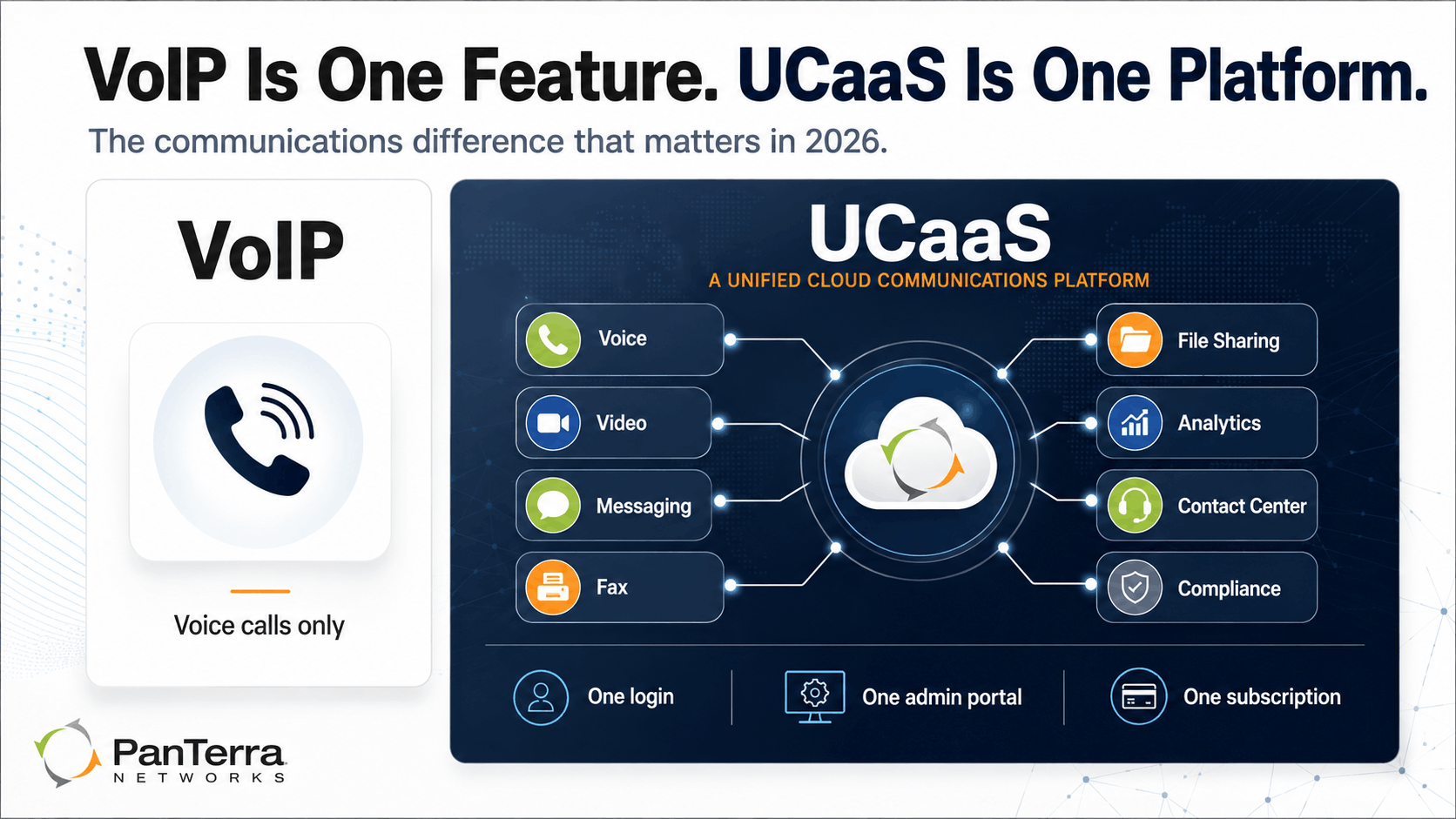
UCaaS stands for Unified Communications as a Service. It is a cloud based platform that combines multiple communication tools into one subscription and one interface. A full UCaaS platform typically includes voice calling (built on VoIP), video conferencing, team messaging, SMS, secure fax, file sharing, analytics, and contact center features.
The key word is unified. Each of these tools shares the same login, the same admin portal, the same billing, and the same support line. When someone transfers a call, sends a message, or shares a file, they do so within the same environment without switching apps.
UCaaS is delivered as a subscription service from a cloud provider. In most cases, the provider owns and operates the cloud infrastructure. Users access the platform on any device with an internet connection.
VoIP vs UCaaS: Key Differences
|
Criteria |
VoIP |
UCaaS |
|---|---|---|
| What it covers | Voice calls only | Voice, video, messaging, fax, file sharing, analytics |
| Delivery | Single feature/protocol | Full platform as a service |
| Admin experience | Basic call settings | Unified admin portal for all channels |
| Integrations | Limited | CRM, helpdesk, Microsoft 365, and more |
| Compliance support | Varies widely | HIPAA/HITECH available on quality platforms |
| Support model | Varies by provider | Varies by provider |
| Scalability | Adds seats or lines | Adds seats, channels, and features |
| Best for | Simple voice needs | Teams that communicate across multiple channels |
When VoIP Is Enough
VoIP is the right choice when your team's primary need is reliable voice calling and nothing else. For example, a solo contractor who only needs to make and receive calls from a business number does not need a full UCaaS platform. A single retail location with two staff members who answer phones may not either.
VoIP is also a reasonable starting point for very new businesses that expect to add more communication tools later. However, it is worth noting that migrating from a standalone VoIP tool to a full UCaaS platform often requires starting over: new numbers, new admin setups, and new user training.
So if your team is growing or already uses more than one communication channel, a UCaaS platform from the start is almost always the lower total cost over two to three years.
When You Need UCaaS
UCaaS becomes necessary when your team communicates across more than one channel and needs those channels to work together. In practice, that covers most businesses beyond about five people.
Multi-location teams need a shared admin portal that spans all sites. A VoIP line at each location is not the same as a unified platform. Without UCaaS, a call transfer between locations often means a separate system and a manual process.
Regulated industries such as healthcare, legal, and financial services need more than a phone call. They need call recording, voicemail storage, secure messaging, and often a signed Business Associate Agreement for HIPAA/HITECH compliance. A basic VoIP tool almost never satisfies these requirements.
Customer-facing teams that handle inbound call queues, routing, and reporting need contact center features that VoIP does not provide. Also, outbound teams need tools like phone number reputation management to make sure their calls actually get answered.
Remote and hybrid teams need a consistent experience whether someone is in the office, at home, or on a mobile device. UCaaS delivers the same interface and features across all devices. VoIP alone does not.
PanTerra's Streams.AI platform is an example of a full UCaaS platform: voice, video, messaging, fax, file sharing, and contact center in one login, on any device, with pricing starting at $14.95 per user per month for qualified teams and contract terms. Standard Business Plus pricing starts at $24.95 per user per month.
What Is STIR/SHAKEN and Why Does It Matter?
STIR/SHAKEN is the FCC-mandated caller ID authentication standard now required of all US carriers. The acronym stands for Secure Telephone Identity Revisited and Signature-based Handling of Asserted information using toKENs. The name is technical. The purpose is straightforward.
Before STIR/SHAKEN, it was easy for bad actors to spoof any phone number and display any caller ID they chose. This is how phone scams and robocall operations worked at scale. STIR/SHAKEN requires carriers to digitally sign outbound calls and verify that the number on the caller ID is actually owned by the caller. Calls that pass verification receive an "A" attestation. Calls that cannot be verified are flagged or blocked.
Why this matters for your business phone system:
First, your outbound calls may still be flagged even if your number is legitimate. If your number appears on a spam list due to a previous owner's robocall history or calling patterns that look like autodial activity, carriers may label it "Spam Likely" regardless of attestation level.
Second, not all UCaaS providers actively monitor and remediate number reputation. A provider that leaves this to you is leaving a revenue gap open. PanTerra's Phone Number Reputation Tools monitors your numbers across AT&T, Verizon, T-Mobile, and major analytics providers, and starts remediation within 72 hours of a spam label appearing.
Third, STIR/SHAKEN compliance is now a baseline requirement for any business phone system, not a premium feature. When you evaluate a UCaaS or VoIP provider, confirm that they are STIR/SHAKEN compliant and that their platform actively manages number attestation on your behalf.
How to Choose: VoIP or UCaaS?
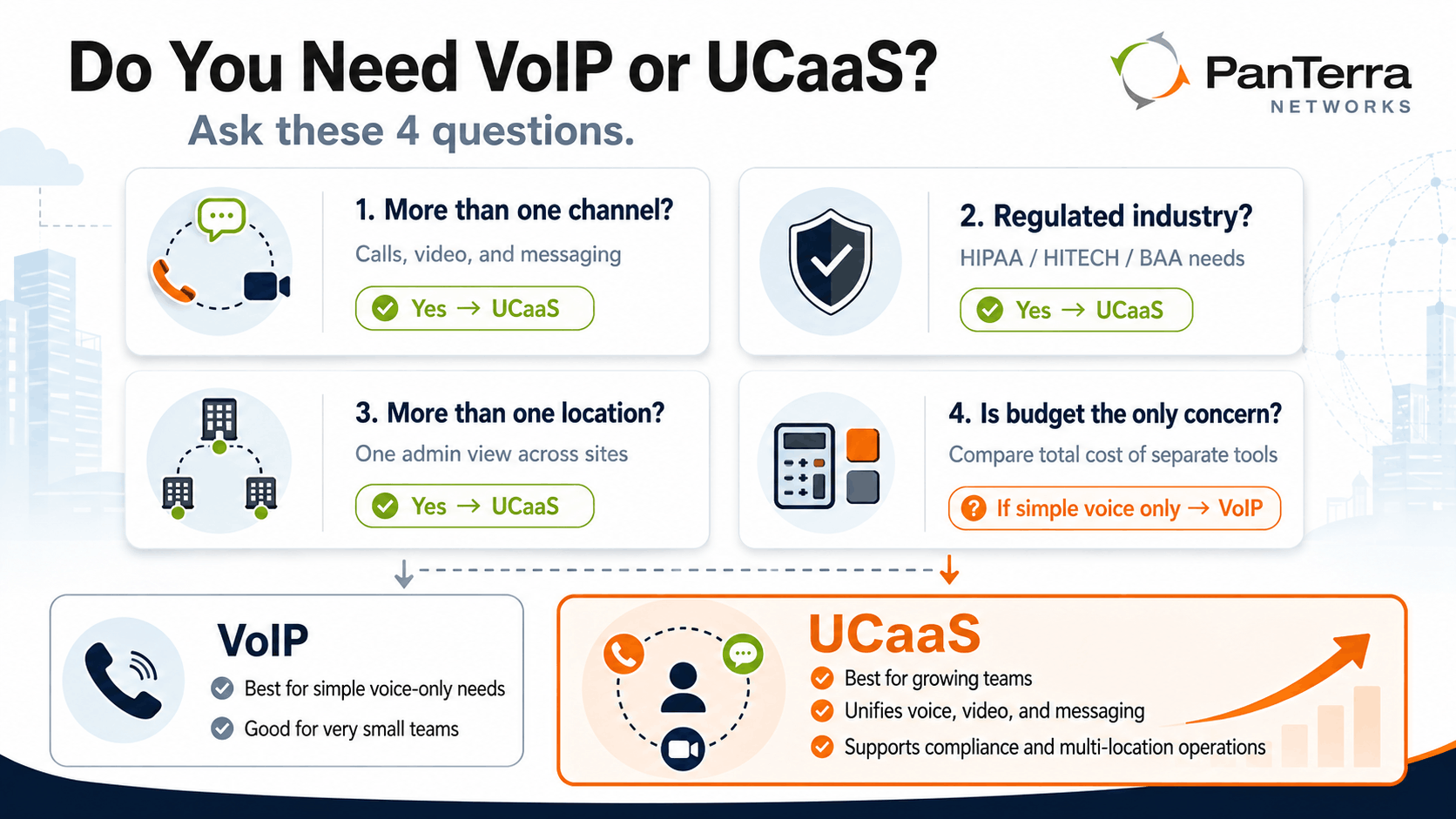
Answer these four questions. They will get you to the right answer fast.
1. Does your team communicate through more than one channel?
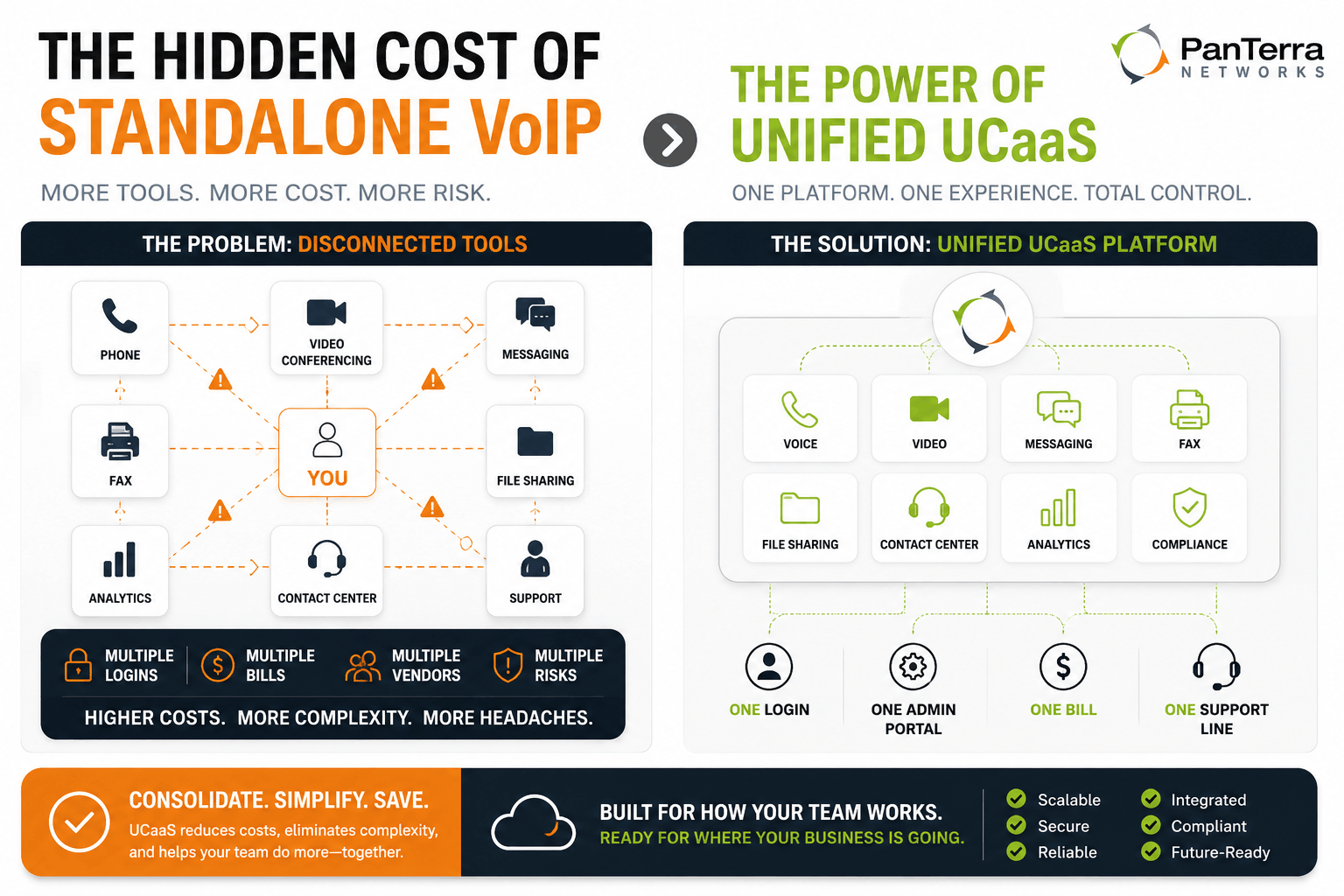
If yes, UCaaS. Managing separate tools for voice, video, and messaging creates friction and cost.
2. Do you operate in a regulated industry?
If yes, UCaaS with HIPAA/HITECH compliance. Basic VoIP tools do not meet the BAA and compliance requirements of healthcare, legal, and financial services.
3. Do you manage more than one location or plan to add one?
If yes, UCaaS. A unified admin portal across all sites is not achievable with standalone VoIP lines.
4. Is the budget the only constraint?
If so, consider the total cost honestly. A VoIP tool plus a video tool plus a messaging app plus a file sharing service often exceeds the cost of a UCaaS platform. Also, the time your team spends switching between those tools has a real cost that rarely shows up in a spreadsheet.
For most growing businesses, UCaaS is the right answer today. For very small teams with simple voice needs and no compliance requirements, VoIP may be enough. See the best UCaaS providers for small business guide for a deeper look at specific platforms, or explore PanTerra pricing and plans if you are ready to compare tiers.
Frequently Asked Questions
What is the main difference between VoIP and UCaaS?
VoIP is a technology that routes voice calls over the internet. UCaaS is a full cloud platform that includes VoIP plus video, messaging, fax, file sharing, analytics, and contact center in one subscription. VoIP is one feature. UCaaS is a complete communications platform.
Is VoIP part of UCaaS?
Yes. Voice over IP is the underlying technology that carries voice calls in a UCaaS platform. However, UCaaS adds many layers on top of VoIP: video conferencing, team messaging, secure fax, file sharing, analytics, and integrations. Having VoIP does not mean you have UCaaS.
Do I need UCaaS or just VoIP for my small business?
If your team only needs to make and receive voice calls, basic VoIP may be enough. However, if you also need video meetings, messaging, call recording, or HIPAA compliance, UCaaS is the better fit. For most teams beyond five people, UCaaS is also the lower total cost when you factor in the tools you would otherwise need to buy separately.
What is STIR/SHAKEN?
STIR/SHAKEN is the FCC-mandated caller ID authentication standard that requires US carriers to digitally sign and verify outbound calls. It was designed to combat phone number spoofing and robocalls. For businesses, it means your outbound calls now carry a verification level that affects whether recipients see your number or a spam label.
Does UCaaS include HIPAA compliance?
It depends on the provider. Many UCaaS platforms offer HIPAA compliance and signed Business Associate Agreements only on enterprise-level plans. PanTerra includes HIPAA/HITECH compliance and BAAs on every plan, including the entry tier at $14.95 per user per month.
What is the best UCaaS platform for a business that also uses Microsoft Teams?
PanTerra's Streams.AI for Microsoft Teams runs natively inside the Teams interface. It adds enterprise voice, SMS, fax, and voicemail transcription to Teams without requiring a separate Microsoft calling license. This is useful for teams that already pay for Microsoft 365 and want to consolidate their calling and collaboration costs.
VoIP = one feature. UCaaS = one platform. The distinction that matters at renewal time.
Checklist: Signs your team has outgrown VoIP and needs UCaaS:
- Your team uses separate apps for calls, video, and messaging
- You manage more than one office location
- You need call recording, call queues, or routing rules
- Your industry requires HIPAA/HITECH compliance or a signed BAA
- Your outbound call answer rates have dropped without explanation
.jpg?width=500&height=500&name=Are%20you%20Getting%20a%20Good%20Deal%20(1).jpg)
Comments