How SD-WAN Keeps Small Businesses Connected During Outages


SD-WAN (Software-Defined Wide Area Network) prevents network downtime by continuously monitoring multiple internet connections and automatically rerouting traffic to the best available path when a failure occurs.
For small businesses dependent on cloud applications and VoIP, this prevents operational disruption. Outages don’t have to stop customer communication.
Compared to traditional networks with single points of failure, SD-WAN manages multiple connections simultaneously and switches between them instantly.
TL;DR (SD-WAN for Small Business: Key Takeaways):
- SD-WAN automatically switches to backup internet during primary connection outages
- Traffic reroutes in seconds without manual intervention or service disruption
- Small businesses maintain access to cloud apps, VoIP, and critical systems during outages
- Implementation works with existing hardware and scales as your business grows
What is SD-WAN?
SD-WAN separates network management from physical hardware, placing control in software. This lets businesses manage traffic flow across multiple internet connections from a centralized dashboard.
How it differs from traditional networks
SD-WAN connects to multiple internet sources simultaneously (broadband, LTE, fiber, or satellite), unlike traditional WANs that rely on single connections. If that connection fails, everything stops until someone manually restores it or switches to backup.
In SD-WAN, the software monitors all connections and routes traffic through the best available path automatically.
Core capabilities
Intelligent routing: SD-WAN recognizes which applications need priority and routes them through the fastest, most stable connection.
Automatic failover: When one connection drops, traffic shifts to another in seconds. Users typically don't notice the switch.
Centralized control: Network administrators manage all locations and connections from one interface, without touching physical hardware at each site.
Key business benefits
- Agility: Deploy new services across locations quickly through software, without shipping or configuring hardware at each site.
- Cost efficiency: Use lower-cost internet connections and direct cloud access to reduce reliance on expensive proprietary WAN lines.
- Enhanced performance: Intelligent path selection routes critical traffic through the fastest, most stable connection.
How does SD-WAN prevent network downtime?
When your primary broadband fails, due to weather, provider issues, or infrastructure problems, SD-WAN detects the failure and switches to a secondary connection like LTE. This happens automatically. No IT staff needed to flip switches or reconfigure systems.
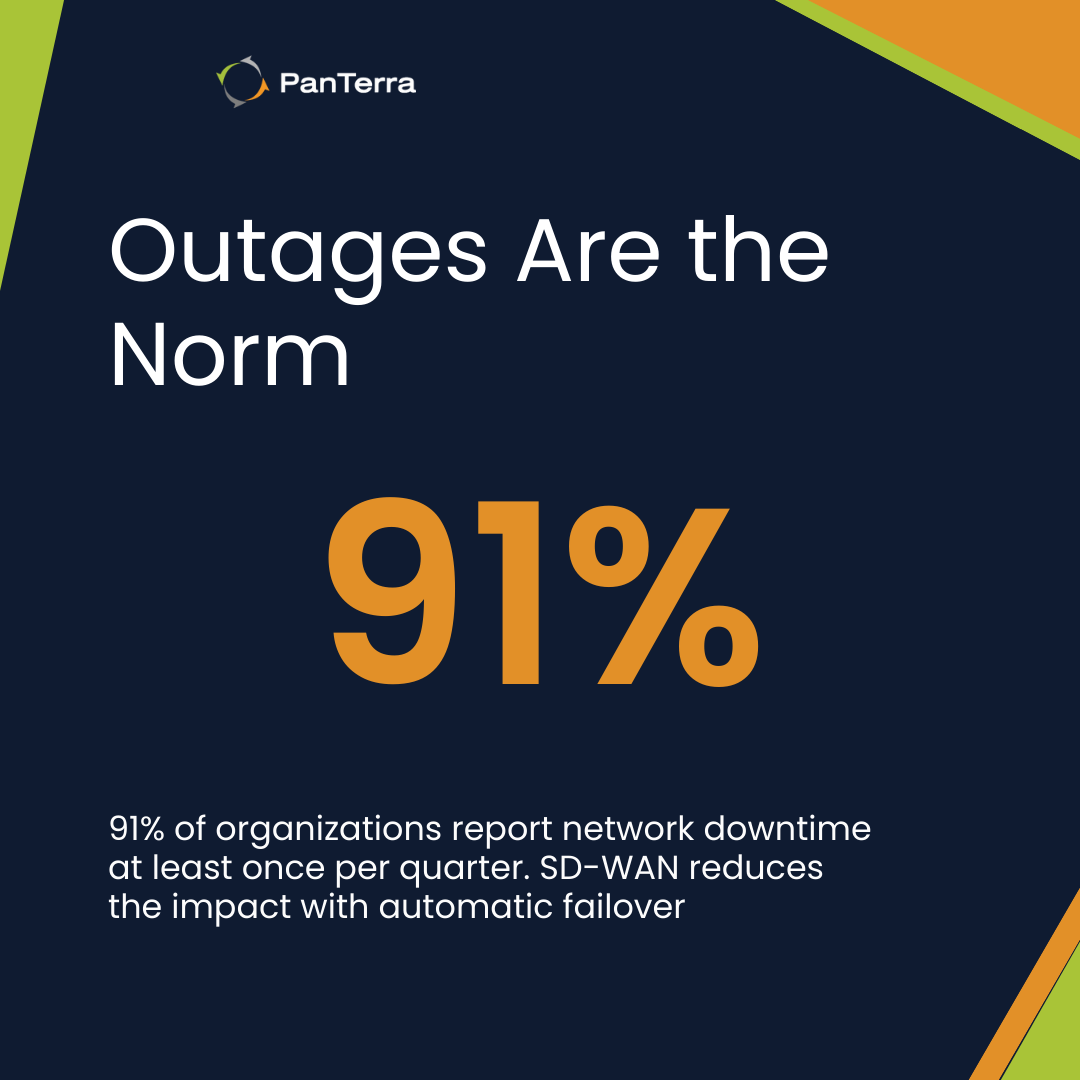
This matters because network outages are far from rare. Opengear’s global CIO survey, cited in recent business-continuity reporting, found that 91% of organizations experience at least one network outage per quarter. For small businesses, that disruption quickly translates into lost revenue, slower service, and frustrated customers.
Automatic failover eliminates manual switching
Consider a scenario increasingly common in the U.S.: a severe storm disrupts your primary broadband service. SD-WAN detects the outage and switches to an LTE backup instantly, so transactions, cloud access, and customer communication continue without interruption.
That reliability protects revenue and builds confidence with customers and stakeholders.
Multiple connection types provide backup layers
SD-WAN can manage several connection types simultaneously:
- Primary broadband
- Secondary broadband (different provider)
- LTE/5G cellular
- Satellite (for remote locations)
If severe weather takes out local broadband infrastructure, cellular connections keep operations running until service restores.
Application prioritization during reduced bandwidth
When operating on backup connections with less bandwidth, SD-WAN prioritizes critical applications. VoIP calls and essential cloud apps get bandwidth first. Less critical traffic waits.
This keeps customer-facing operations running even when network capacity is limited.
How does SD-WAN support disaster recovery?
SD-WAN provides the network layer that keeps recovery plans functional. It’s very useful during disasters—storms, power outages, infrastructure failures— that test business continuity plans.
SD-WAN enables rapid disaster recovery by automatically rerouting network traffic when a failure occurs, eliminating the need for manual intervention.
When primary systems fail, traffic reroutes to backup connections and alternate data paths within seconds. Recovery time drops from hours to moments.
Does SD-WAN keep cloud apps accessible during outages?
Most small businesses now depend on cloud-based tools for operations. SD-WAN maintains cloud connectivity even when local infrastructure fails.
If your office loses power but you have LTE backup, employees can still access cloud applications, customer data, and communication tools from mobile devices or alternate locations.
How does SD-WAN handle multi-location outages?
SD-WAN supports geographic redundancy by dynamically routing traffic through unaffected locations during localized disruptions.
Businesses with multiple locations can use SD-WAN to route traffic through unaffected sites during localized disasters. If one office goes offline, traffic routes through another location's connection.
How do small businesses implement SD-WAN?
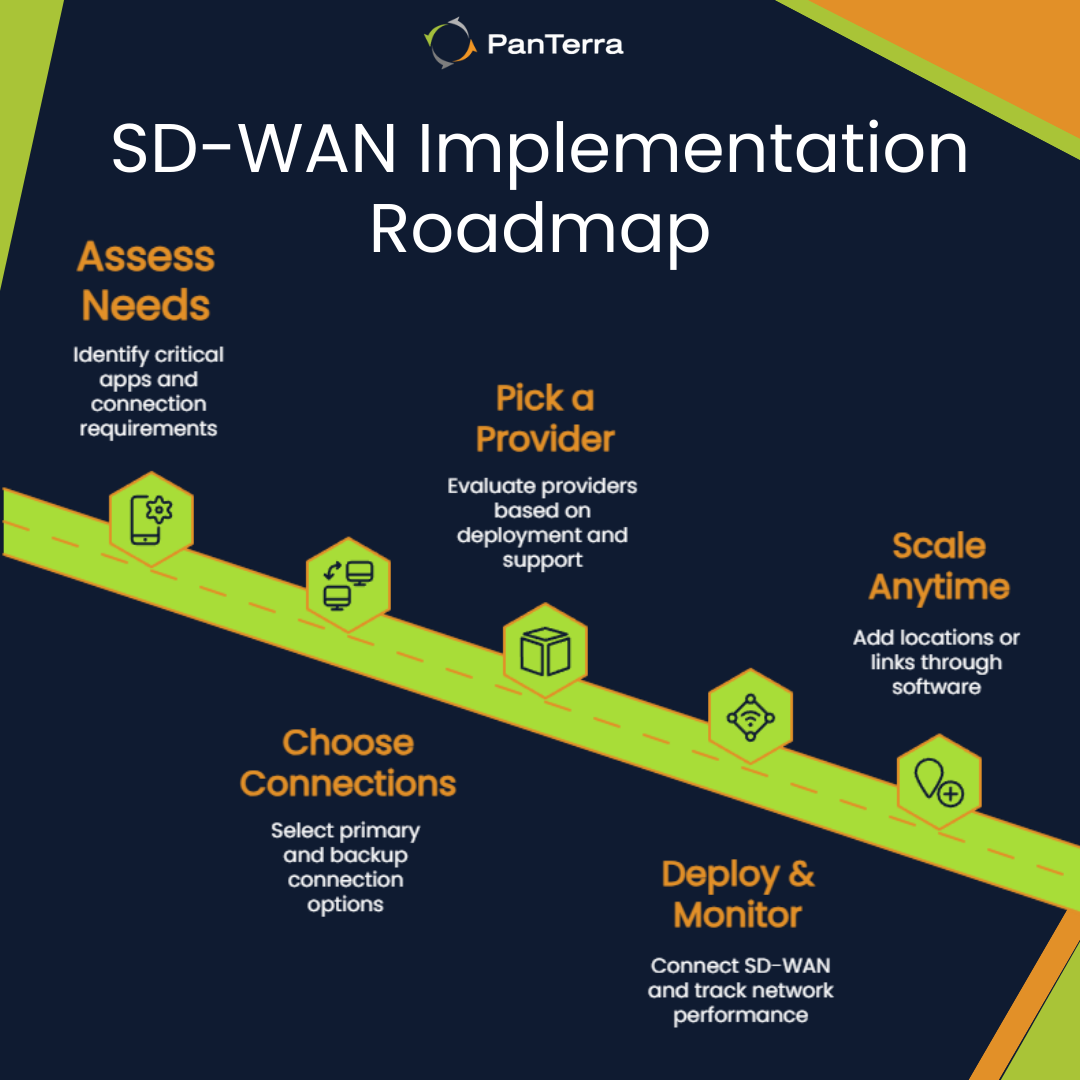
Implementation follows a straightforward process that works with existing infrastructure.
Assess your connectivity needs
Start by identifying:
- Which applications are critical (VoIP, CRM, cloud storage)
- Current internet connections and their reliability history
- Acceptable downtime tolerance
- Budget for backup connections
Choose connection types
Most small businesses start with:
- Primary broadband connection
- LTE backup for failover
As needs grow, add secondary broadband from a different provider or additional cellular connections.
Select an SD-WAN provider
Look for providers offering:
- Simple deployment without complex hardware
- Centralized management dashboard
- 24/7 monitoring and support
- Transparent pricing without hidden fees
PanTerra's Streams.AI platform includes Internet Assurance with SD-WAN capabilities designed for small business needs.
Pilot test before full rollout
Run a pilot in one location or team first. This shows how SD-WAN integrates with your current setup before scaling company-wide.
Train your team
Make sure whoever manages your network understands the dashboard, policies, and failover behaviors. Provider training and ongoing support reduce the learning curve.
Monitor and optimize continuously
After deployment, track connection health, failover events, and app performance in your dashboard. Adjust priorities and routing as your needs evolve.
Scale as needed
SD-WAN scales without major infrastructure changes. Adding new locations or connections happens through software configuration, not hardware installation.
Frequently Asked Questions
How quickly does SD-WAN switch to backup internet?
Failover typically happens within seconds. Most users don't notice the switch during active sessions.
Does SD-WAN work with existing internet connections?
SD-WAN works with broadband, fiber, LTE, and satellite connections. You can keep existing connections and add backup options.
Is it needed to dedicate IT staff to manage SD-WAN?
Cloud-managed SD-WAN solutions handle monitoring and failover automatically. Most providers include support for configuration and troubleshooting.
What's the cost of SD-WAN compared to traditional backup solutions?
SD-WAN typically costs less than traditional redundant WAN setups. Traditional WAN often relies on dedicated backup lines that incur monthly fees whether you use them or not. SD-WAN uses lower-cost internet connections and activates backup paths only when needed, which reduces day-to-day expense and provides relief during unexpected outages.
Can SD-WAN prioritize a company’s phone system during outages?
SD-WAN can prioritize VoIP traffic over less critical applications, maintaining call quality even on limited bandwidth.
Next Steps
Network outages don't have to mean business disruption. SD-WAN provides automatic failover, application prioritization, and centralized management that keeps small businesses connected.
PanTerra's Internet Assurance solution delivers SD-WAN capabilities with simple deployment and ongoing support. Talk to our team to assess your connectivity needs.
.jpg?width=500&height=500&name=Are%20you%20Getting%20a%20Good%20Deal%20(1).jpg)
Comments