VoIP for Small Business: What to look For and How to Switch


Small businesses are always looking for ways to cut costs and boost efficiency.
I've seen firsthand how Voice over Internet Protocol (VoIP) can transform communication for smaller companies.
The benefits of VoIP for small businesses are numerous, from significant cost savings to enhanced features that rival those of large corporations.
In this article, we'll explore how VoIP can give your small business a competitive edge in your industry.
TL;DR
- VoIP cuts monthly phone bills by 30–50% by eliminating traditional phone lines.
- Small businesses save $500–$2,000 per user by removing PBX hardware.
- Enterprise features like video conferencing and CRM integration come standard.
- Adding or removing phone lines takes minutes through an online dashboard.
How does VoIP reduce communication costs for small businesses?
VoIP (Voice over Internet Protocol) routes business calls over the internet instead of traditional phone lines.
VoIP can eliminate several expenses that traditional phone systems require.
A recent study revealed that businesses can save between 30% and 50% on average with VoIP, while gaining access to features like video conferencing, smart call routing, and AI-powered automation.
Imagine your current phone bill cut in half (or even more). That's the real impact of VoIP on your bottom line.
Monthly phone bills drop significantly
Routing calls over the internet removes per-line fees from traditional carriers.
Industry benchmarks show SMBs typically save 30–50% on monthly communication costs after switching.
Hardware expenses disappear
Traditional systems need PBX equipment plus ongoing maintenance contracts.
VoIP operates in the cloud, eliminating $500–$2,000 per user in hardware costs.
With this freed-up capital, companies can then reinvest in core business activities, fueling growth and innovation.
IT support becomes simpler
Cloud-based phone systems require less technical management than legacy setups.
Most providers include support in their packages, reducing internal IT burden.
Scaling costs only what you use
With VoIP, adding lines during busy seasons or removing them during slow periods happens instantly.
No technician visits or hardware changes required.
A truly unified communications hub
Streams.AI is positioned to bring together secure voice, messaging, screen sharing, fax, and file access across desktop and mobile, so your team isn’t stitching together disconnected apps.

What features do small businesses get with VoIP?
VoIP brings enterprise-level capabilities without the enterprise-level investment.
Smart call management
Set routing rules based on time of day, caller ID, or menu selections.
Calls ring simultaneously on desk phones, smartphones, and laptops so important calls reach the right person regardless of location.
Video conferencing
No separate software or equipment needed.
Teams collaborate with remote workers and clients through the same platform used for voice calls.
Unified messaging
Voicemail-to-email sends transcribed messages to your inbox automatically.
Many platforms combine voicemail, email, instant messaging, and fax into one interface.
AI-powered automation
Your unified business communication platform should include tools for handling routine inquiries and routing callers instantly.
AI Receptionists provide smart routing and self-service features that reduce missed calls without adding headcount.
Business software integration
CRM integration logs calls automatically and updates customer records in real-time.
With a robust business communication platform, sales teams spend less time on admin and more time selling.
How does VoIP support remote teams and business growth?
VoIP transforms small business communication by bringing enterprise-level features to companies of all sizes.
VoIP adapts to changing business needs without infrastructure changes.
It completely revolutionizes daily operations and provides advanced capabilities that traditional phone systems can't match.
Remote and hybrid work
Employees access their business phone system from anywhere with the internet.
Business numbers work on any device, and calls from personal phones display your company number.
Instant scaling
Add phone lines in minutes for busy seasons, then scale back when demand drops.
Opening new locations or hiring remote staff doesn't require new infrastructure.
Cost-effective growth
Pay only for what you need when you need it. No long-term hardware commitments or technician visits required.
Check out our last case study with Cupbop to learn how Streams.AI can turbocharge business communication.
[video]
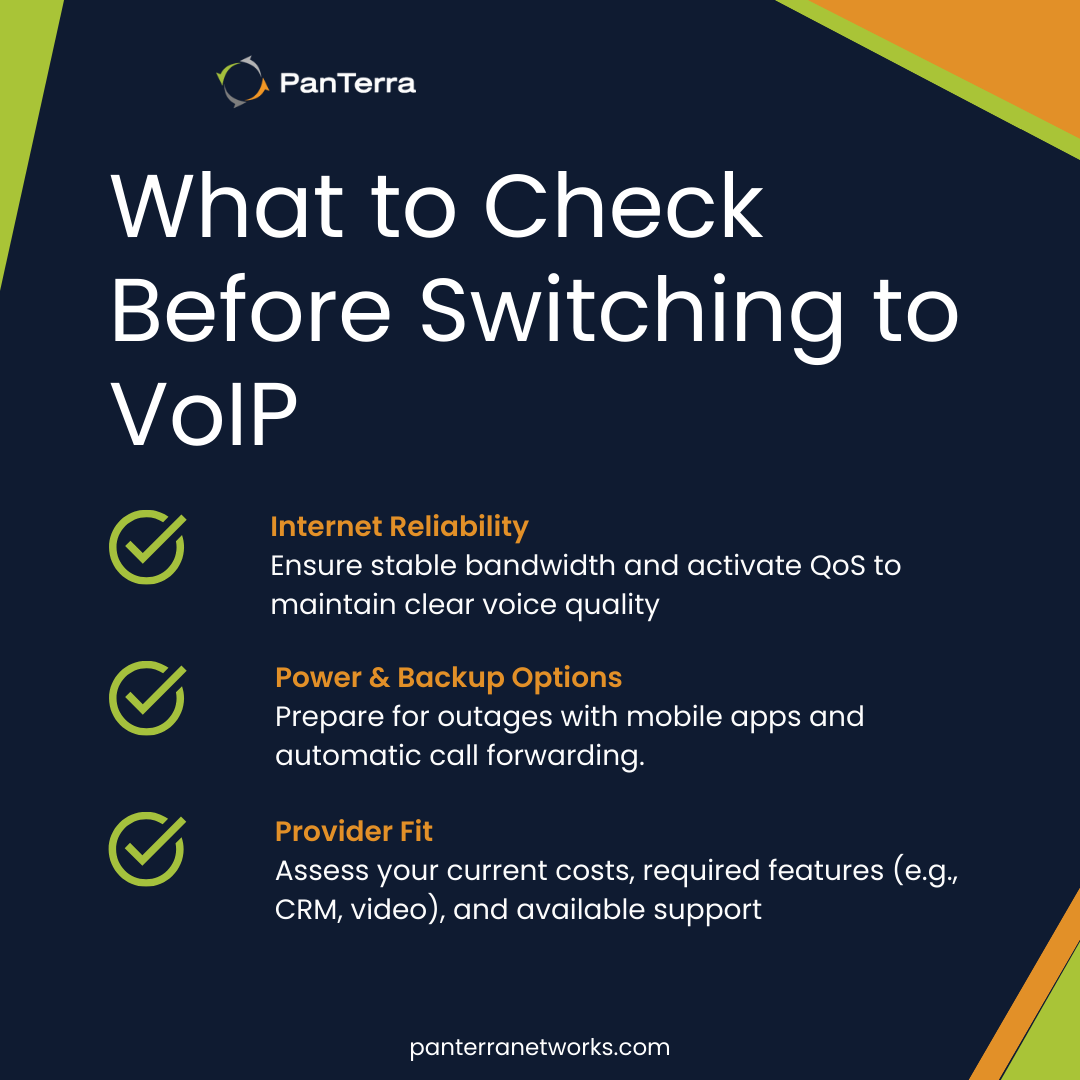
What should you consider before switching to VoIP?
VoIP performs well when implemented correctly, but certain factors matter.
Internet reliability
Call quality depends on bandwidth and connection stability.
Most business internet handles VoIP easily, but verify before switching. Quality of Service (QoS) settings can prioritize voice traffic.
Power and backup
VoIP requires electricity and internet, unlike traditional phones, during outages.
Mobile apps and automatic call forwarding provide backup options.
Choosing a provider
Calculate current communication costs to establish a savings baseline. Identify must-have features (video, CRM integration, international calling).
Evaluate support options—small businesses benefit from providers offering comprehensive support without requiring dedicated IT staff.
The switching plan: how to move to VoIP without downtime
If you want a clean transition, use this sequence.
Step 1: Inventory what you have today
Be sure to document:
- every phone number (including “rarely used” ones)
- current carrier(s) and account details
- every call flow (main line, after-hours, holidays, overflow)
- every device tied to a line (fax, alarms, elevator, etc.)
- who needs a phone license vs. who doesn’t
Step 2: Validate network readiness (before you buy anything)
Run a VoIP readiness test and/or assessment. Then confirm you can support your expected concurrent calls, not just “speed test looks good.”
Rule of thumb planning:
Start with roughly ~87 kbps per voice stream (and remember a call is two streams) plus overhead and headroom for peaks.
Then confirm latency and packet loss targets are realistic in your environment.
Step 3: Decide endpoints (desk phones, softphones, or both)
Most small businesses do best with a mixed model:
- desk phones for front desk, shared spaces, or “always on” roles
- mobile/desktop apps for everyone else
Step 4: Design call flows that match how customers actually behave
At minimum, define:
- Auto attendant greetings and menu options
- Hunt groups and call queues for coverage
- after-hours routing and voicemail rules
- escalation rules for “urgent” callers
If you need a quick framework, PanTerra’s support breaks down auto attendants, hunt groups, and call queues in straightforward terms.
Step 5: Plan number porting and a cutover window
- collect your current carrier info (and double-check exact matches)
- set expectations internally: porting can be quick, but also can take longer
- choose a cutover time when the business impact is minimal
- keep a fallback route (temporary forwarding, alternate numbers) during the transition
Step 6: Confirm E911 locations for every site (and remote role policy)
Because E911 obligations exist for VoIP, you need clean location management as part of your deployment process.
Step 7: Pilot → train → rollout
Pilot with a small group first:
- confirm call quality in real usage
- confirm call flows work the way you expect
- train staff on “day one” basics (transfer, park, voicemail, mobile app)
Then roll out department by department or site by site.
VoIP for Small Businesses: Next Steps
VoIP gives small businesses enterprise-level communication without enterprise-level costs.
It provides substantial cost savings, advanced features, and unparalleled flexibility, empowering small companies to compete on a larger scale.
VoIP also elevates customer service and team collaboration through smart call management, video conferencing, and other AI-powered features.
But before transitioning, make sure to calculate current spending and identify which features matter most for your objectives and industry.
Compare:
- network readiness support
- porting and cutover process
- E911 and compliance posture
- support response model
- ability to unify tools (voice + video + messaging + fax + content)
PanTerra's cloud communications platform combines business phone, video conferencing, team collaboration, and AI-powered features in a single solution.
Talk to our team to evaluate fit and learn how we can help.
Small businesses often ask
How much can a small business save with VoIP?
Most SMBs save 30–50% on monthly communication costs plus $500–$2,000 per user by eliminating PBX hardware.
Click here to calculate your exact savings with PanTerra.
Does VoIP work with existing phones?
Many systems work with existing IP phones. Some require adapters for traditional handsets. Softphone apps are typically included.
How much bandwidth do I need for VoIP?
It depends on your codec and concurrent calls, but G.711 planning is often based around ~87.2 kbps per stream and two streams per call, plus overhead and headroom.
How do I keep my phone numbers when switching providers?
You’ll typically port them. Be ready with account details that exactly match your current carrier (account number, address on file, PIN/passcode, authorized name).
How long does number porting take?
It can be as little as one day, but it often takes days or weeks, depending on carriers and whether documentation is correct.
Do I need to worry about E911 with VoIP?
Yes. The FCC requires interconnected VoIP providers to provide 911 as a standard feature, and E911 obligations generally include providing callback number and location info where available.
Is VoIP secure enough for healthcare, legal, or finance?
It can be—if the provider supports strong security controls and the compliance frameworks your business requires. PanTerra positions Streams.AI with SOC 2 Type II, HIPAA/HITECH compliance messaging, encryption, MFA, role-based access, and audit trails.
What about fax machines, alarm lines, or elevator phones?
These are common “forgotten” dependencies. Plan for them explicitly. PanTerra offers a POTS-to-digital approach positioned to support critical systems like fire alarm panels, elevator phones, security systems, building entry systems, and fax.
.jpg?width=500&height=500&name=Are%20you%20Getting%20a%20Good%20Deal%20(1).jpg)
![[image]](https://blog.panterranetworks.com/hs-fs/hubfs/How%20Can%20VoIP%20Streamline%20%20Your%20Business.png?width=1800&height=2250&name=How%20Can%20VoIP%20Streamline%20%20Your%20Business.png)
Comments