What an AI Receptionist Should Actually Do (And Why Most "AI Phone Answering" Tools Fall Short)


The Calls Your Business Isn't Answering
It is a Monday morning at a dental practice. The waiting room is full. The front desk is managing check-ins and a patient who wants to reschedule. The phone rings. Nobody gets to it. It goes to voicemail. The caller hangs up before the beep.
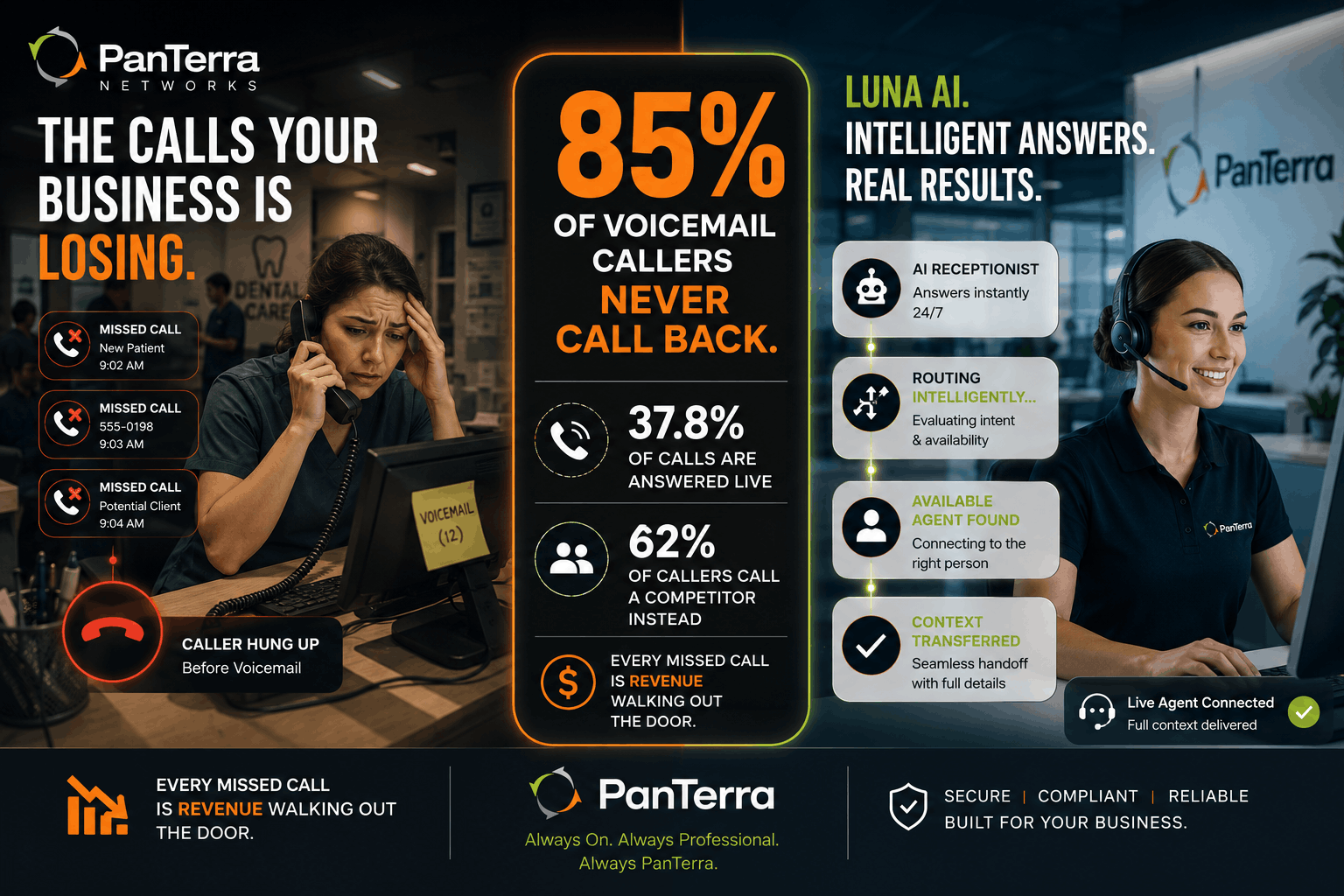
That scenario plays out thousands of times a day across service businesses. A 2024 study across 58 industries found that only 37.8% of incoming calls are answered by a live person. Of callers who do not reach someone, 85% never call back — and 62% call a competitor instead.
For a dental practice where a new-patient call is worth roughly $850 in lifetime value, losing five or six calls on a Monday morning is not a small problem. For a law firm where a missed personal injury call can represent a case worth $50,000, it is devastating.
The real question is not whether your business is losing calls. The data says most businesses are. The real question is whether the tool you use to address it is actually solving the problem — or just routing calls faster before dropping them anyway.
TL;DR
Most "AI phone answering" tools are IVR menus with a voice interface — callers still press buttons, wait in queues, and get transferred cold. A true AI receptionist understands why someone is calling, responds conversationally, routes intelligently based on who is actually available, handles calls at 3 AM the same way it handles calls at 9 AM, and passes full context to the human agent when escalation is needed. PanTerra's Luna AI is built on that model.
Key takeaways:
- A 2024 study found that only 37.8% of small business calls are answered live. 85% of callers who reach voicemail never call back.
- Most "AI answering" tools are DTMF menu systems with voice interfaces — they do not understand intent, they recognize keypress choices.
- A true AI receptionist answers conversationally 24/7, routes on real-time availability, escalates with context, and customizes per location.
- Gartner's December 2024 research projects that 70% of customer service journeys will begin and resolve in conversational AI by 2028 — the caller experience expectations being set by consumer tech are now the bar for business phone systems.
- The evaluation is not about features. It is about what the caller experiences at 7 PM on a Friday.
Why Most "AI Phone Answering" Tools Fall Short
The term "AI receptionist" covers a wide range. At the shallow end, it means an IVR system with a more natural-sounding voice. The caller hears "Tell me why you are calling today," says "billing," and gets transferred to the billing queue. That is not AI reasoning about the call — it is speech-to-keypress translation. The caller still ends up in a queue. The business still misses calls after hours.
A true AI receptionist is structurally different. It uses generative AI and natural language processing to understand why someone is calling, not just what category the call belongs to. It responds conversationally, routes to the right person based on who is actually available, and passes full context to the live agent when escalation is needed.
The gap shows up most clearly at the edges: after hours, during call surges, or at a location that runs different hours than the rest of the business. A routing table fails at all of those. An AI receptionist that understands the call does not.
What Most AI Phone Tools Do vs. What Luna AI Does
Here is how the difference shows up across the capabilities that matter for day-to-day operations.
|
Capability |
Most AI phone answering tools |
Luna AI |
|---|---|---|
| Call answering | Voice menu: "Say or press 1 for..." | Conversational greeting — understands the caller's intent in natural speech |
| Routing logic | Fixed menu paths and rules | Dynamic routing based on real-time availability, schedules, and historical call data |
| After-hours handling | Voicemail or static after-hours recording | 24/7 live AI answering — same conversational experience at 3 AM as at 9 AM |
| Human handoff | Cold transfer; caller restates their issue to the next person | Warm transfer with full conversation context passed to the live agent |
| Multi-location | Single configuration, same behavior everywhere | Customizable per location — separate hours, routing, and voice for each site |
| CRM / systems integration | Standalone; no data sync | Integrates with Salesforce, GSuite, Zoho; logs interactions automatically |
| Mobile team coverage | Desk phones or landlines required | Streams.AI Mobile PBX — mobile teams covered without desk phones |
| Compliance | Varies; often unverified | HIPAA / HITECH, SOC 2 Type II certified, AES-256 encryption, BAAs included |
The trade-off worth understanding: multi-location customization is where most tools break down entirely. A law firm with a personal injury line, a family law line, and after-hours emergency access needs different routing behavior for each. A routing table treats them the same. An AI receptionist configured per line handles them differently without a menu redesign.
What to Look for When Evaluating AI Receptionist Tools
The marketing language converges on the same handful of words: intelligent, conversational, 24/7, seamless. What businesses actually need to evaluate is what the caller experiences when something goes wrong — the agent is unavailable, the call comes in at midnight, or the caller has a question that is not on any standard routing path.
Five tests that reveal more than any feature list:
1. What happens when the right person is unavailable?
Does the AI know who is available in real time and route to the next best option? Or does it drop into voicemail? The answer to this question is the actual reliability model of the product.
2. What does a handoff look like?
Call the demo line and let the AI route you. When the live agent picks up, how much do they already know? Zero context means cold transfer. Full context means the caller never repeats themselves.
3. How is after-hours behavior configured?
Can it be set per location, per team, per day of the week? A single after-hours recording is not a continuity model.
4. What integrations does it actually have?
Most service businesses run on a CRM. If the AI receptionist cannot write to it, the call data is siloed. Ask to see the integration in a live environment, not a slide.
5. What are verified buyers saying?
Vendor demos show best-case scenarios. G2 reviews for AI receptionists capture what happens at scale, after go-live. That is the input worth weighting.
The Forrester Conversational AI for Customer Service Landscape Q4 2025 is a useful framework for understanding how the category is maturing, though for most SMBs the five questions above will surface the right answers faster.
FAQ
Is an AI receptionist just an auto-attendant?
No — though many products marketed as "AI phone answering" function like advanced auto-attendants. The distinction is whether the system understands the caller's intent in natural language or just recognizes keypress and voice commands mapped to menu options. True AI receptionists use generative AI and NLP to understand context, respond conversationally, and make routing decisions the way a skilled human receptionist would.
Does an AI receptionist work for businesses with strict compliance requirements?
It depends on the product. Luna AI was built under HIPAA and HITECH standards with AES-256 encryption, SOC 2 Type II certified infrastructure, and Business Associate Agreements included with all deployments — which makes it usable for healthcare, legal, and financial services organizations where many tools cannot go.
What happens when the AI can't handle a call?
Luna AI includes built-in human handoff logic. When a conversation requires live judgment, it transfers to the best available team member with full conversation context preserved. The caller never repeats themselves.
How is Luna AI priced?
Luna AI is included in the Streams.AI platform rather than sold as a standalone add-on. Voice, SMS/MMS, fax, and contact center capabilities — one system, one admin pane, one support relationship.
What This Adds Up To
Every business phone system comes with some version of call routing. The question is whether the routing is smart enough to function as a real front desk — one that answers at 2 AM, knows who is available, passes context to live agents, and gives every caller a consistent experience regardless of which location they called or what day of the week it is.
That is the bar an AI receptionist should clear. Most do not. The five tests in this article are a fast way to find out whether a tool you are evaluating actually does.
Learn more about Luna AI and how it fits inside the broader Streams.AI platform, or read the original launch announcement in the PanTerra newsroom.
.jpg?width=500&height=500&name=Are%20you%20Getting%20a%20Good%20Deal%20(1).jpg)
Comments