UCaaS vs VoIP in 2026


VoIP and UCaaS are often treated as the same product. They are not. VoIP — Voice over Internet Protocol — carries phone calls over the internet instead of legacy copper lines. UCaaS — Unified Communications as a Service — is a cloud platform that combines voice with messaging, video meetings, SMS, presence, and team collaboration in a single application. Every UCaaS platform uses VoIP as its calling foundation. But not every VoIP service is a UCaaS platform.
The distinction matters because the wrong choice costs money in two directions. Buying full UCaaS for a warehouse phone or a shared back-office line means paying for features no one will use. Buying basic VoIP for a hybrid sales team means rebuilding workflows with three separate vendors for chat, video, and texting — and managing three separate compliance surfaces.
This guide explains the difference in plain terms, walks through where each option fits, and shows how PanTerra Networks delivers both on the same account. You can mix seats by role instead of forcing every employee onto the same plan. PanTerra serves businesses across the US and Canada, runs on its own Tier 4 infrastructure, and includes HIPAA/HITECH compliance and 24/7 US-based support on every seat — cloud business phone and UCaaS alike.
What We Cover in This Guide
- What VoIP Actually Is — And What It Is Not
- What UCaaS Actually Is — And Why It Exists
- Side-by-Side Feature Comparison
- Cost Comparison: VoIP vs UCaaS in 2026
- When VoIP Is the Right Choice
- When UCaaS Is the Right Choice
- Why You Don't Have to Pick One
- How to Migrate from Legacy Phone Systems
- Frequently Asked Questions
What VoIP Actually Is — And What It Is Not
VoIP stands for Voice over Internet Protocol. It converts a voice call into digital packets and routes them across the internet instead of the public switched telephone network. The service that delivers VoIP to a business — a hosted PBX, a cloud phone system, a SIP trunking provider — is what most people are buying when they say “we’re switching to VoIP.”
A modern business VoIP service includes the features a traditional desk phone delivers: inbound and outbound calling, extension dialing, direct inward dial (DID) numbers, voicemail, hunt groups, call transfer, call park, and a basic auto attendant. It runs on desk phones, softphones, or both. The user experience is similar to a desk phone on a legacy PBX — the difference is lower cost and the ability to add new lines without a truck roll.
What VoIP is not, in its base form, is a collaboration suite. Standalone VoIP does not include team messaging, video meetings, business SMS, screen sharing, or integrations with Outlook or Microsoft Teams. Those capabilities exist in the platform tier above VoIP — which is UCaaS.
At PanTerra, the Business Basic seat is the VoIP tier. It includes unlimited inbound and outbound calling, extension dialing, DID numbers, voicemail to phone and email, hunt groups, follow-me/find-me, call recording, a basic auto attendant, and the same Tier 4 infrastructure and 24/7 US-based support that every higher tier uses. For mid-market and enterprise customers, Business Basic is available as low as $9.95 per seat per month.
What UCaaS Actually Is — And Why It Exists
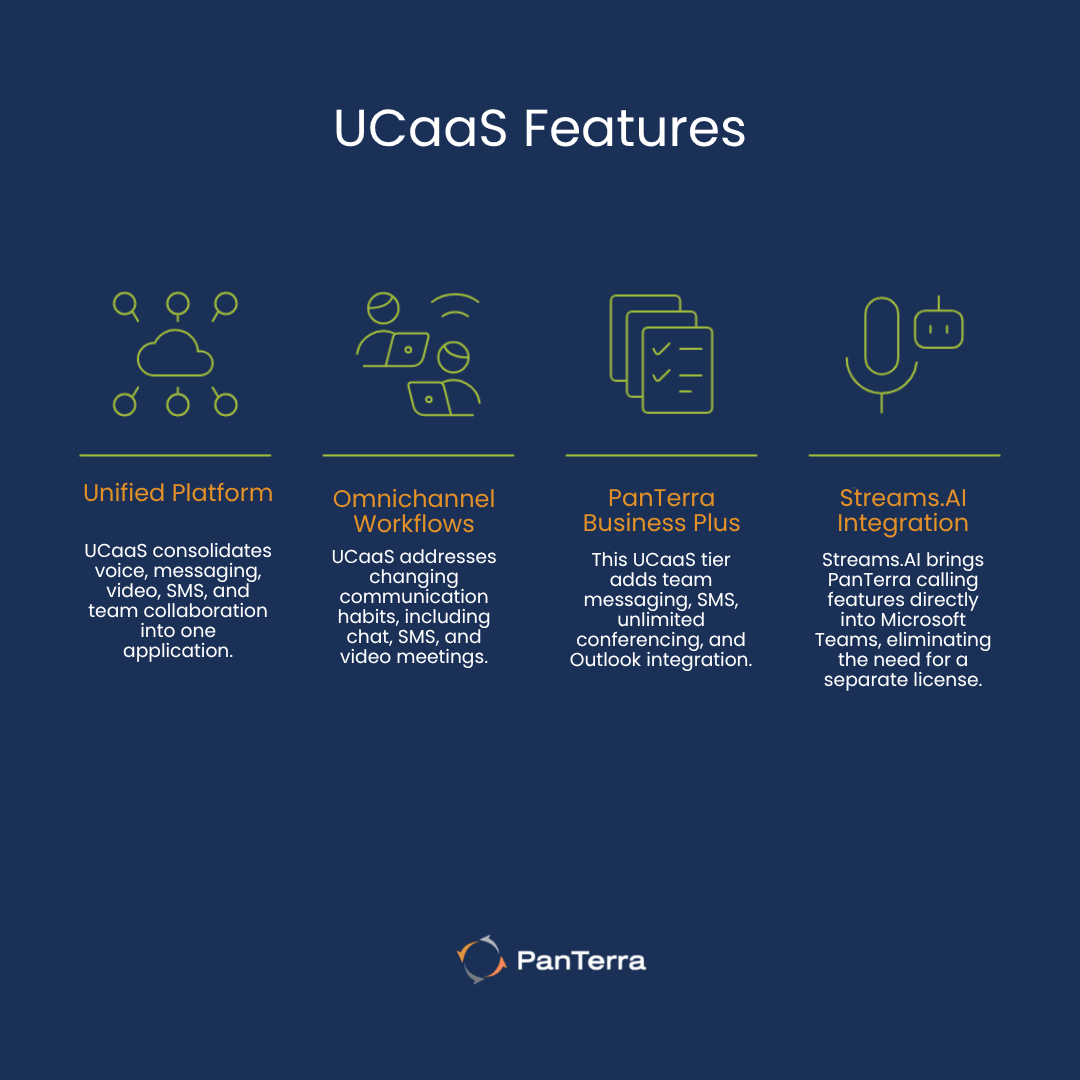
UCaaS — Unified Communications as a Service — is a cloud platform that delivers voice, messaging, video meetings, SMS, and team collaboration through a single application. Instead of running separate vendors for phone, chat, video, and texting, UCaaS consolidates all of those modes into one product, one admin portal, one bill, and one compliance surface.
UCaaS exists because how people communicate at work changed faster than legacy phone vendors could keep up. A typical knowledge worker in 2026 sends and receives more messages over chat and SMS than over voice. Video meetings replaced most internal status calls. Customers expect to text a business the same way they text a friend. A phone-only product cannot serve those omnichannel workflows. And stitching together four vendors creates security gaps, billing complexity, and a fractured user experience.
PanTerra’s Business Plus seat is the UCaaS tier. It adds team messaging and team rooms, business SMS and MMS, unlimited audio and video conferencing, screen sharing, Outlook integration, and Streams.AI for Microsoft Teams to everything Business Basic includes. The mobile and desktop application is the same one users open for voice — every collaboration mode lives in one place. For mid-market and enterprise customers, Business Plus is available as low as $14.95 per seat per month.
Streams.AI for Microsoft Teams deserves a specific mention. It is a native Microsoft Teams App that brings PanTerra calling, voicemail, call history, and call center features directly into the Teams client. It eliminates the need for a separate Microsoft Teams Phone license, runs alongside whatever Microsoft 365 plan the customer already owns, and is included in every UCaaS seat at no extra cost.
Side-by-Side Feature Comparison
The clearest way to understand the gap between VoIP and UCaaS is to look at what is included in each tier. The table below compares PanTerra's Business Basic (VoIP) and Business Plus (UCaaS) seats feature by feature.
|
Capability |
VoIP (Business Basic) |
UCaaS (Business Plus) |
|---|---|---|
| Voice calling (inbound/outbound) | ✅ Unlimited | ✅ Unlimited |
| Extension dialing & DID numbers | ✅ Included | ✅ Included |
| Voicemail (phone, email, mobile) | ✅ Included | ✅ Included |
| Hunt groups / ring groups | ✅ Included | ✅ Included |
| Built-in call recording | ✅ Included | ✅ Included |
| Auto attendant | Basic | Advanced |
| Team messaging & team rooms | ❌ Not included | ✅ Included |
| SMS / MMS business texting | ❌ Not included | ✅ Included |
| Audio & video conferencing | ❌ Not included | ✅ Unlimited |
| Screen sharing | ❌ Not included | ✅ Included |
| Outlook integration | ❌ Not included | ✅ Included |
| Streams.AI for Microsoft Teams | ❌ Not included | ✅ Included |
| Mobile + desktop unified app | Voice only | ✅ Full collaboration |
| HIPAA & HITECH compliance | ✅ Included | ✅ Included |
| 99.99% SLA reliability | ✅ Included | ✅ Included |
| 24/7 US-based support | ✅ Included | ✅ Included |
| Mid-market / enterprise starting price | $9.95/user/month | $14.95/user/month |
The pattern in the comparison is consistent. The voice foundation — calling, voicemail, hunt groups, recording, infrastructure, compliance, support — is identical between the two tiers. The difference is the collaboration layer that sits on top of voice. UCaaS adds chat, video, SMS, screen share, Outlook, and the Microsoft Teams App. If a business will use those modes, UCaaS is the right tier. If not, VoIP delivers the same call quality and support at a lower cost.
Cost Comparison: VoIP vs UCaaS in 2026
Cloud phone pricing varies widely across the industry. Most published rates assume a small number of seats and a one-year commitment. The numbers in this section reflect PanTerra’s pricing for mid-market and enterprise customers — generally 25 seats or more on a multi-year agreement — where the most competitive per-seat economics apply.
Business Basic (VoIP) — as low as $9.95 per seat per month
Includes unlimited US and Canada calling, extension dialing, DID numbers, voicemail, hunt groups, follow-me/find-me, call recording, basic auto attendant, the PanTerra admin portal, multi-site readiness, HIPAA and HITECH compliance, the 99.99% SLA, and 24/7 US-based support.
Business Plus (UCaaS) — as low as $14.95 per seat per month
Everything in Business Basic, plus team messaging and team rooms, business SMS and MMS, unlimited audio and video conferencing, screen sharing, Outlook integration, advanced auto attendant, and Streams.AI for Microsoft Teams.
The $5.00 monthly difference between the two tiers covers the move from a phone-only product to a full unified communications platform. For most users, it replaces a separate chat license, a video license, and a third-party SMS service. For most knowledge workers, UCaaS makes sense as soon as more than one collaboration mode is in daily use. For front-line workers who only need a phone, VoIP is the more honest spend.
PanTerra also offers Professional and Call Center tiers above Business Plus for managers, supervisors, and high-volume support and sales teams. Those tiers add lifetime analytics, app designer workflows, voicemail transcription, automatic call distribution, skills-based routing, queue management, and AI insights — but the VoIP-versus-UCaaS decision happens at the Business Basic and Business Plus level.
When VoIP Is the Right Choice
VoIP is the right choice when voice is the only communication mode the user needs and the cost of unused features is a real concern. The following profiles fit cleanly into the Business Basic tier:
- Warehouse, manufacturing, distribution, and retail back-office staff who need a reliable phone at a fixed location but do not run video meetings or collaborate in chat threads.
- Shared phones in conference rooms, break rooms, lobbies, and shop floors that need to dial out and receive calls without belonging to a specific person.
- Single-location small businesses under ten employees where collaboration happens face to face and email handles the rest.
- Field service operations where the desk phone is a backup to a mobile workforce, not the primary tool.
- Cost-sensitive seats where the user genuinely will not log into a chat tool or join a video meeting and the extra $5.00 per month is wasted spend.
In every one of those cases, paying for UCaaS features that go unused does not improve the business. VoIP delivers the same call quality, the same compliance, and the same support — just without the collaboration layer that does not apply.
When UCaaS Is the Right Choice
UCaaS is the right choice when the user communicates in more than one mode in a typical day and when consolidating those modes into a single application produces measurable productivity and security gains. The following profiles fit cleanly into the Business Plus tier:
- Hybrid and remote-first teams where chat, video, and screen sharing have replaced the in-office interactions that used to happen at a desk.
- Sales and customer-facing teams that text customers, run video demos, and need a unified call and message history across every channel.
- Professional services firms — legal, accounting, consulting — where client communication crosses voice, video, and secure messaging in a single matter.
- Healthcare practices that need HIPAA-compliant video visits, secure messaging with patients and staff, and a unified record of every interaction.
- Microsoft 365 customers who want enterprise calling inside the Teams client without buying a separate Microsoft Teams Phone license. Streams.AI for Teams handles this directly.
- Any business that is currently paying for a phone vendor, a chat vendor, a video vendor, and a third-party SMS service and is ready to consolidate.
For these users, the $5.00 difference between Business Basic and Business Plus replaces three or four separate subscriptions — and removes the security and compliance gaps that come from running customer communication across multiple disconnected platforms.
Why You Don't Have to Pick One
The most common mistake in UCaaS-versus-VoIP decisions is treating it as a single platform-wide choice. It rarely is. A typical mid-market business has knowledge workers who need full UCaaS, front-line staff who only need VoIP, and shared phones in common areas that need neither a license nor a personal mailbox. Forcing all of those users onto the same tier overpays for some and underserves others.
PanTerra is built for mixed environments. Every PanTerra account can run Business Basic (VoIP), Business Plus (UCaaS), Professional, and Call Center seats side by side under a single admin portal and a single bill. A 200-seat customer might run 80 Business Plus seats for office staff, 90 Business Basic seats for warehouse and field workers, 25 Professional seats for managers, and 5 Call Center seats for the support desk. Adding, removing, or upgrading individual seats takes minutes in the portal — no rip-and-replace and no separate contract for each tier.
The decision table below shows where each profile typically lands.
|
Business Profile |
Recommended Tier |
Why |
|---|---|---|
| Warehouse, manufacturing floor, retail back office | VoIP (Business Basic) | Workers need a reliable desk or shared phone, not full collaboration tools. |
| Single-location small office under 10 seats | VoIP (Business Basic) | Voice is the primary use case; collaboration happens in person. |
| Hybrid or remote-first knowledge workers | UCaaS (Business Plus) | Video, chat, screen share, and SMS replace daily in-office interactions. |
| Growing professional services firm | UCaaS (Business Plus) | Client communication crosses voice, video, and text in a single workflow. |
| Healthcare, legal, or financial services | UCaaS (Business Plus) | HIPAA-compliant messaging and video consultations require unified tools. |
| Sales team using Microsoft Teams | UCaaS (Business Plus) | Streams.AI for Teams adds enterprise calling without a Teams Phone license. |
| Mixed environment: front-line + back-office | Both, on the same account | Mix VoIP and UCaaS seats under one bill, one admin portal. |
How to Migrate from a Legacy Phone System
Most businesses arriving at the UCaaS-versus-VoIP question are not starting fresh. They are running an aging on-premises PBX, a first-generation hosted phone service, or a patchwork of vendors stitched together over the past decade. The migration process matters as much as the platform choice. A poorly executed cutover undoes the savings the new platform promises.
PanTerra’s onboarding follows the same sequence for both Business Basic and Business Plus customers. Step one is a discovery call that maps every existing extension, phone number, after-hours routing rule, and third-party integration. Step two is number porting, which typically completes in 7 to 14 business days. Step three is parallel provisioning — the new system is built and tested before any cutover happens. Step four is the cutover itself, scheduled for a low-volume window and supervised by the PanTerra implementation team. Step five is post-cutover support, where the same US-based team that will handle the account day-to-day is on call during the first week of live use.
Customers keep their existing phone numbers, their voicemail boxes, and their call routing logic. Hardware compatibility covers a wide range of Polycom, Yealink, Cisco, and other SIP-compliant phones — in many cases the existing handsets can be reused with new provisioning files instead of replaced.
Frequently Asked Questions: UCaaS vs VoIP
What is the difference between UCaaS and VoIP?
VoIP is the technology that carries voice calls over the internet. UCaaS is a cloud platform that combines voice (using VoIP) with team messaging, video meetings, business SMS, screen sharing, and collaboration tools in a single application. Every UCaaS platform uses VoIP for calling, but a standalone VoIP service does not include the collaboration layer that defines UCaaS.
Is UCaaS more expensive than VoIP?
Yes, but the gap is smaller than most buyers expect. At PanTerra, the VoIP tier (Business Basic) starts as low as $9.95 per seat per month for mid-market and enterprise customers, while the UCaaS tier (Business Plus) starts as low as $14.95 per seat per month. The $5.00 difference replaces what would otherwise be separate subscriptions for chat, video meetings, and business SMS.
Can I have both VoIP and UCaaS seats on the same account?
Yes. PanTerra accounts support a mix of Business Basic (VoIP), Business Plus (UCaaS), Professional, and Call Center seats under a single admin portal and a single bill. Most mid-market customers run a mix — UCaaS for office staff, VoIP for front-line and shared-phone roles.
Do I need UCaaS if I already use Microsoft Teams?
Microsoft Teams handles chat, video, and document collaboration well, but it does not include carrier-grade business calling unless you also buy a Microsoft Teams Phone license. PanTerra's Streams.AI for Microsoft Teams is a native Teams App that adds PanTerra calling and voicemail directly into the Teams client, eliminating the need for a separate Teams Phone license. It is included in every PanTerra UCaaS seat.
Is VoIP reliable enough for a business that depends on phone calls?
Modern business VoIP from a Tier 4 infrastructure provider is reliable enough for any business that has stable internet. PanTerra operates its own infrastructure — not a reseller of AWS, Azure, or Google Cloud — and backs every plan with a 99.99% uptime SLA and 24/7 US-based support. The single biggest reliability factor is the customer's local network, which is why a quality-of-service review is part of every PanTerra implementation.
Is PanTerra HIPAA compliant on the VoIP tier?
Yes. HIPAA and HITECH compliance is included on every PanTerra plan — Business Basic, Business Plus, Professional, and Call Center — at no extra cost. A Business Associate Agreement is provided as part of the standard onboarding process.
When should a business upgrade from VoIP to UCaaS?
The clearest trigger is when employees start using two or more communication modes in a typical day. If staff are joining video meetings, sending business texts to customers, or running chat threads alongside their phone work, the cost of stitching those modes together with separate vendors usually exceeds the $5.00 monthly difference between Business Basic and Business Plus. A second trigger is hybrid or remote work, where in-person interaction is no longer the default.
Does PanTerra serve businesses outside the US?
PanTerra serves businesses in the United States and Canada. Customers with operations in those two countries can run their entire phone and collaboration footprint on PanTerra. Multi-country deployments outside US and Canada are not supported today.
The Bottom Line
VoIP and UCaaS are not competing products — they are tiers of the same modern business communications stack. VoIP is the right choice when voice is the only mode the user needs and the cost of unused features is a real concern. UCaaS is the right choice when chat, video, SMS, and screen sharing are part of the daily workflow and consolidating those modes into one platform is more efficient than running four separate vendors.
The advantage of running both on PanTerra is that the choice does not have to be made once at the platform level. It can be made per seat, by role, and changed at any time as the business evolves. Mid-market and enterprise customers can mix Business Basic at $9.95 and Business Plus at $14.95 on the same account, the same admin portal, the same bill, with the same 24/7 US-based support team handling every seat.
If you’re evaluating cloud phone or unified communications options right now, the most useful next step is a 20-minute walkthrough with a PanTerra specialist who can map your seat profile to the right mix of tiers — and quote real numbers based on your actual headcount.
.jpg?width=500&height=500&name=Are%20you%20Getting%20a%20Good%20Deal%20(1).jpg)
Comments