What Are Cloud Contact Center Solutions and How Do They Reduce Costs?


Cloud contact center solutions are virtual platforms that manage customer interactions through internet-based technology, removing the need for on-premise hardware, reducing costs through subscription pricing, automation, and scalable infrastructure.
For small and medium businesses, this model lowers upfront costs while delivering scalable, enterprise-grade customer service.
The flexibility to scale based on demand makes cloud solutions particularly valuable for businesses with seasonal fluctuations.
Unlike traditional systems that require physical infrastructure changes, cloud platforms allow instant adjustment of agent seats and communication channels based on current needs.
Key Takeaways:
- Cloud contact center solutions reduce costs by eliminating on-premise hardware and ongoing maintenance.
- Subscription pricing enables flexible scaling, allowing businesses to adjust agent capacity based on demand.
- Omnichannel and AI automation improve efficiency, reducing agent workload while maintaining service quality.
- Cloud platforms deliver faster deployment and reliability, supporting consistent customer service with fewer resources.
How Do Cloud Contact Centers Differ from On-Premise Systems?
Cloud contact centers operate entirely online through subscription services, while on-premise systems require businesses to purchase and maintain physical hardware and software licenses. This fundamental difference impacts every aspect of deployment and operation.
On-premise systems typically require upfront investments in hardware, software, and ongoing maintenance.
Cloud contact centers operate on a subscription model, reducing initial expenses while shifting maintenance, updates, and security management to the provider.
This allows businesses to focus on service quality instead of infrastructure upkeep.
The maintenance burden shows the clearest distinction.
Traditional systems require businesses to:
- Handle security updates manually.
- Replace aging hardware.
- Manage backup systems.
- Coordinate software upgrades.
Cloud providers ensure high availability through redundant systems and automatic failover capabilities. This reliability proves critical for maintaining customer service during unexpected events or technical issues.
What Types of Contact Centers Exist?
Contact centers can be structured in different ways depending on how businesses interact with customers, the channels they support, and how teams operate.
Understanding these models helps organizations choose a setup that aligns with service goals, staffing needs, and growth plans.
Inbound Contact Centers
Inbound contact centers handle incoming customer interactions initiated by clients, which typically include support requests, billing questions, appointment scheduling, and general inquiries.
In this model, efficiency depends on call routing, queue management, and self-service options that connect customers to the right resource quickly.
Cloud-based inbound contact centers make it easier to scale support during peak periods without adding permanent infrastructure, which is especially valuable for small and mid-sized businesses managing fluctuating demand.
Outbound Contact Centers
Outbound contact centers focus on proactive communication initiated by the business. Common use cases include sales outreach, follow-ups, surveys, appointment reminders, and customer retention efforts.
Unlike inbound environments, outbound teams rely heavily on dialing tools, contact list management, and performance tracking to maintain productivity.
Cloud contact center platforms support outbound operations by automating workflows, improving agent efficiency, and allowing teams to adapt quickly to campaign volume changes.
Multichannel vs. Omnichannel Contact Centers
Multichannel contact centers support multiple communication channels such as voice, email, chat, and social media. However, these channels often operate independently, which can lead to fragmented customer experiences and disconnected data.
Omnichannel contact centers take a unified approach by connecting all channels into a single system. Agents can view interaction history across channels, allowing them to continue conversations without forcing customers to repeat information.
This model improves consistency, reduces resolution time, and supports a more cohesive customer experience across every touchpoint.
Cloud, Hybrid, and Virtual Contact Centers
Cloud contact centers operate entirely through internet-based platforms, allowing agents to work from any location without on-site infrastructure. This model offers flexibility, faster deployment, and easier scaling compared to traditional systems.
Hybrid contact centers combine cloud-based tools with existing on-premise systems, often used by organizations transitioning gradually to the cloud or managing regulatory constraints.
Virtual contact centers are a cloud-based variation that supports fully remote teams, enabling distributed workforces without centralized physical offices.
Each model serves different operational needs, but cloud-based approaches continue to gain traction due to their adaptability, cost efficiency, and support for modern workforce structures.
What Key Components Make Cloud Contact Centers Powerful?
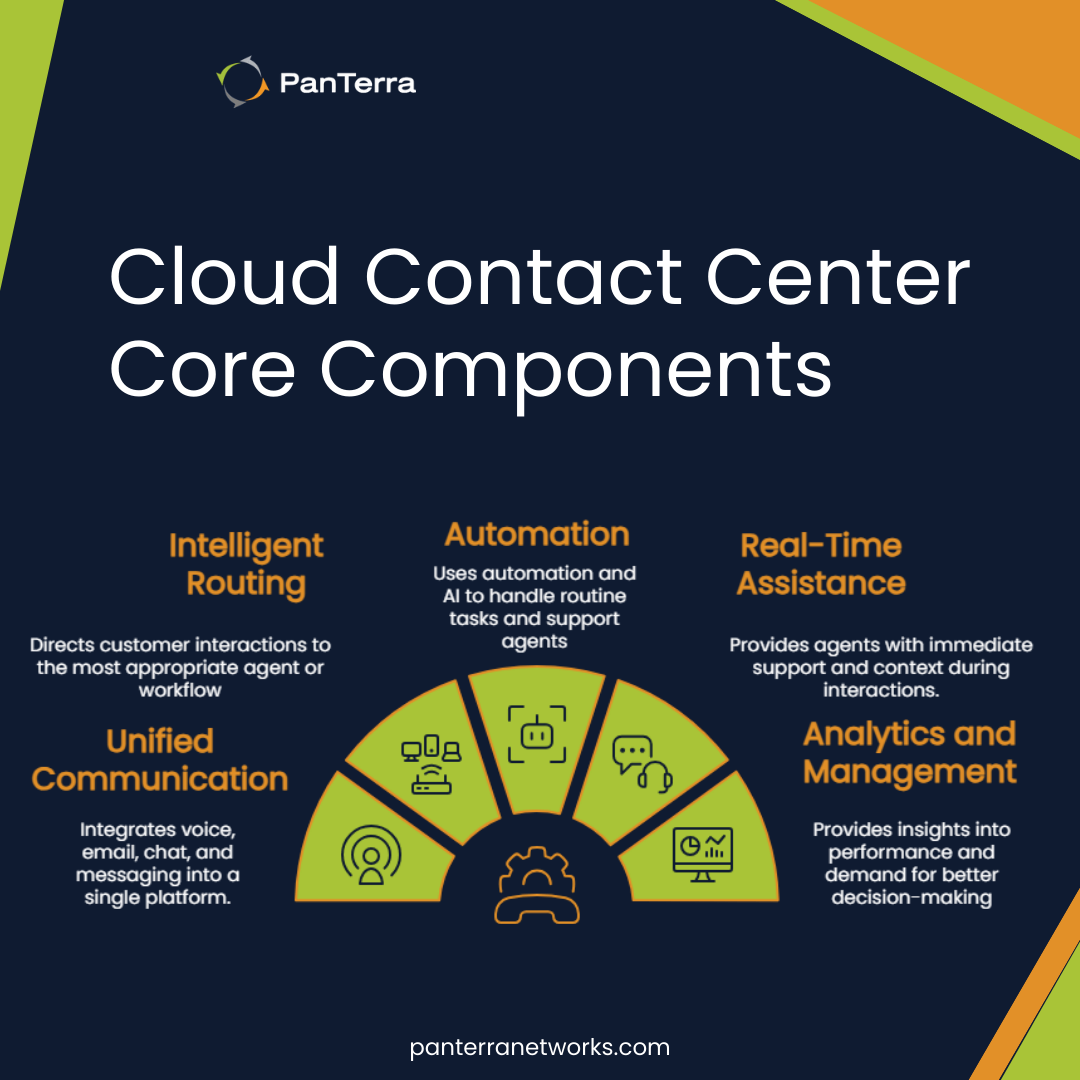
Cloud contact centers excel through integrated omnichannel communication that unifies all customer touchpoints.
This unified approach improves customer satisfaction and loyalty by delivering a consistent experience across every channel.
Omnichannel Communication
By centralizing all communication channels, omnichannel contact centers give agents full visibility into the customer journey.
This continuity reduces handoff friction, shortens resolution times, and helps businesses maintain consistent service standards regardless of how customers choose to engage.
This shared visibility allows agents to continue conversations across channels without losing context. Customers can move from chat to voice or email without repeating information, which reduces frustration and improves resolution speed.
For businesses, this consistency helps standardize service quality while supporting higher interaction volumes.
AI-Powered Automation and Virtual Agents
AI-powered features revolutionize customer interactions through chatbots and virtual agents that handle routine inquiries, including AI receptionist capabilities, reducing wait times and handling routine requests without human intervention.
These tools provide real-time assistance to human agents by suggesting responses and surfacing relevant information during conversations.
AI-driven automation helps contact centers balance efficiency with service quality, resolving routine requests automatically, while more complex issues are escalated to agents with the appropriate skills and context.
This reduces agent workload and allows teams to focus on higher-value interactions.
Analytics and Performance Reporting
Analytics and reporting capabilities provide deep operational insights through real-time dashboards. Organizations that actively use customer analytics tend to outperform peers in customer acquisition and profitability.
These tools track:
- Average handling time
- First call resolution rates
- Customer satisfaction scores
- Agent performance metrics
Access to real-time and historical analytics enables contact center leaders to identify performance trends, staffing gaps, and workflow bottlenecks, supporting data-driven decisions around training, scheduling, and process improvements.
It helps teams optimize service quality without relying on manual reporting.
Unified Cloud Communications
AI-powered routing and unified cloud communications, such as those found in platforms like Streams AI business communication, help centralize customer interactions across channels while improving response accuracy and speed.
A unified communications approach reduces system fragmentation by bringing routing, automation, analytics, and collaboration tools into a single environment.
This consolidation simplifies daily workflows for agents and supervisors while improving coordination across teams as contact center operations scale.
Platforms such as PanTerra’s cloud communications solutions demonstrate how unified cloud contact centers combine automation, routing, and analytics to reduce support costs while maintaining service quality.
What Are the Main Use Cases for Cloud Contact Centers?
Cloud contact centers support a wide range of business functions beyond traditional customer support. Their flexibility allows organizations to adapt contact center capabilities to different operational needs, industries, and customer expectations.
Customer Support and Service Operations
Customer support remains the most common use case for cloud contact centers. These teams handle inquiries related to products, billing, account management, and issue resolution across multiple communication channels.
Cloud-based platforms help support teams manage high interaction volumes while maintaining consistent service quality.
Features such as intelligent routing, self-service options, and unified customer histories reduce resolution times and prevent customers from repeating information across channels.
For small and mid-sized businesses, cloud contact centers make it possible to deliver responsive, professional support without investing in dedicated infrastructure or large in-house teams.
Sales and Lead Management
Cloud contact centers are also widely used for inbound and outbound sales operations. Sales teams rely on these platforms to manage inquiries from prospects, follow up on leads, and support upselling or cross-selling activities.
Outbound capabilities such as call lists, dialing workflows, and performance tracking help sales teams operate efficiently while maintaining compliance and consistency.
At the same time, inbound sales teams benefit from faster routing and better visibility into customer context, enabling more relevant conversations.
By centralizing communications, cloud contact centers help sales teams focus on qualified interactions rather than administrative tasks.
Appointment Scheduling and Proactive Outreach
Many businesses use cloud contact centers for proactive communication, including appointment reminders, confirmations, and follow-ups. This is common in industries such as healthcare, professional services, and field services.
Automated notifications and self-service scheduling reduce missed appointments and administrative overhead.
When customers need assistance, interactions can be escalated to agents with full context, improving both efficiency and customer experience.
Proactive outreach also supports customer retention by addressing issues before they escalate into service complaints.
IT Helpdesk and Internal Support
Cloud contact centers are not limited to external customer interactions. Many organizations use them to support internal teams through IT helpdesks or employee service desks.
In these environments, cloud platforms help route requests, track issues, and provide consistent support across distributed teams. Centralized dashboards and reporting improve visibility into recurring issues, response times, and resource allocation.
This approach allows IT and operations teams to deliver reliable internal support while managing workloads more effectively.
Industry-Specific Applications
Different industries apply cloud contact center capabilities in specialized ways:
- Healthcare: appointment management, patient inquiries, and follow-up communications. Recent industry findings indicate that healthcare contact centers using AI-driven communication tools achieve ROI within months by reducing manual scheduling and routine call handling.
- Retail and eCommerce: order support, returns, and post-purchase engagement
- Financial services: account inquiries, compliance-driven communications, and customer verification.
- Logistics and transportation: delivery updates, issue resolution, and real-time status communication.
Cloud contact centers provide the flexibility to support these use cases while adapting to regulatory requirements and changing customer expectations.
Workforce Management in the Cloud
Sophisticated workforce management tools forecast call volumes and optimize scheduling based on historical data and real-time conditions, ensuring proper staffing levels while controlling labor costs by avoiding overstaffing during quiet periods.
As contact center teams increasingly operate in remote and distributed environments, cloud-based workforce management has become essential for coordination and performance.
For distributed teams, integrated video conferencing supports internal collaboration, agent training, and complex customer interactions when voice alone isn't enough.
How Should Businesses Select the Right Cloud Contact Center Solution?
Selecting the right cloud contact center solution is a strategic decision that directly impacts cost control, scalability, and customer experience.
As demand for scalable, omnichannel engagement and automation continues to grow, cloud-based contact centers are becoming a long-term foundation rather than a short-term upgrade.
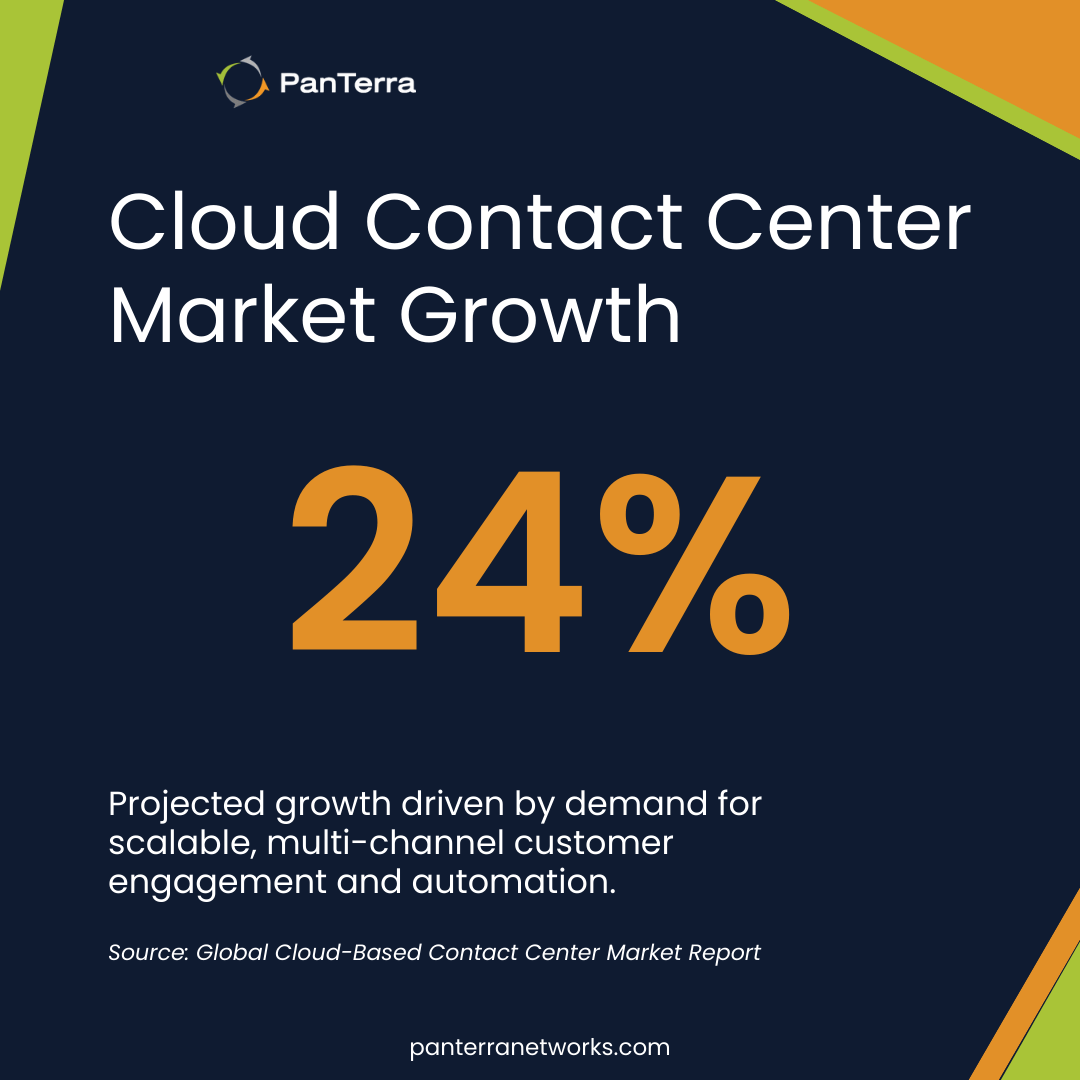
Industry research projects the global cloud-based contact center market to grow at a compound annual growth rate of 24% over the next several years, driven by demand for scalable, multi-channel customer engagement and automation.
Businesses should begin by defining clear objectives that align technology decisions with operational goals.
Whether the priority is reducing response times, improving customer satisfaction, or expanding service capabilities, these goals determine which features and integrations matter most and guide more successful digital transformation outcomes.
Security and compliance requirements demand careful evaluation. Look for providers offering:
- End-to-end encryption
- Multi-factor authentication
- Regular security audits
- Industry-specific compliance (HIPAA, PCI DSS)
Data security has become increasingly critical, making robust security measures non-negotiable for protecting customer information and maintaining trust.
Integration and Scalability Considerations
Your cloud contact center must integrate seamlessly with existing systems like CRM, helpdesk software, and e-commerce platforms.
Companies with strong integration capabilities see significant improvements in customer satisfaction rates compared to those with poor integration. Evaluate solutions offering pre-built integrations or robust APIs for custom connections.
Scalability and pricing models significantly impact long-term success. Providers may offer pay-as-you-go or tiered pricing, so businesses should choose the option that best aligns with budget and expected usage.
The solution must also support increased call volume and new communication channels without requiring infrastructure changes.
What Implementation Best Practices Ensure Success?
Successful cloud contact center implementation starts with clear business objectives and early involvement from IT, customer service, and leadership teams.
Aligning stakeholders from the beginning helps ensure the platform supports real workflows rather than isolated features.
Comprehensive training enables teams to use the system effectively instead of reverting to legacy processes.
Ongoing feedback from agents and customers, combined with monitoring key performance metrics from day one, establishes performance baselines and supports continuous optimization.
This structured approach maximizes return on investment while allowing businesses to adapt as customer expectations evolve.
FAQ
What's the typical cost savings when switching from on-premise to cloud contact centers?
Businesses reduce initial costs by eliminating hardware purchases and ongoing IT maintenance. Additional savings come from subscription pricing, automatic updates, and more efficient staffing.
Can cloud contact centers handle advanced security requirements?
Cloud contact center providers support strong security standards such as encryption, compliance frameworks, and regular audits to protect customer data and maintain operational trust.
How quickly can a cloud contact center be deployed?
Cloud contact center solutions can be deployed much faster than on-premise systems, with core functionality available quickly and additional features added as needed.
Next Steps
Evaluate current customer service workflows, identify friction points, and map them to cloud contact center capabilities that improve efficiency and scalability.
Solutions like PanTerra’s cloud communications platform allow businesses to explore these capabilities through demos and real-world use cases aligned with industry and integration needs.
.jpg?width=500&height=500&name=Are%20you%20Getting%20a%20Good%20Deal%20(1).jpg)
Comments