Best Cloud Phone System for Remote Teams in 2026

A cloud phone system that works well in an office will not automatically work well for a remote team. The distinction matters: remote and hybrid teams need a phone system that travels with the employee, not one that depends on a physical location. They need a single business number that rings a desk phone, a laptop, and a mobile app interchangeably. They need IT administrators who can provision users, update call flows, and pull call reports from anywhere, without flying someone to a server room.
This guide covers what a cloud phone system needs to do for remote teams, the features that separate adequate from excellent, and a checklist your team can use to evaluate any provider before committing.
TL;DR: Key Takeaways
- Remote and hybrid work is now the default. According to Gallup research, 52% of remote-capable U.S. workers operate in hybrid arrangements in 2026, and 27% are fully remote. Only 21% are entirely on site.
- A cloud phone system built for remote teams must work across devices: desk phone, desktop softphone, mobile app, without requiring employees to manage separate logins or tools.
- The five non-negotiable features for remote teams are device flexibility, a mobile-grade app, admin portability, unified messaging, and call quality monitoring.
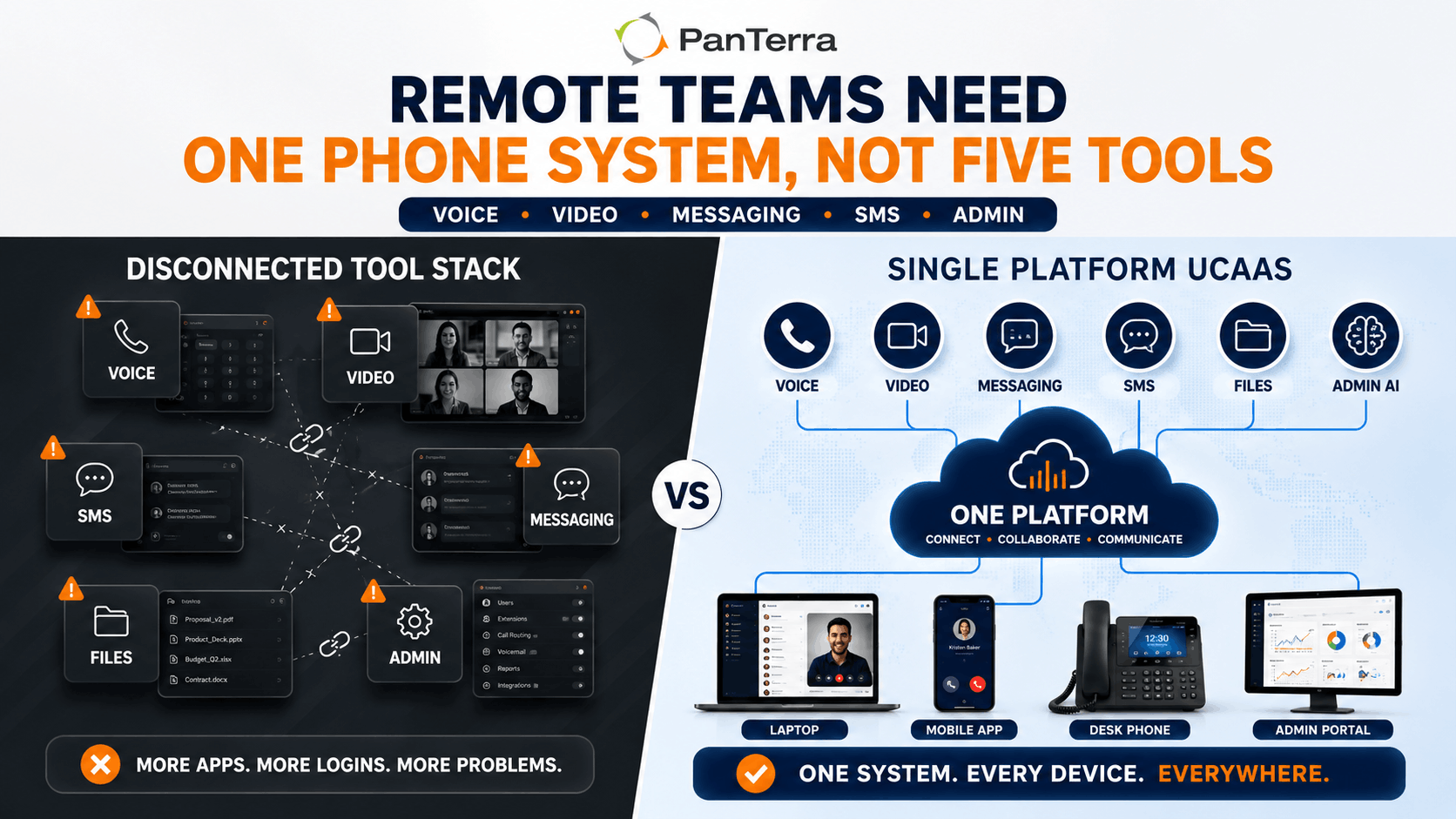
- Single platform UCaaS eliminates the tool fragmentation that kills remote team communication: one vendor for voice, video, messaging, fax, and file sharing instead of five.
- PanTerra Networks' Streams.AI platform is purpose built for this use case, with a unified application that works identically whether your team is in an office, a home office, or a hotel.
Who This Is For
- Best for: IT leaders, operations managers, and business owners managing remote or hybrid teams that rely on voice communications.
- Not ideal for: Small teams that only need basic calling and are comfortable managing separate apps for messaging, video, and collaboration.
- Top use case: Consolidating phone, messaging, video, and collaboration tools into a single platform for distributed employees.
Why Remote Teams Need a Different Kind of Phone System
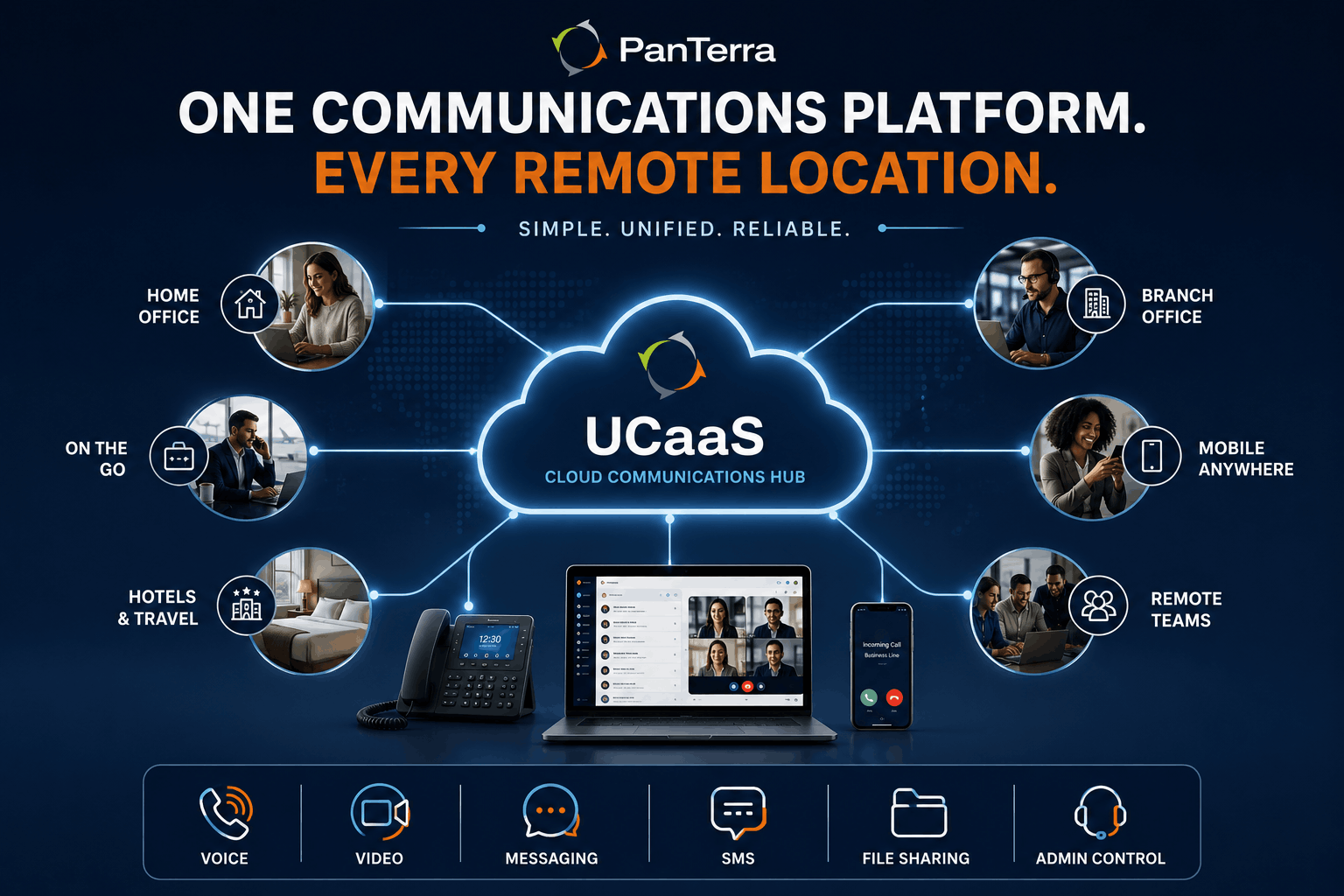
The majority of business phone systems were designed around a physical location. Even cloud-based systems that replaced on-premise PBX hardware often carried the same assumption: most employees work from the same place, and a few remote workers are the exception.
That assumption no longer reflects how work actually happens. According to Gallup and BLS data, approximately 27% of paid full-time workdays in the U.S. are now worked from home. Hybrid is the default arrangement for knowledge workers, not a special accommodation. The phone system your team runs on needs to reflect that reality.
The problems that surface when a standard phone system is stretched across a remote team are predictable: employees who cannot receive business calls on their mobile devices without a separate app that feels disconnected from the main system, IT admins who can only make configuration changes by logging into a system tied to a specific office, and managers who have no visibility into call activity across their distributed team. These are not edge-case problems. They are the everyday friction that compounds into dropped calls, missed opportunities, and compliance gaps.
A cloud phone system built for remote teams solves these problems at the architecture level, not through workarounds.
The 5 Features That Actually Matter for Remote Teams
Not every feature on a VoIP provider's marketing page is equally relevant for distributed teams. These five are the ones that determine whether a system works in practice.
1. True Device Flexibility
The system must work on desk phones, desktop softphones (browser based), and a mobile app. It must work equally well on all three. This is not about having three separate products that technically function. It means the same business number rings all devices simultaneously or on a configured schedule. It means call transfers, voicemail, and call history are synchronized across every device the employee uses.
If a remote employee can only receive calls when their laptop is open and a specific application is running, the system has failed the most basic remote work requirement.
2. A Mobile App That Is Actually Good
Most VoIP platforms have a mobile app. The question is whether it works well enough that employees will actually use it instead of giving out their personal cell number.
A remote-team-ready mobile app needs to make and receive calls on the business number, send and receive business SMS from the same number, handle call transfers without dropping the call, and surface voicemail notifications in real time. It also needs to work reliably when switching between Wi-Fi and cellular data. This is a transition that many VoIP apps handle poorly, resulting in dropped calls at the exact moment employees are away from a desk.
3. Admin Portability
Your IT team must be able to manage the phone system from anywhere. Provisioning new users, updating call routing, adjusting auto-attendant menus, pulling call records for compliance. All of it needs to be accessible from a browser, not from a specific physical network or location.
This sounds basic, but it eliminates a surprisingly large number of legacy cloud systems that require on site access for configuration changes or that provide limited functionality through their web admin portal compared to what can be done from a local network.
4. Unified Messaging and Collaboration
Remote teams that depend on multiple separate tools spend an enormous amount of time managing tool fragmentation. Context lives in different places. Employees switch between applications constantly. Files shared in one platform are not visible in another.
A single platform UCaaS solution eliminates this. Voice, video conferencing, team messaging, business SMS, and file sharing all live in the same application. Your team builds one communication workflow instead of three or four layered on top of each other.
5. Visibility Into Call Quality and Activity
In an office, IT can physically walk to a device and diagnose a call quality issue. With a distributed team, every problem is remote by definition. A cloud phone system that gives IT real time visibility into call quality metrics — packet loss, jitter, latency, call duration, connection type — means problems get diagnosed and resolved before they become customer-facing issues.
This is also a compliance and management layer. For teams in regulated industries or teams with performance accountability, call recording, voicemail to email, and supervisor reporting capabilities need to work consistently regardless of where each employee is working from.
Cloud Phone System Features Checklist for Remote Teams
Use this checklist when evaluating any provider. Every item should be confirmed: not just checked off a marketing page, but verified with a demo or trial.
Device and Connectivity
- Desk phone, desktop softphone, and mobile app all supported under the same subscription
- Business number rings across devices simultaneously or on a configurable schedule
- Mobile app works on both iOS and Android with feature parity
- App handles Wi-Fi to cellular transitions without dropping calls
- STIR/SHAKEN authenticated calls (reduces spam label risk for outbound)
Call Handling
- Auto-attendant and IVR configurable without IT on site
- Hunt groups and ring queues work across geographic locations
- Call transfer (attended and blind) available on mobile app
- Voicemail to email delivery with transcription
- Call recording available and compliant with your jurisdictional requirements
Admin and IT
- Full admin portal accessible from any browser, any location
- New user provisioning takes less than 5 minutes
- E911 location management for remote employees
- Real time call quality monitoring dashboard
- Single Sign-On (SSO) supported
Collaboration
- Team messaging in the same application as voice
- Video conferencing without a separate app or login
- Business SMS/MMS on the same business number
- File sharing integrated with communications
- Presence indicators show colleague availability in real time
Compliance and Security
- HIPAA/HITECH compliance if your industry requires it
- Data residency meets your organizational requirements
- Role-based access controls for multi-location or multi-department teams
- Audit logs for call activity
What to Avoid: Red Flags in Remote-Team Phone Systems
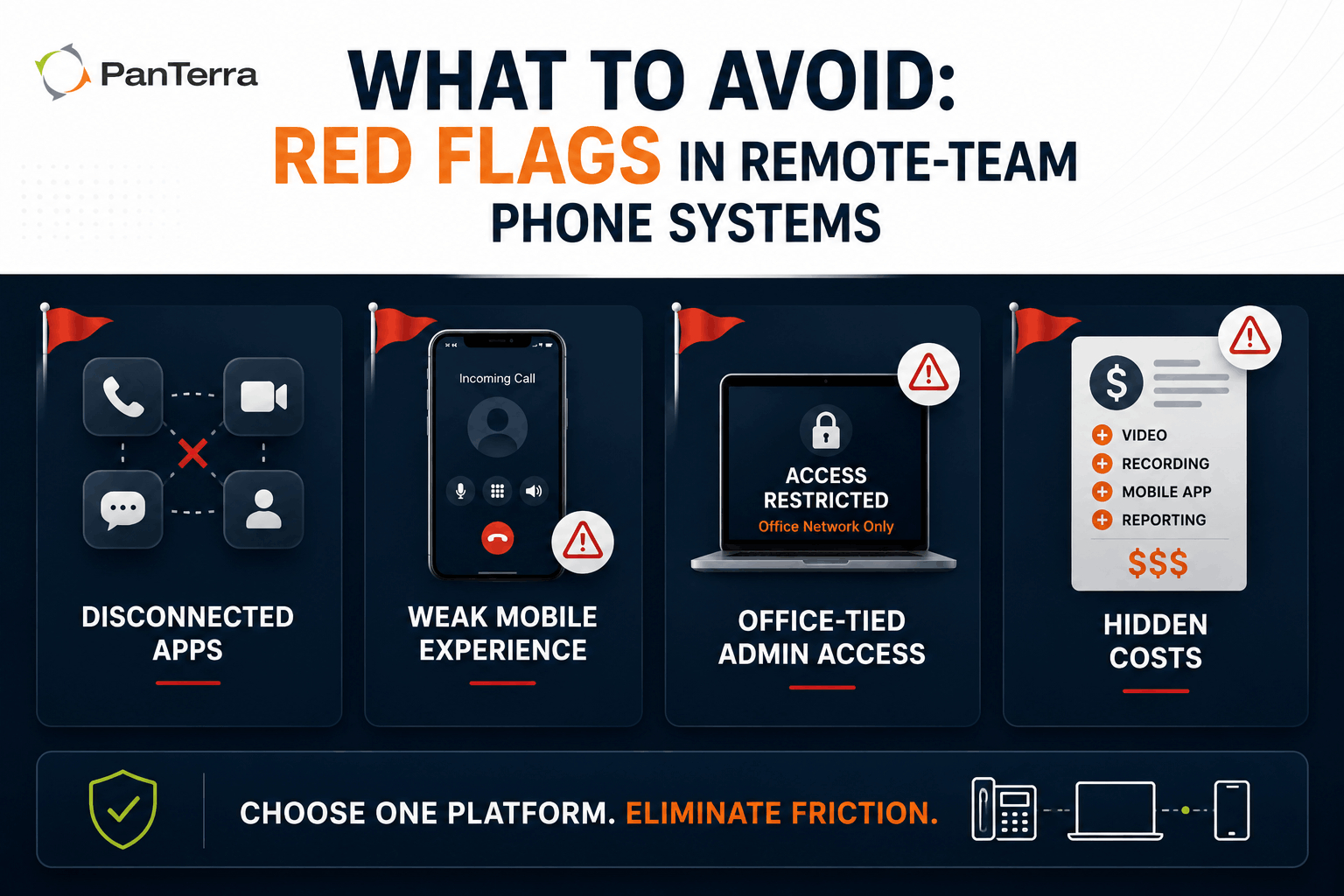
Multiple applications that don't talk to each other. If the vendor's voice product and their video product require separate logins and don't share a unified directory or presence status, you are buying a patchwork system that will create friction at scale. Remote teams cannot afford that friction.
Mobile app as an afterthought. You can identify this quickly: ask the vendor how their mobile app handles a call transfer, and whether the app is available in the App Store with recent updates. An app with a 3.2-star rating and the last update dated 14 months ago is a signal.
Admin portal tied to office network. If making changes to call routing requires being on the company network, or if certain admin functions are only available from within the office, the system was not designed for distributed IT management.
Pricing that hides per-feature costs. Systems that advertise low per-user pricing and then charge separately for video, recording, mobile app access, or admin reporting create unpredictable total cost of ownership. For remote teams with fluctuating headcount, this billing complexity compounds quickly.
Why the Best Cloud Phone System for Remote Teams Is a Single Platform
The remote teams that communicate most effectively are not the ones with the most tools. They are the ones with the fewest interfaces their people have to navigate.
Single platform UCaaS puts voice, video, team messaging, SMS, fax, and file sharing in one application. One login. One directory. One place to see who is available, how to reach them, and what was discussed in the last call. When a salesperson on their mobile in a hotel needs to transfer a call to a colleague, check a shared file, and send a follow-up text from their business number, all of that happens in one app without switching contexts.
This is the core reason PanTerra's Streams.AI platform is built the way it is. The platform delivers cloud business phone, Connect AI video conferencing, team messaging, business SMS, enterprise file sharing (SmartBox), and Luna AI Receptionist in a single HIPAA/HITECH-certified application. Remote employees do not need to manage multiple apps or remember multiple passwords. IT administrators manage everything from a single portal, from anywhere.
For teams currently running a combination of separate VoIP, video, messaging, and file-sharing tools, a migration to a unified platform also simplifies vendor management, reduces per-seat cost, and eliminates the integration maintenance that separate tools require. See our landline to VoIP migration guide for a step-by-step walkthrough if your team is making that transition.
PanTerra Streams.AI for Remote and Hybrid Teams
PanTerra's Streams.AI platform is built for organizations where employees work across locations, devices, and time zones. Here is what remote teams get on every plan:
- Cloud business phone with desk phone, desktop app, and mobile app, all on the same business number
- Connect AI video conferencing (no separate app, no separate login)
- Team messaging integrated with voice and presence in a single interface
- Business SMS/MMS sent and received from the same business number as voice calls
- SmartBox enterprise file sharing (HIPAA-compliant, accessible from any device)
- Luna AI Receptionist: handles inbound call routing intelligently without requiring a live receptionist on site
- Streamlets call-flow automation: visual, no code call routing adjustable from any browser
- Admin AI portal: full configuration access from anywhere, with real time analytics
For IT administrators managing distributed teams, the Admin AI portal consolidates user provisioning, call routing, E911 location management, device dashboards, and reporting in a single interface, all accessible from any browser. Adding a new remote employee takes minutes. Updating a call flow does not require a ticket to a phone vendor.
Review PanTerra pricing for Business Basic ($17.95/user/mo) and Business Plus ($24.95/user/mo). Qualified pricing from $12.95/user/mo is available for annual agreements or migrations. PanTerra also includes phone number reputation management as an add-on and is the only major UCaaS provider to offer this natively, which matters specifically for remote sales teams where outbound calling is the primary revenue activity.
If your organization is moving from a legacy system to cloud UCaaS, PanTerra includes white-glove migration support on every deployment at no additional cost.
Frequently Asked Questions
What is the best cloud phone system for a fully remote team?
The best cloud phone system for a fully remote team is one that works identically on a desk phone, desktop application, and mobile app without requiring separate logins or tools. The system should include voice, video conferencing, team messaging, and SMS in a single platform. PanTerra's Streams.AI platform is purpose built for this: a single HIPAA/HITECH-certified application that covers every communication channel your remote team uses.
Do remote employees need a physical desk phone?
Not necessarily. Most cloud phone systems support softphone clients: desktop applications or browser based interfaces that provide all the functionality of a physical desk phone without the hardware. Many remote employees use a headset with a laptop softphone as their primary work phone. Physical IP desk phones are still useful for employees who spend most of their day on calls, but they are not required. PanTerra supports both, and employees can switch between devices without IT involvement.
How do I give remote employees a business phone number?
With a cloud phone system, assigning a business phone number to a remote employee is handled through the admin portal. You create a user account, assign an extension and direct inward dial (DID) number, and the employee downloads the app. No physical hardware needs to be shipped unless they want a desk phone. See our unified communications guide for an overview of how number assignment works within a UCaaS platform.
What internet speed does a cloud phone system require for remote workers?
A cloud VoIP call requires approximately 100 kbps of upload and download bandwidth per simultaneous call. For most remote employees on a standard home broadband connection, bandwidth is not the limiting factor. What matters more is connection consistency: packet loss above 1%, jitter above 30ms, or latency above 150ms will cause call quality issues regardless of total bandwidth. A wired ethernet connection at a home office performs more reliably than Wi-Fi for extended call volume.
Can I use my existing business phone number with a new cloud system?
Yes. Number porting allows you to transfer your existing business phone numbers to a new cloud phone provider. Landline ports typically take 7 to 14 business days. PanTerra manages the porting process on your behalf as part of the standard migration, at no additional cost. See our STIR/SHAKEN guide for how call authentication works on ported numbers.
Is a cloud phone system secure enough for a remote workforce?
Yes, when the platform is built with enterprise security standards. Key features to verify include end-to-end encryption for voice and video, HIPAA/HITECH compliance if your industry requires it, Single Sign-On (SSO) integration, role-based access controls, and audit logging. PanTerra's Streams.AI platform is HIPAA and HITECH certified across the entire application, with data residency on US-based Tier 4 infrastructure. Seventy-three percent of remote employees use personal devices for work, according to recent workforce data, which makes platform-level security the right layer for protection.
What is the difference between a cloud phone system and UCaaS?
A cloud phone system typically refers to hosted VoIP: voice calling delivered over the internet instead of a physical phone line. UCaaS (Unified Communications as a Service) extends that foundation to include video conferencing, team messaging, SMS, fax, and sometimes contact center capabilities in a single platform. For remote teams, the distinction matters: a cloud phone system gives you calling, while UCaaS gives you the full communication workflow your team needs without managing multiple vendors.
How do I manage a cloud phone system for employees in multiple states?
A cloud phone system designed for distributed teams handles multi-location management through a unified admin portal. You can assign local numbers in any area code, manage E911 location data for each remote employee, set location-specific routing rules and business hours, and pull call reports across all locations from the same dashboard. PanTerra's Admin AI portal consolidates user provisioning, call routing, E911, device status, and analytics, all accessible from any browser.
.jpg?width=500&height=500&name=Are%20you%20Getting%20a%20Good%20Deal%20(1).jpg)
Comments