8x8 Alternatives: Best Business VoIP Providers to Consider in 2026


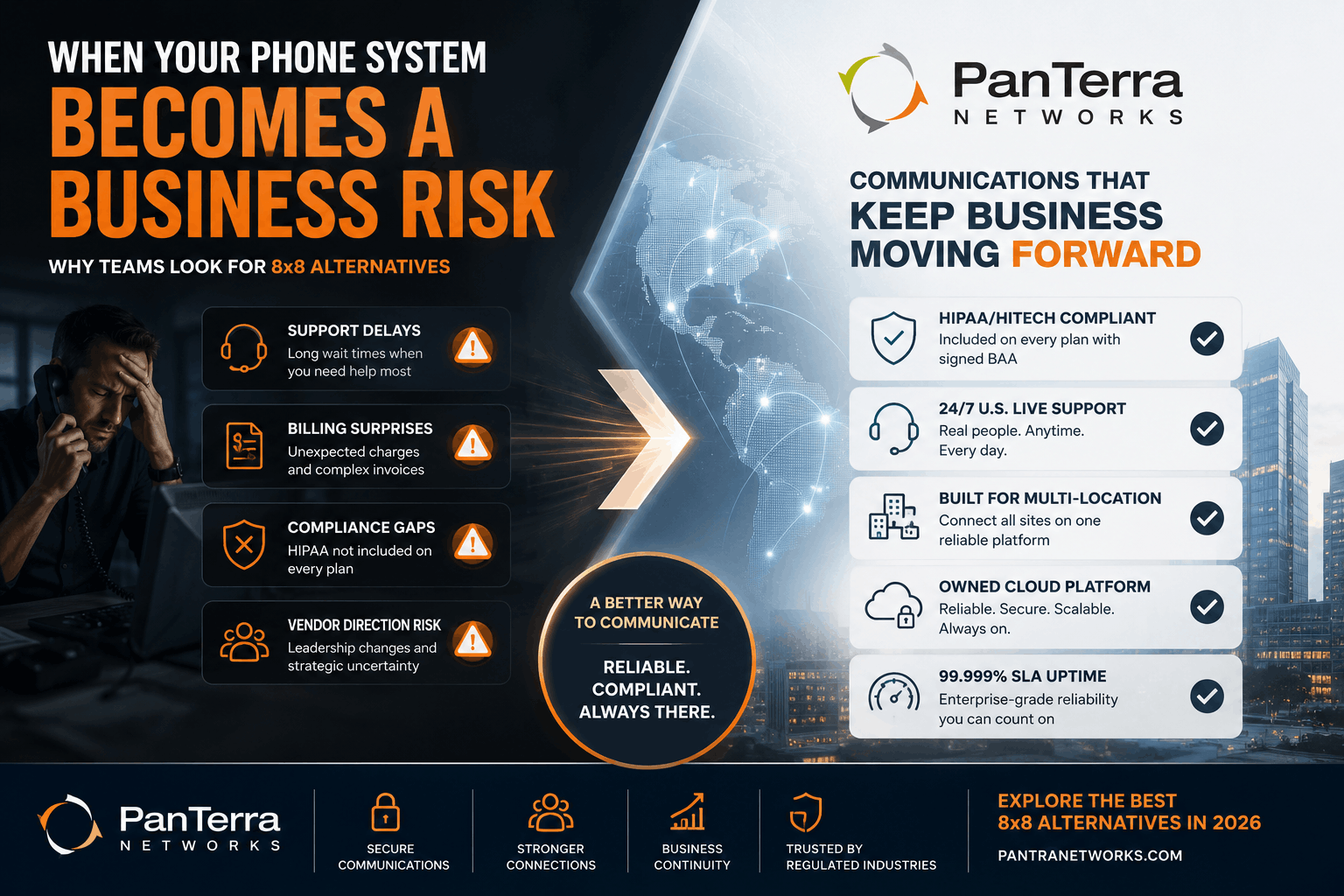
Most IT leaders do not search for 8x8 alternatives because everything is running smoothly. They search for a support delay, a billing surprise, or the moment they read that 8x8 has had another leadership change and wonder what that means for their contract renewal. Vendor stability is a real concern when your phone system is critical for daily work. It is not an abstract risk.
This guide covers the best 8x8 alternatives in 2026. Each option is matched to a specific use case so you can filter by what actually matters to your team.
TL;DR
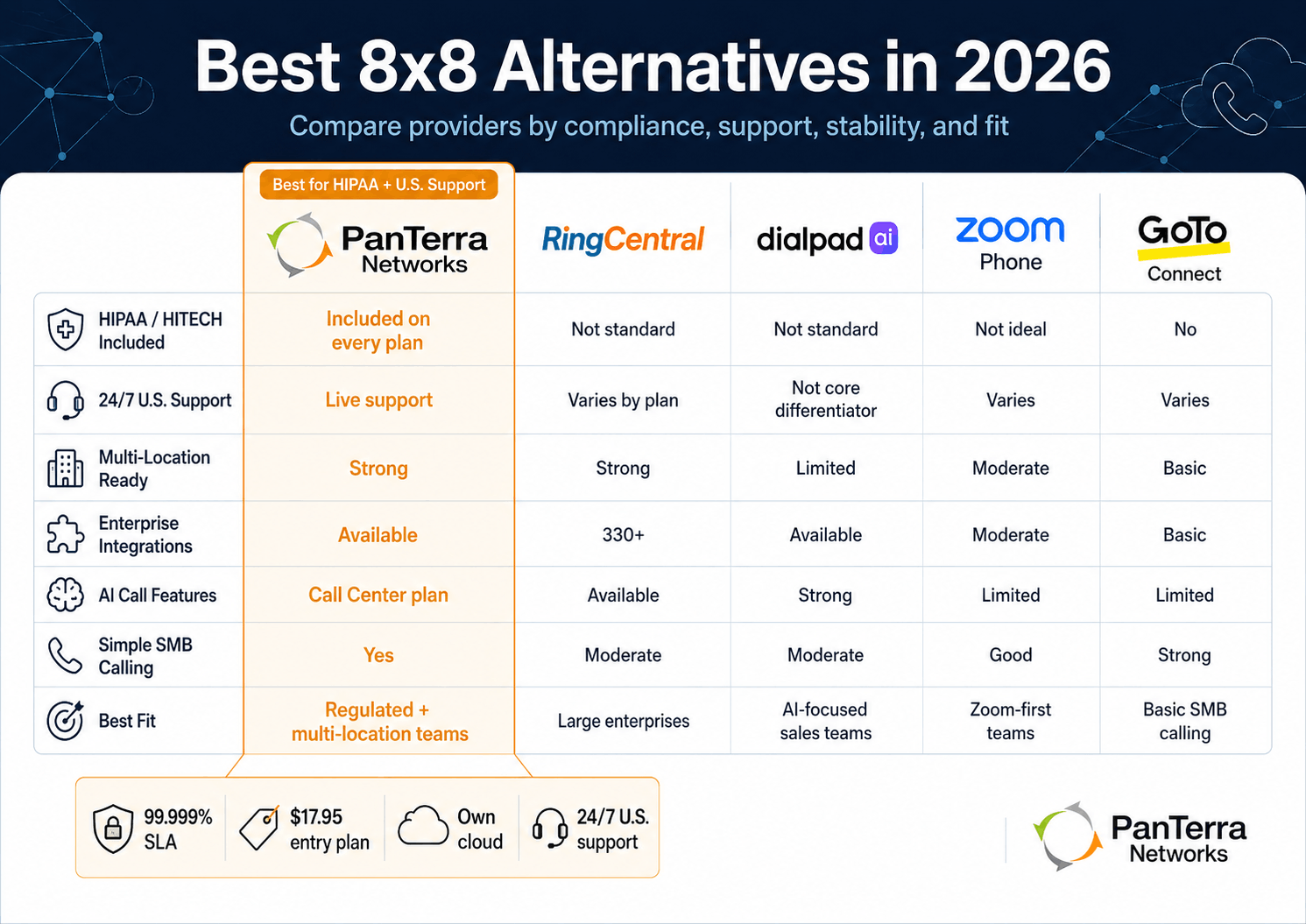
The right 8x8 alternative depends on what is driving your search. For HIPAA compliance and reliable US support, PanTerra. For large enterprise integrations, RingCentral. For AI sales coaching, Dialpad. For Zoom first teams, Zoom Phone. For simple SMB calling, GoTo Connect.
Key Takeaways:
- Based on public reports, 8x8 has undergone multiple CEO changes, workforce reductions of roughly 17%, and a strategic shift away from UCaaS toward contact center in recent years
- For teams on long-term contracts, platform direction matters as much as the current feature set
- PanTerra Networks includes HIPAA/HITECH compliance and 24/7 US support on every plan, including the entry tier
- Most of the providers on this list do not include HIPAA compliance by default. It is either not available or gated behind enterprise pricing
- ItemList note: alternatives are ordered by use case specificity, not by overall ranking
Who This Is For:
Best for: IT managers at contract renewal; teams frustrated by 8x8's support or billing; healthcare and regulated industry teams; teams concerned about platform direction.
Not ideal for: Teams satisfied with 8x8; companies outside the US and Canada; companies that need global calling in 40+ countries.
Why Teams Look for 8x8 Alternatives
8x8 is a capable platform. However, the reasons teams evaluate alternatives have been consistent across verified reviews and public reporting over the past two years.
First, vendor stability. Based on public information, 8x8 has gone through multiple CEO changes, workforce reductions of about 17%, and a visible pivot away from UCaaS toward contact center tools as its primary focus. For a business signing a two or three-year contract, that trajectory is worth understanding before you commit.
Second, support variability. Verified reviews on G2 and Capterra describe support gaps, especially for billing disputes and mid-tier plan customers. When a phone system is down, variable support is not just frustrating. It is a real problem that costs the business money while the ticket sits open.
Third, compliance gaps. 8x8 offers HIPAA compliance on some tiers, but it is not standard across all plans. For healthcare practices and regulated industries, discovering that gap after deployment is a real risk.
These are not reasons to dismiss 8x8. They are the right questions to ask before choosing it for another term.
What to Look for in an 8x8 Alternative
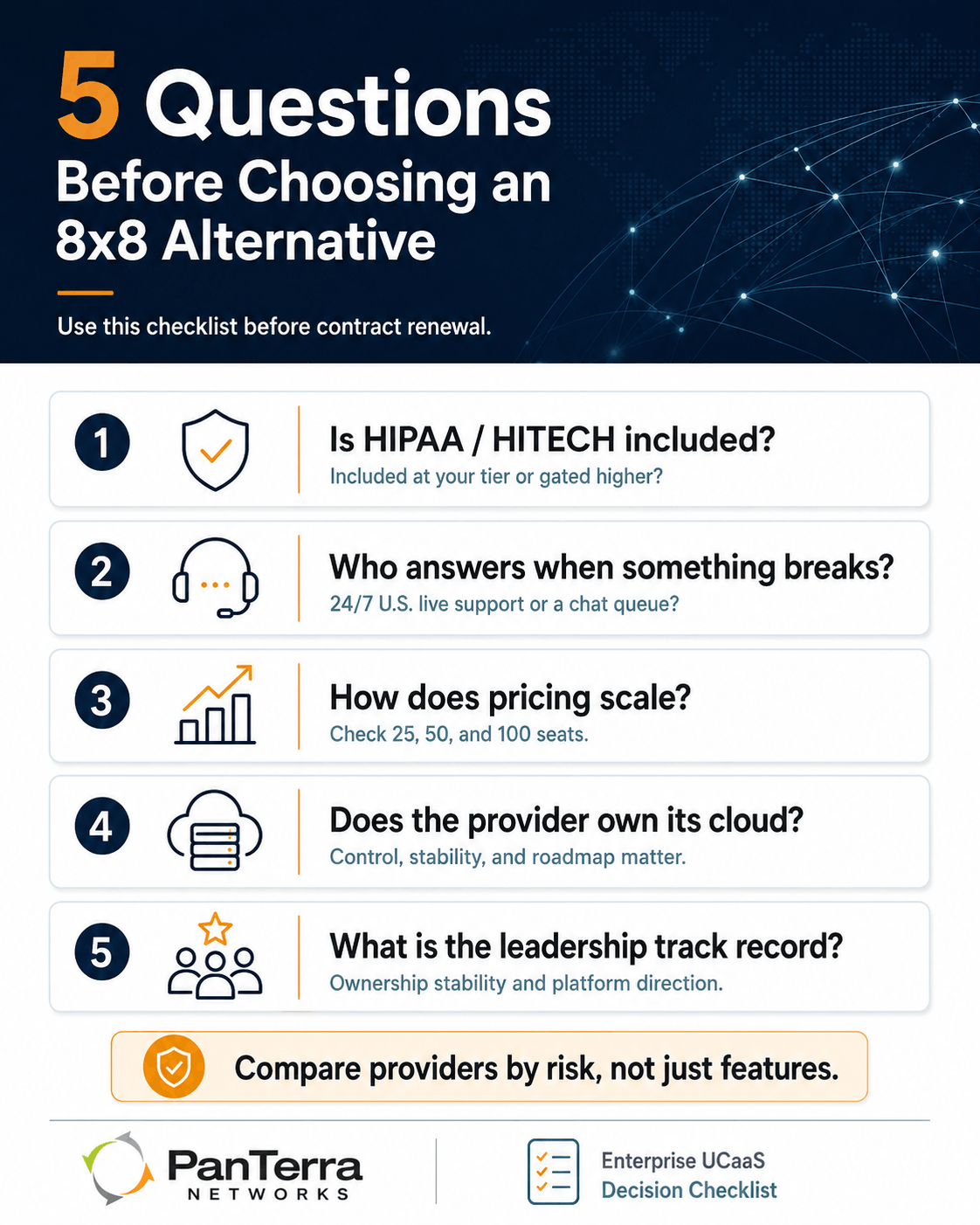
Before comparing providers, five questions will narrow the field fast.
- Is HIPAA/HITECH compliance included at your tier, or gated higher? For regulated industries, this is the first filter.
- What is the provider's ownership and leadership track record? A platform under stable private ownership behaves differently from one under quarterly earnings pressure.
- Who answers when something breaks? US-based, 24/7, live support is not the same as a business hours chat queue.
- How does per-user pricing grow as your team scales? Run the math at 25 seats, 50 seats, and 100 seats. Do not just run it for today..
- Does the provider own its own cloud? Platforms built on outside infrastructure depend on someone else's roadmap decisions.
Best 8x8 Alternatives in 2026
1. PanTerra Networks: Best for HIPAA Compliance, Multi-Location Teams, and Reliable US Support
Teams that switch to PanTerra from 8x8 usually cite one of three things: compliance access, support quality, or the need to connect multiple locations on a single platform.
On compliance: PanTerra includes HIPAA/HITECH compliance and signed Business Associate Agreements on every plan. Plans start at $17.95 per user per month, with qualified pricing from $12.95 for annual agreements and eligible teams. There is no compliance tier and no minimum seat count. Healthcare practices, mental health providers, and legal firms that discovered a BAA gap with their current provider do not have to worry about that gap with PanTerra.
On support: PanTerra provides US-based live support 24 hours a day, every day of the year. Customers confirm it in verified reviews: "I can dial 611 from any phone and someone is waiting right away to help." PanTerra holds the TrustRadius 2026 Buyer's Choice Award and the G2 Spring 2026 High Performer badge in UCaaS, both driven by verified customer scores. By contrast, when a support issue sits open for days while your phones are down, that is the real headache that drives contract reviews.
On multi-location: PanTerra's Streams.AI platform is built for multi-site operations at every tier. Cupbop, the Korean BBQ franchise, connected all 64 US locations on a single PanTerra platform. New locations go live in one day.
Pricing:PanTerra’s Business Plus plan starts at $24.95 per user per month, with qualified pricing from $14.95 for annual agreements, migrations, and volume teams. Professional is $29.95 per user per month (qualified from $19.95) and Call Center is $44.95 per user per month (qualified from $29.95). All plans include 99.999% uptime SLA, 24/7 US-based support, and access to PanTerra’s secure cloud communications platform. See the full PanTerra pricing and plans for details.
For a direct comparison, see PanTerra vs 8x8.
Best for: Healthcare, legal, and regulated industry teams; companies managing many locations; any business where live US support is a need.
Not the right fit: Companies outside the US and Canada; teams that need global calling across many countries.
2. RingCentral: Best for Large Enterprises Needing Many Integrations
RingCentral serves over 400,000 teams globally. If your company depends on connecting a large set of outside tools, RingCentral's 330+ pre-built connections cover most enterprise stacks. The feature set is wide: voice, video, messaging, fax, and contact center under one platform.
However, teams that evaluate RingCentral for the first time often find that the modular pricing model means base plan features require paid add-ons to reach full use. Also, the cancellation process is a recurring complaint in verified reviews. For budget-focused teams, the total cost at scale is worth modeling carefully before signing.
Best for: Large enterprises with complex tool stacks and global offices.
Not the right fit: Teams that need HIPAA compliance by default; SMBs that want clear all-in pricing.
3. Dialpad: Best for Sales Teams That Want AI on Every Call
Dialpad is built around AI. Live transcription, sentiment analysis, and call coaching are baked into the product. For sales teams that want to mine every call for coaching data, Dialpad delivers on that promise.
The limits are worth knowing. The Standard plan is set to one user and one location. Video meetings cap at 10 people. AI coaching features are add-ons above the base price, so the real per-user cost is higher than the entry price suggests. Also, Dialpad does not offer HIPAA/HITECH compliance on standard plans.
Best for: Sales teams under 50 people that want AI coaching and transcription built in.
Not the right fit: Healthcare or regulated industry teams; multi-location teams; teams needing 24/7 live phone support.
4. Zoom Phone: Best for Teams Already Using Zoom
If your team is already paying for Zoom Meetings, adding Zoom Phone keeps everything under one bill and one login. Setup is easy for Zoom first teams. The interface is already known.
Zoom Phone covers standard business calling well. However, it is not a full UCaaS replacement for teams with contact center needs or HIPAA compliance rules. Also, Zoom Phone does not include phone number reputation management as a standard feature.
Best for: Teams already on Zoom that want to reduce vendors.
Not the right fit: Healthcare teams, contact center operations, companies with multi-location scaling needs.
5. GoTo Connect: Best for Simple SMB Calling
GoTo Connect is a simple business phone platform that works well for small teams with basic calling needs. Pricing is solid, and the interface is easy to get for simple users.
However, GoTo Connect lacks the compliance depth and advanced features that growing or regulated teams need. It does not offer native HIPAA/HITECH compliance, and phone number reputation tools are not part of the platform. For a simple team with no compliance needs, it is a solid option.
Best for: Small teams with basic calling needs and no compliance needs.
Not the right fit: Healthcare or regulated teams; teams scaling across locations; teams that need contact center features.
How to Choose
If platform stability is a concern: Ask any vendor about their ownership structure, leadership tenure, and how their roadmap has changed over the past three years. PanTerra has been under private ownership since 2001. That is a different stability record from a publicly traded company under quarterly earnings pressure.
If HIPAA/HITECH compliance is required: PanTerra is the only provider on this list that includes BAAs at the entry tier with no minimum seat count.
If support quality drove your search: Model the support tier, not just availability. PanTerra's 24/7 US staffing means a live technician with platform access picks up the call. That is a different answer than a business hours chat queue.
If AI features are the priority: Dialpad leads on live sales coaching. PanTerra's Call Center plan includes AI agents and smart routing at $44.95, which is lower than 8x8's enterprise AI tiers.
Frequently Asked Questions
Why are people looking for 8x8 alternatives?
The most common reasons in verified reviews and public reports are concerns about vendor stability after multiple leadership changes and workforce cuts, support gaps at mid-tier plan levels, and compliance gaps discovered after deployment. These are real concerns, not feature complaints.
Is 8x8 HIPAA compliant?
8x8 offers HIPAA compliance on some plans, but it is not standard across all tiers. For healthcare teams that need a signed BAA on an entry-level plan, PanTerra is the only provider on this list that includes it, with plans starting at $17.95 per user per month and qualified pricing from $12.95 for annual agreements and eligible teams.
What is the best phone system for a 10 to 50-person team?
For teams in regulated fields, PanTerra’s entry plan starts at $17.95 per user per month, with qualified pricing from $12.95 for annual agreements and eligible teams. Every plan includes HIPAA/HITECH compliance, auto attendant, business SMS, and voicemail from day one. For sales teams without compliance needs, Dialpad’s Pro plan is a solid option at this size. The right answer depends on whether compliance or AI coaching is the main driver.
How long does it take to switch from 8x8?
Number porting from 8x8 to any major UCaaS provider typically takes two to four weeks. PanTerra's onboarding team manages the migration process. New locations can go live in one day once the platform is set up.
What makes PanTerra different from other 8x8 alternatives?
PanTerra builds and runs its own cloud, includes HIPAA/HITECH compliance and BAAs on every plan, and provides 24/7 live US support. Also, PanTerra has been under stable private ownership since 2001. That is a real contrast to platforms that have changed strategic direction under public market pressure.
99.999% uptime SLA on every PanTerra plan. Less than 6 minutes of allowed downtime per year.
Customer quote: "I can dial 611 from any phone, and someone is waiting right away to help." — Verified customer, panterranetworks.com
Checklist: What to ask before choosing an 8x8 alternative:
- What is the provider's ownership structure and leadership track record?
- Is HIPAA/HITECH compliance included at your plan tier or gated higher?
- What is the response time commitment for live support, not just an availability window?
- How does per-user pricing change at 25, 50, and 100 seats?
- Does the provider own and operate its own cloud?
.jpg?width=500&height=500&name=Are%20you%20Getting%20a%20Good%20Deal%20(1).jpg)
Comments