How Cloud Contact Centers Improve Business Agility


Cloud contact centers let businesses handle customer interactions over the internet instead of on-premise hardware.
Businesses of all sizes can eliminate infrastructure costs, enable remote work, and allow teams to scale operations based on demand.
This guide covers the core benefits: cost savings, customer experience improvements, remote work capabilities, and security considerations.
TL;DR:
- Cloud contact centers eliminate hardware costs with pay-as-you-go pricing
- Teams can work from anywhere with full access to tools and customer data
- Deployment takes days or weeks instead of months
- Built-in redundancy protects against downtime and data loss
What Are Cloud-Based Contact Centers?
Cloud-based contact centers handle customer interactions through internet-hosted software rather than on-site hardware and phone lines.
Unlike traditional systems that require on-premise hardware and long setup cycles, cloud contact centers launch in days or weeks. Agents can work from anywhere, and voice, chat, and email run through one unified workspace with automatic software updates.
Cloud platforms keep every customer interaction in the same view, so agents see full history no matter which channel the customer used before.
How Do Cloud Contact Centers Reduce Costs?
Cloud contact centers reduce costs by eliminating hardware investments and shifting to usage-based pricing.
Pay-As-You-Go Pricing
Traditional contact centers require upfront capital for servers, phones, and office space. Cloud solutions replace these with monthly subscription fees based on actual usage.
Organizations moving contact center operations to the cloud often see meaningful total cost of ownership reductions compared to on-premise setups, largely from pay-as-you-go pricing, lower hardware spend, and reduced maintenance overhead.
No wasted resources. You pay for the capacity you use, not the capacity you might need during peak periods.
Scale Without Hardware
Seasonal businesses face a common problem: staffing up for busy periods means paying for unused capacity during slow months.
Cloud platforms solve this. Add agents during holiday rushes. Scale back when demand drops. No new equipment required.
Unified Platform Savings
Running separate systems for voice, chat, email, and CRM creates redundant costs and integration headaches.
Platforms like PanTerra's Streams.AI combine cloud communications with AI-powered features in a single platform. Businesses avoid paying for multiple point solutions while gaining integrated analytics across all channels.
What Features Improve Customer Experience?
Cloud contact centers improve customer experience through AI automation, omnichannel continuity, real-time analytics, and personalized interactions.
AI Self-Service
AI-powered chatbots and voice assistants handle routine queries instantly. Customers get answers at 2 AM without waiting for business hours.
These tools resolve common questions—order status, account balance, appointment scheduling—while routing complex issues to human agents with full context.
For voice channels, AI reception tools like Luna AI handle routine calls, capture intent, and route customers to the right agent with context—reducing wait times and improving first-contact resolution.
Omnichannel Continuity
Customers expect seamless transitions between channels. They start on chat, follow up by phone, and expect agents to know the full history.
Cloud platforms unify all channels into a single view. Agents see every previous interaction regardless of channel, eliminating the frustration of customers repeating themselves.
Real-Time Analytics
Supervisors monitor queue times, agent performance, and customer sentiment as calls happen. Problems get addressed immediately rather than discovered in weekly reports.
Agents access customer history instantly when calls come in. They see purchase patterns, previous issues, and preferences—enabling faster, more relevant service.
Personalized Routing
AI analyzes incoming requests and routes them to the best-fit agent based on skills, language, and customer history. High-value customers reach senior agents. Technical questions go to specialists.
This intelligent routing improves first-contact resolution and reduces transfers.

How Do Cloud Solutions Support Remote Teams?
Cloud contact centers enable teams to work from anywhere with the same tools and data they'd have in the office.
Location Independence
Agents need only an internet connection and a computer. They access the same interface, customer data, and communication tools whether working from headquarters, home, or another country.
This flexibility proved critical during the 2020-2022 period when businesses needed to shift to remote work rapidly. Cloud-based teams maintained operations while on-premise systems struggled with the transition.
Rapid Deployment
Traditional contact centers take months to set up—ordering equipment, running cables, configuring systems. Cloud deployment happens in days or weeks.
New agents onboard quickly. They log in, complete training modules, and start handling calls. No hardware installation required.
Broader Talent Pool
When location doesn't matter, hiring isn't limited to your local area. Businesses can recruit agents with specific language skills, industry expertise, or technical knowledge regardless of where they live.
Remote work options also improve retention. Agents value the flexibility, reducing turnover costs.
How Do Cloud Centers Handle Security and Downtime?
Cloud contact centers provide enterprise-grade security and built-in disaster recovery that most businesses couldn't afford to build themselves.
Data Security
Reputable cloud providers encrypt data at rest and in transit. They maintain compliance certifications (SOC 2, HIPAA, PCI-DSS) and undergo regular security audits.
Security updates deploy automatically across the platform. Businesses benefit from continuous protection without managing patches themselves.
Built-In Redundancy
Cloud platforms distribute data across multiple geographic locations. If one data center experiences issues, traffic routes automatically to another.
This redundancy provides uptime guarantees that would require massive investment to replicate on-premise.
Disaster Recovery
Hardware failures, natural disasters, and power outages can halt on-premise contact centers for days.
Cloud-based operations resume quickly. Agents log in from any location with internet access. Customer data remains safe in distributed cloud storage.
Business continuity plans become simpler when infrastructure isn't tied to a single physical location.
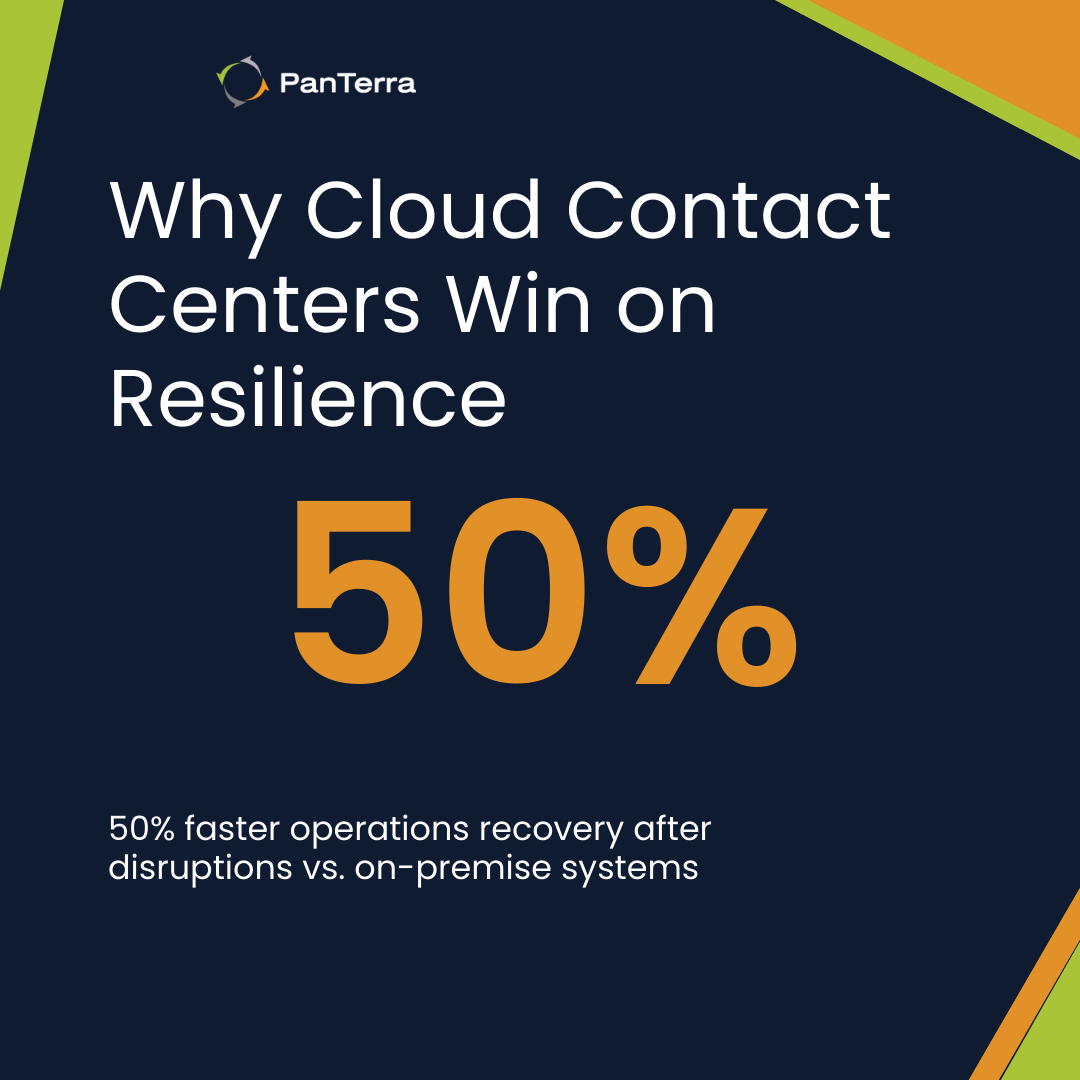
Automated cloud disaster recovery materially shortens downtime. Recent DR research shows organizations using automated/cloud recovery are 50% more likely to restore operations within the first hour after a disruption, compared with those relying on manual or legacy approaches.
FAQ
How long does migration to a cloud contact center take?
Small teams can migrate in 2–4 weeks; complex setups with many integrations usually take 2–3 months, often via phased rollout.
What hidden costs do on-prem contact centers usually have?
Cloud contact centers typically lower total cost by removing hardware and maintenance and letting you pay only for what you use.
Can cloud contact centers integrate with existing systems?
Yes—most platforms offer APIs and standard integrations with common CRMs and helpdesk tools.
Next Steps
Evaluating whether cloud contact centers fit your business? Start by auditing your current costs and pain points.
Calculate what you spend on hardware, maintenance, software licenses, and IT support for your current system. Identify operational frustrations: scaling challenges, remote work limitations, integration gaps.
For businesses exploring unified cloud communications with built-in AI capabilities, PanTerra's Streams.AI combines voice, messaging, and contact center features in a single platform.
The most successful migrations start with clear goals, realistic timelines, and phased implementation—not rushed deployments chasing vendor promises.
.jpg?width=500&height=500&name=Are%20you%20Getting%20a%20Good%20Deal%20(1).jpg)
Comments